700M HFID 6-2-15
108
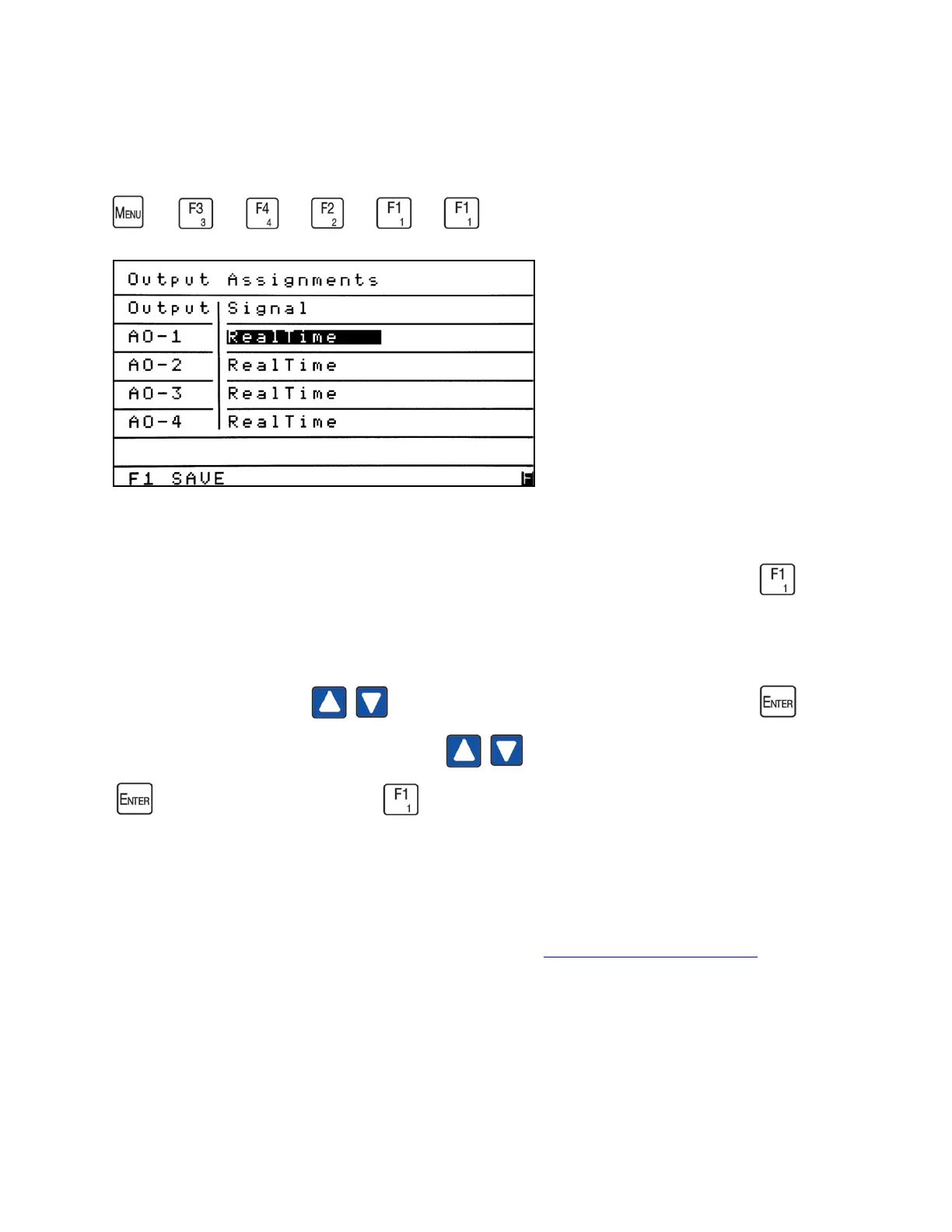
Output Assignments
→
→
→
→
→
The Output Assignments screen allows the operator to view or change the signals assigned
to the programmable analog outputs. From the Programmable Analogs menu press to
access the Output Assignments screen.
Use the Up/Down arrows to highlight the field you intend to change. Press to
open the field and use the Up/Down arrows to change it to the desired signal. Press
again to close the field. Press to save your changes.
NOTES:
1. Analog Output 1 (for example) is listed as AO-1 in the Output column.
2. For information on analog output connections see Analog and Digital Interface.



 To Next Page