700M HFID 6-2-15
86
Range Limits
→
→
→
or
→
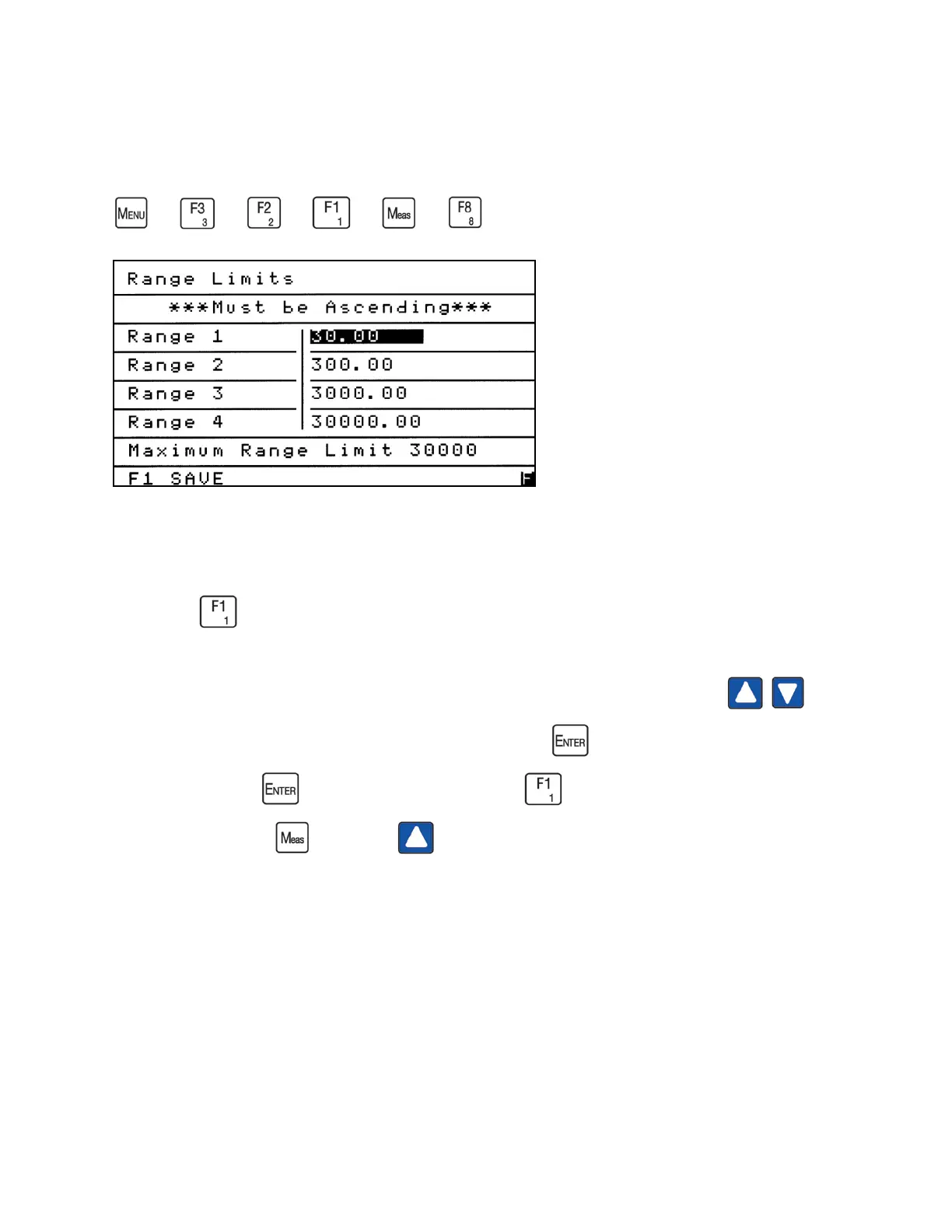
The analyzer is factory-configured with four physical ranges (1 - 4). The operator can change
the number of ranges and select a specific full-scale concentration in ppm. From the Range Setup
menu press to access the Range Limits screen.
To change the Range Limits from the factory settings, use the up or down arrows to
move the highlight to the field you intend to change. Press to open the field to change the
value in ppm. Press again to close the field. Press to save your changes. To initiate the
saved changes, press , then press and select new ranges.
NOTES:
1. The Range Limits values must be set in ascending order.
2. The analyzer will not allow any of the range limits to exceed the maximum range limit on
the Range Limits screen. Example: Maximum Range Limit 30,000.
3. To set a single range, set Range 1 to the desired value and all others to zero.



 To Next Page