700M HFID 6-2-15
91
Diagnostic Values
→
→
→
or
→
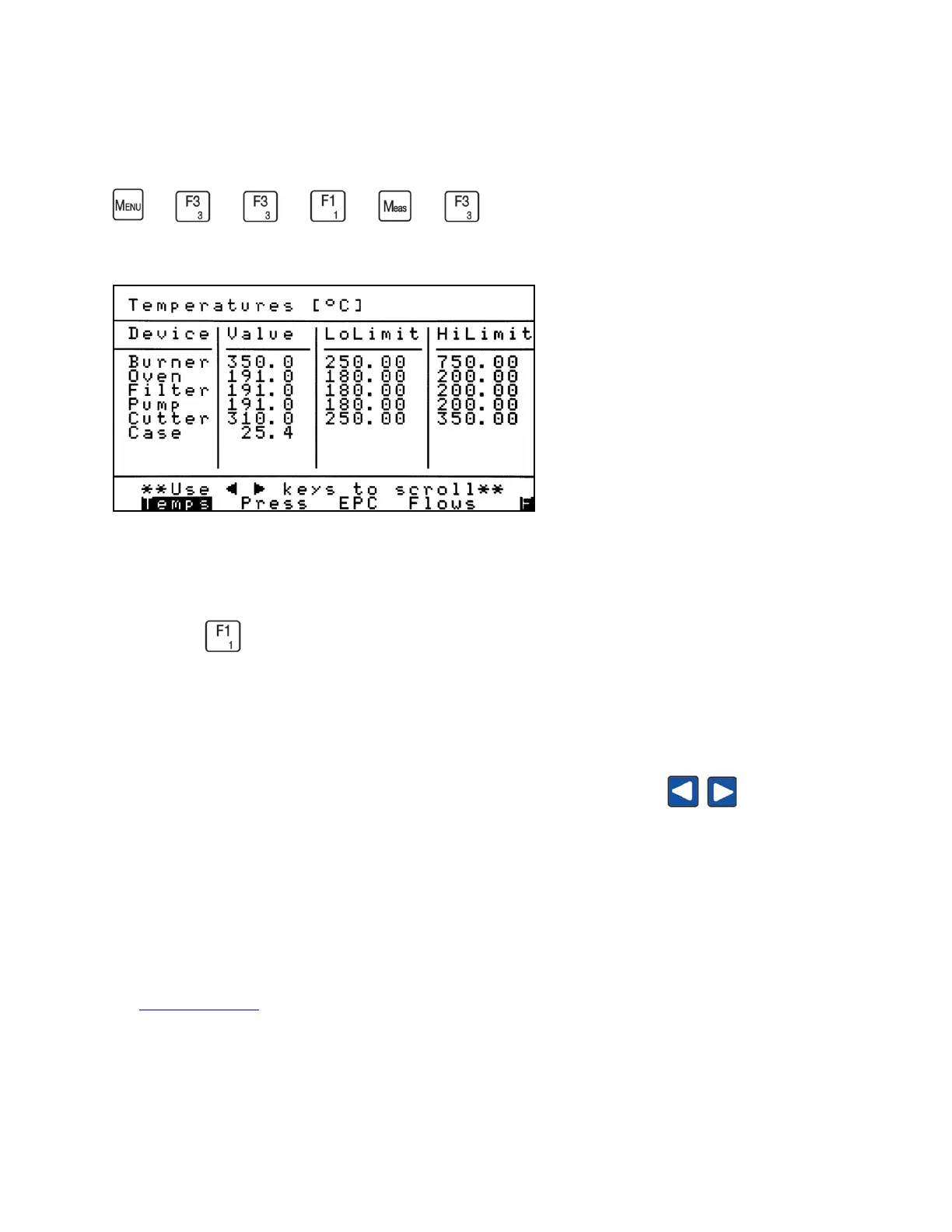
Temperatures Screen
The Diagnostic Values screens allow the operator to check analyzer temperatures, sample
and air pressures, EPC voltage percentages and flows. These important screens are accessed
by pressing from the Diagnostics menu.
The first screen that appears is the Temperatures screen. The Temperatures screen displays the
current temperature and low and high alarm limits for key analyzer components.
As indicated at the bottom of the screen, use the left and right arrow keys to scroll to
different screens. The current screen will be highlighted (Temps in the example).
The Temperatures, Pressures and EPC Voltage Percent screens include the current device Values
and the Low and High Alarm Limits. For example, if the analyzer’s burner temperature drops
lower than 250°C or exceeds 750°C, an alarm will be triggered and displayed at the bottom of
the Measure Screen.



 To Next Page