700M HFID 6-2-15
60
Cal Gas Concentrations
→
→
→
or
→
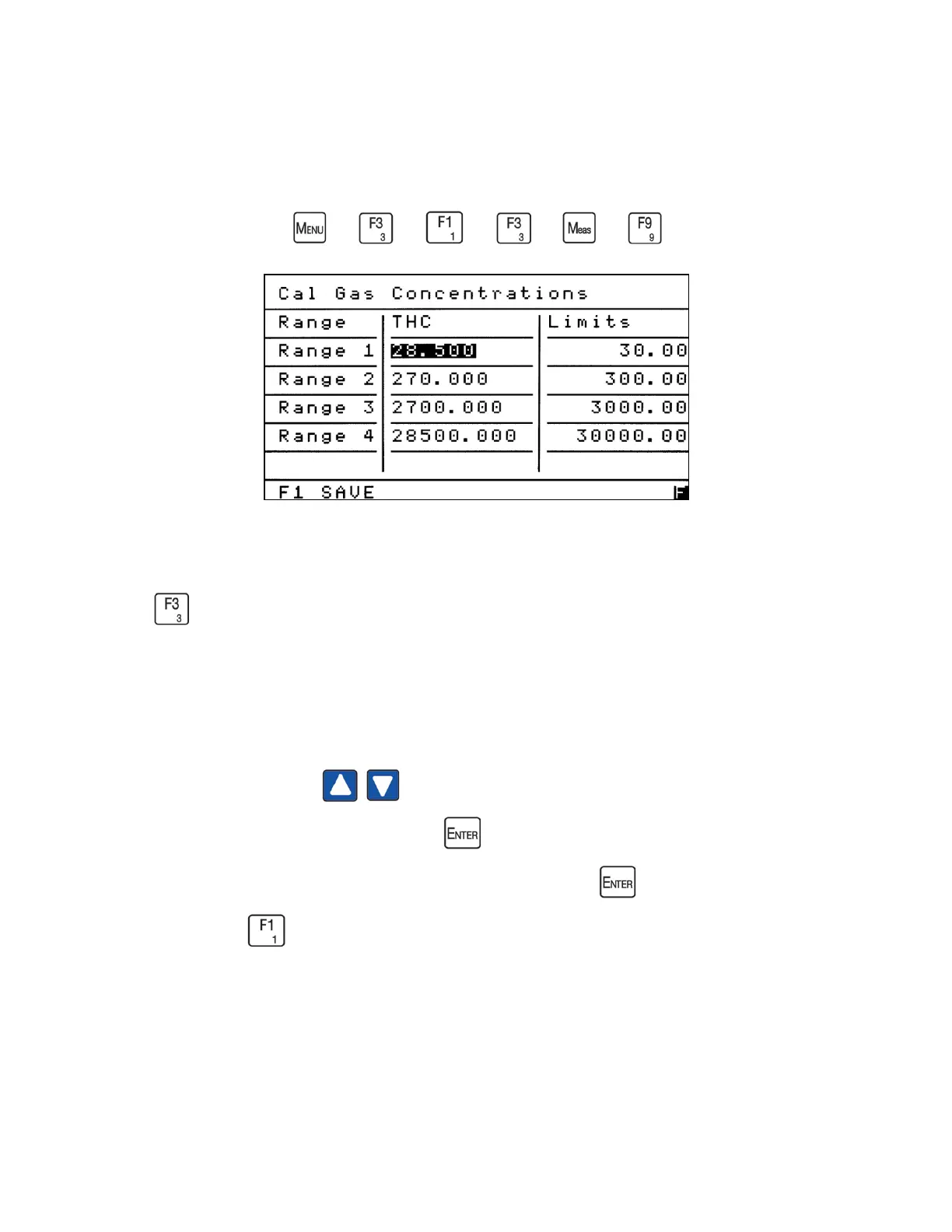
The Cal Gas Concentrations Screen allows operators to change calibration gas values for
multiple ranges on one screen. To access the Cal Gas Concentrations screen (shown above)
press from the Calibration Menu.
The Cal Gas Concentrations screen displays the range identification, the changeable span gas
value and the full-scale value set for that range.
Using the Up/Down arrows move the highlighted field to the span gas value you wish
to change (for example, 28.50 above). Press to open the span gas value field and change the
value to match the span gas being supplied to the analyzer. Press again to close the span gas
value field. Press to save the changes.



 To Next Page