Sending Documents
4-40
Changing Group Name
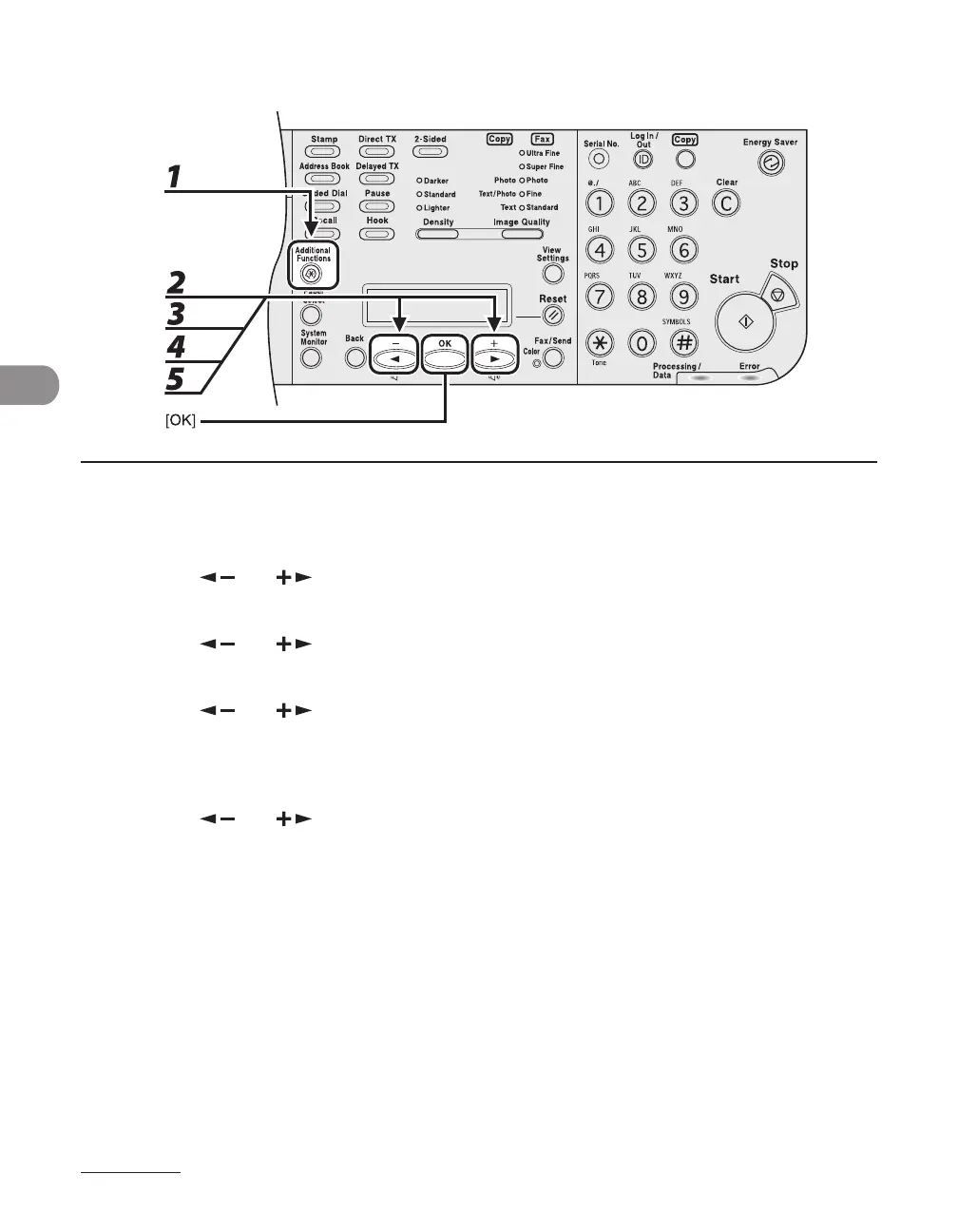
1 Press [Additional Functions].
2 Press [ ] or [ ] to select <ADDRESS BOOK SET.>, then press [OK].
3 Press [ ] or [ ] to select <GROUP DIAL>, then press [OK].
4 Press [ ] or [ ] to select a group to edit, then press [OK].
To select a group stored under the coded dial code, press [Coded Dial], then enter the three-digit code
using the numeric keys.
5 Press [ ] or [ ] to select <NAME>, then press [OK].
●














 To Next Page