12-57
Machine Settings
ACTIVITY REPORT
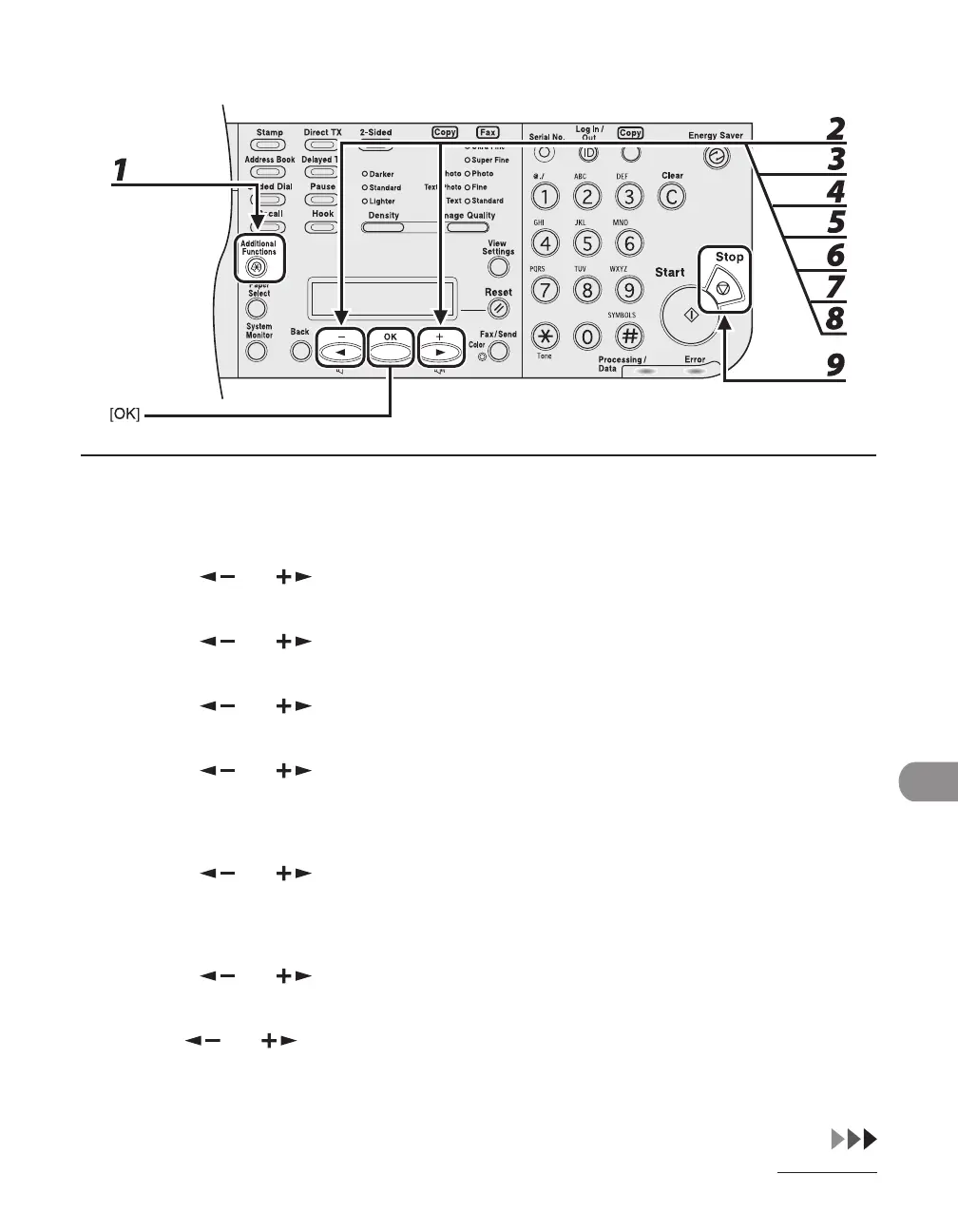
1 Press [Additional Functions].
2 Press [ ] or [ ] to select <REPORT SETTINGS>, then press [OK].
3 Press [ ] or [ ] to select <SETTINGS>, then press [OK].
4 Press [ ] or [ ] to select <ACTIVITY REPORT>, then press [OK].
5 Press [ ] or [ ] to select <AUTO PRINT>, then press [OK].
If TX Document Archiving is set to <ON>, the activity report is automatically set to be printed every 40
transmissions, and the settings under <AUTO PRINT> are not displayed. Proceed to step 7.
6 Press [ ] or [ ] to select the setting you want, then press [OK].
<OUTPUT YES>: Prints a report after every 40 transactions.
<OUTPUT NO>: Does not print a report. Skip to step 9.
7 Press [ ] or [ ] to select <TX/RX SEPARATE>, then press [OK].
8 Use [ ] or [ ] to select the setting you want, then press [OK].
<OFF>: Prints a report with the transmission and reception results listed chronologically.
<ON>: Prints a report with the transmission and reception results separated in a report.
9 Press [Stop] to return to the standby mode.














 To Next Page