Sending Documents
4-78
Setting Automatic Redialing (Fax)
Automatic redialing enables the machine to automatically redial the recipient’s fax
number if the recipient cannot be reached due to a busy line, or if a sending error
occurs. Auto Redial can be turned <ON> or <OFF>. If you set <AUTO REDIAL> to <ON>,
you can set how many times the machine redials the number, and the redial interval.
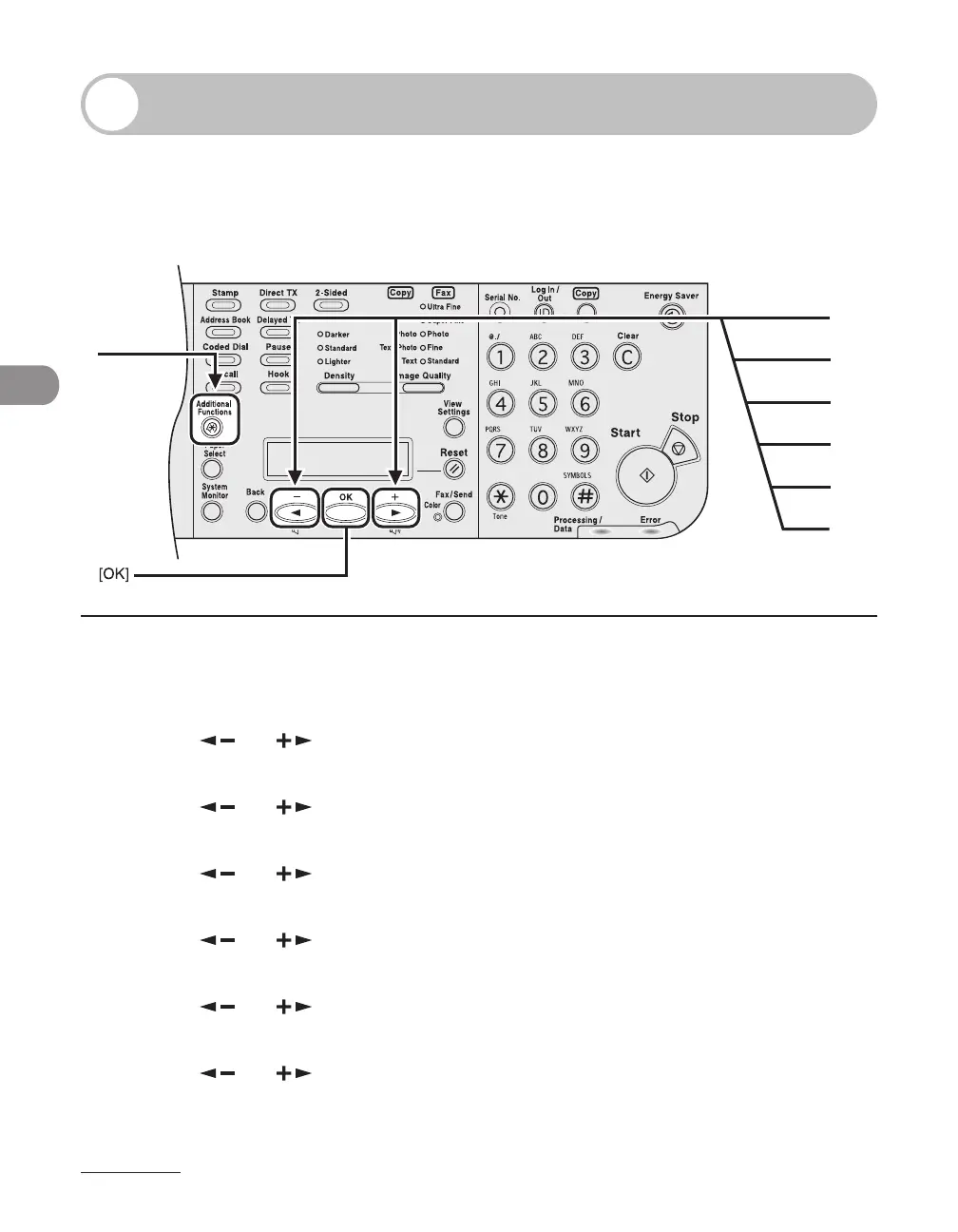
1 Press [Additional Functions].
2 Press [ ] or [ ] to select <TX/RX SETTINGS>, then press [OK].
3 Press [ ] or [ ] to select <FAX SETTINGS>, then press [OK].
4 Press [ ] or [ ] to select <TX SETTINGS>, then press [OK].
5 Press [ ] or [ ] to select <AUTO REDIAL>, then press [OK].
6 Press [ ] or [ ] to select <ON>, then press [OK].
7 Press [ ] or [ ] to select <REDIAL TIMES>, then press [OK].














 To Next Page