Receiving Documents
5-22
Remote Reception
Remote reception enables you to use an external telephone connected to the machine
to receive faxes manually. This can be useful when the machine is not nearby or is
being used by someone else.
This function is not available when <ENERGY IN SLEEP> in <COMMON SETTINGS> is set to <LOW>.
Registering Remote Reception ID
Follow this procedure if you want to change the default remote reception ID of 25.
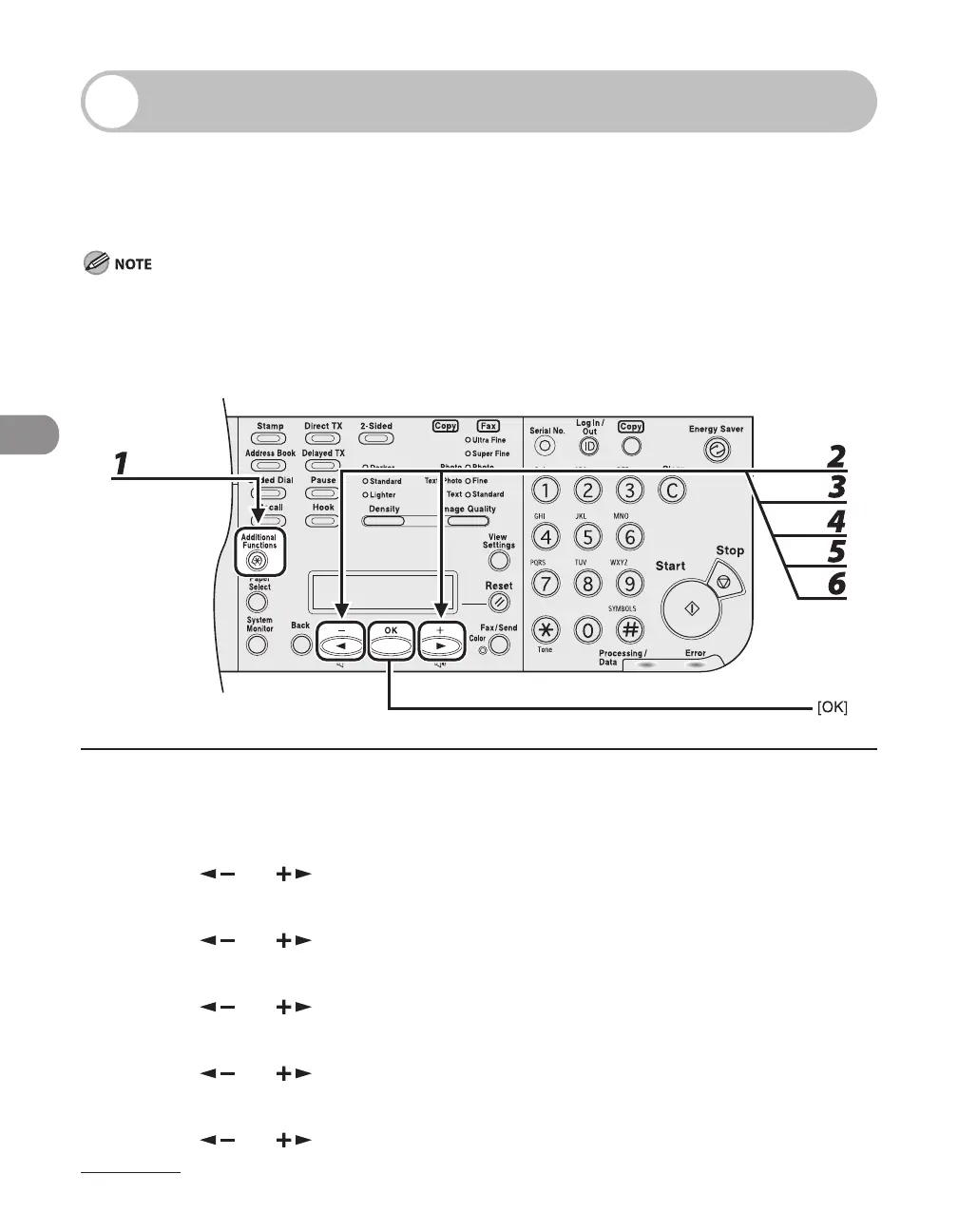
1 Press [Additional Functions].
2 Press [ ] or [ ] to select <TX/RX SETTINGS>, then press [OK].
3 Press [ ] or [ ] to select <FAX SETTINGS>, then press [OK].
4 Press [ ] or [ ] to select <RX SETTINGS>, then press [OK].
5 Press [ ] or [ ] to select <REMOTE RX>, then press [OK].
6 Press [ ] or [ ] to select <ON>, then press [OK].














 To Next Page