Before Using the Machine
1-2
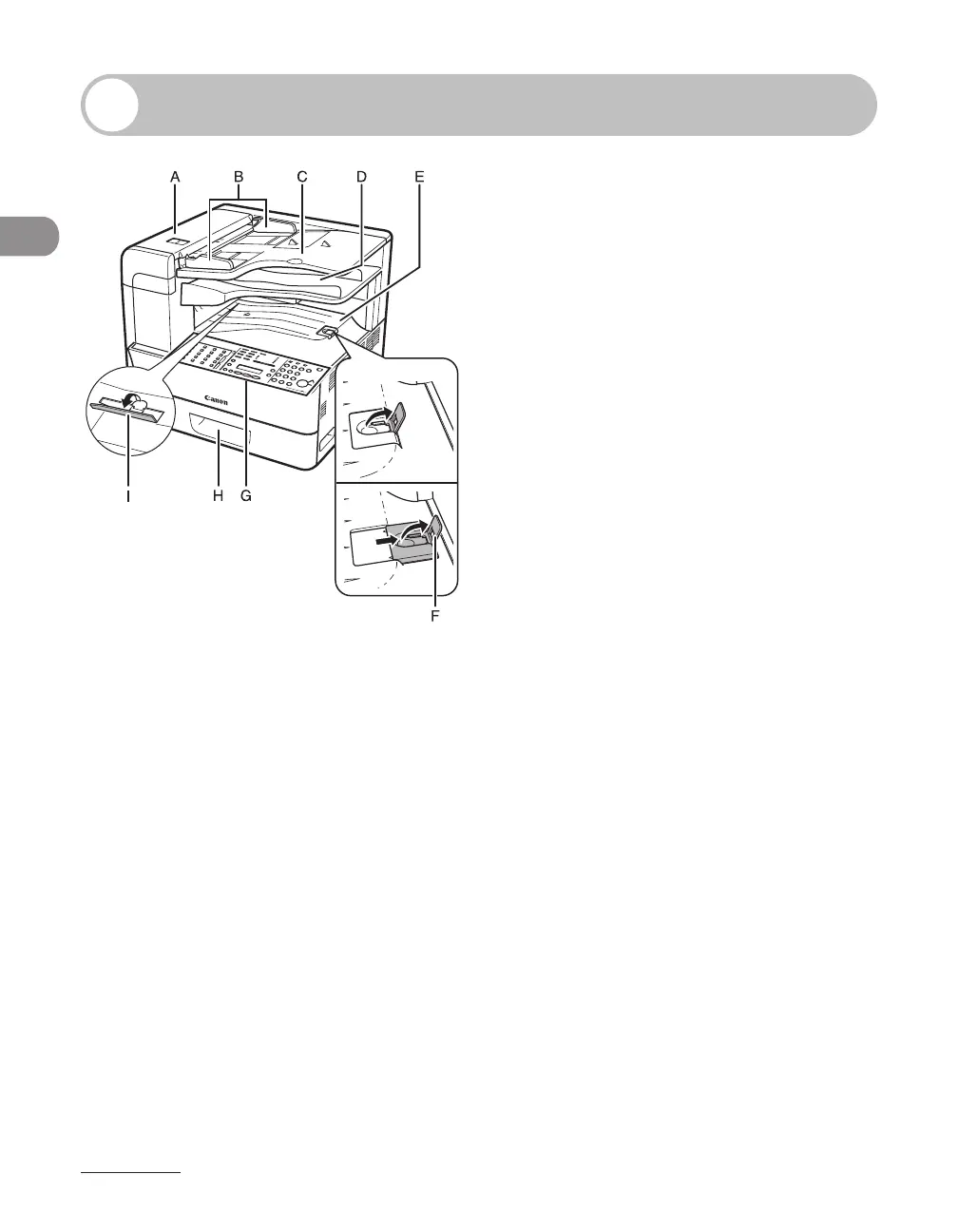
Machine Components
A ADF (Automatic Document Feeder)
Holds documents and feeds them automatically
into the scanning area.
B Slide guides
Adjust to the width of the document.
C Document feeder tray
Holds documents.
D Document delivery tray
Receives documents.
E Paper delivery tray
Receives copies, prints and faxes.
F Paper stopper
Prevents the paper from falling off the paper
delivery tray.
Open the stopper from its original position for
A4/LTR size paper. For LGL size paper, pull out
the extension first, and then open the stopper.
G Operation panel
Machine controls.
H Paper cassette
Holds the paper supply.
I Stacking support
Helps prevent paper curl on the output tray.
Open as far as it goes when using curl-prone
paper.














 To Next Page