Sending Documents
4-80
Switching Temporarily to Tone Dialing
If your machine is set for pulse dialing, use the procedure below to switch to tone
dialing to use information services (e.g., banks, airline reservations, and hotel
reservations).
To talk to the other party, you will need to connect an optional handset or an external telephone to the
machine.
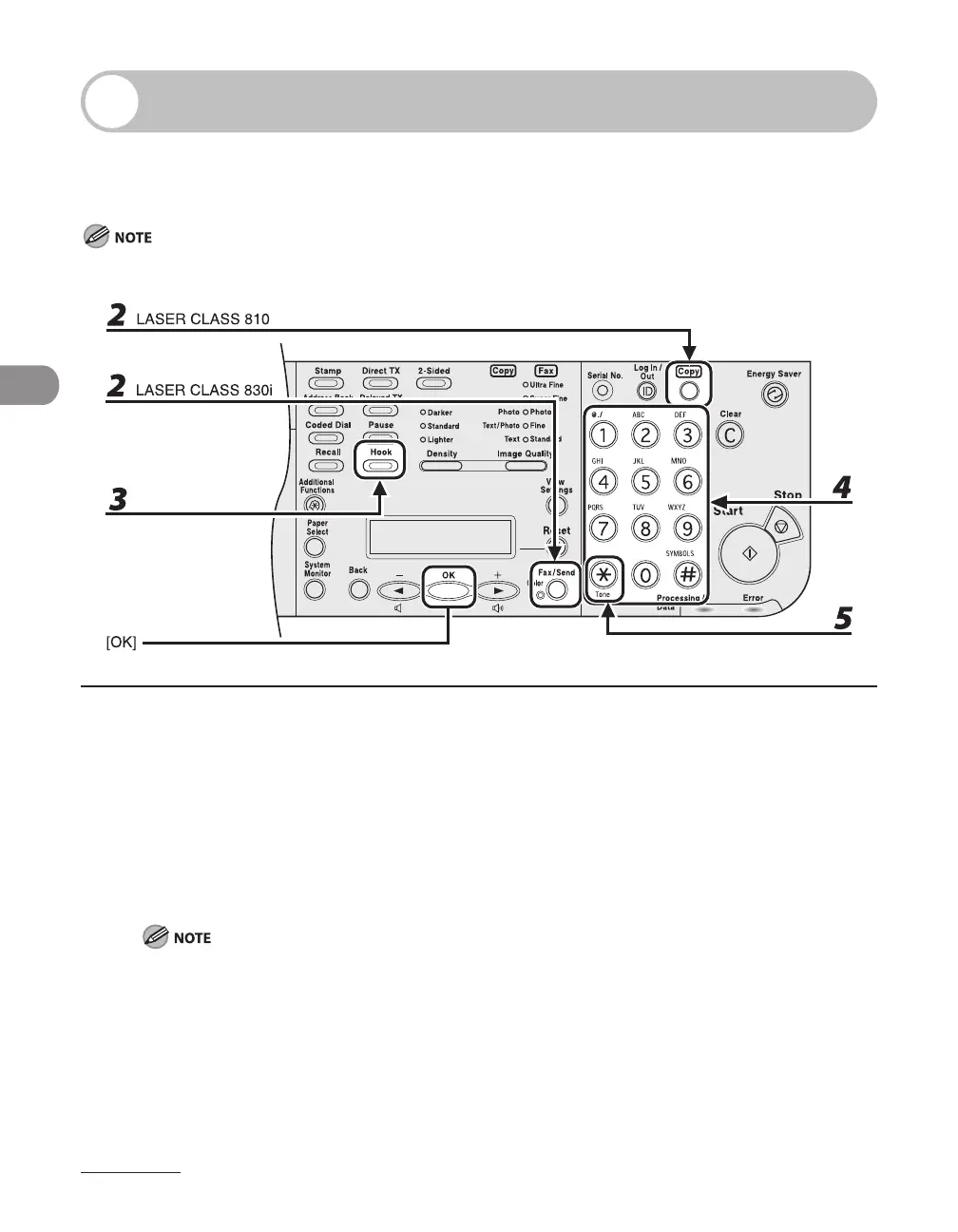
1 Press [Fax/Send].
If using the LASER CLASS 810, you can switch to the Fax mode by pressing [Copy/Fax].
2 Press [Fax/Send] repeatedly to select <FAX>, then press [OK].
3 Press [Hook].
Make sure to confirm the dial tone before entering a fax number. If you enter the number before the
dial tone can be heard, the call may not be connected, or the wrong number may be dialed.
4 Use the numeric keys to dial the required information service.
5 When the recorded message of the information service answers, press [Tone] to
switch to tone dialing.














 To Next Page