Copying
3-4
Scan Settings
Before pressing [Start] to begin copying, you can adjust the settings to better suit the
document to be scanned. These settings return to the default values if the Auto Clear
function is activated or if you press [Reset].
Image Quality
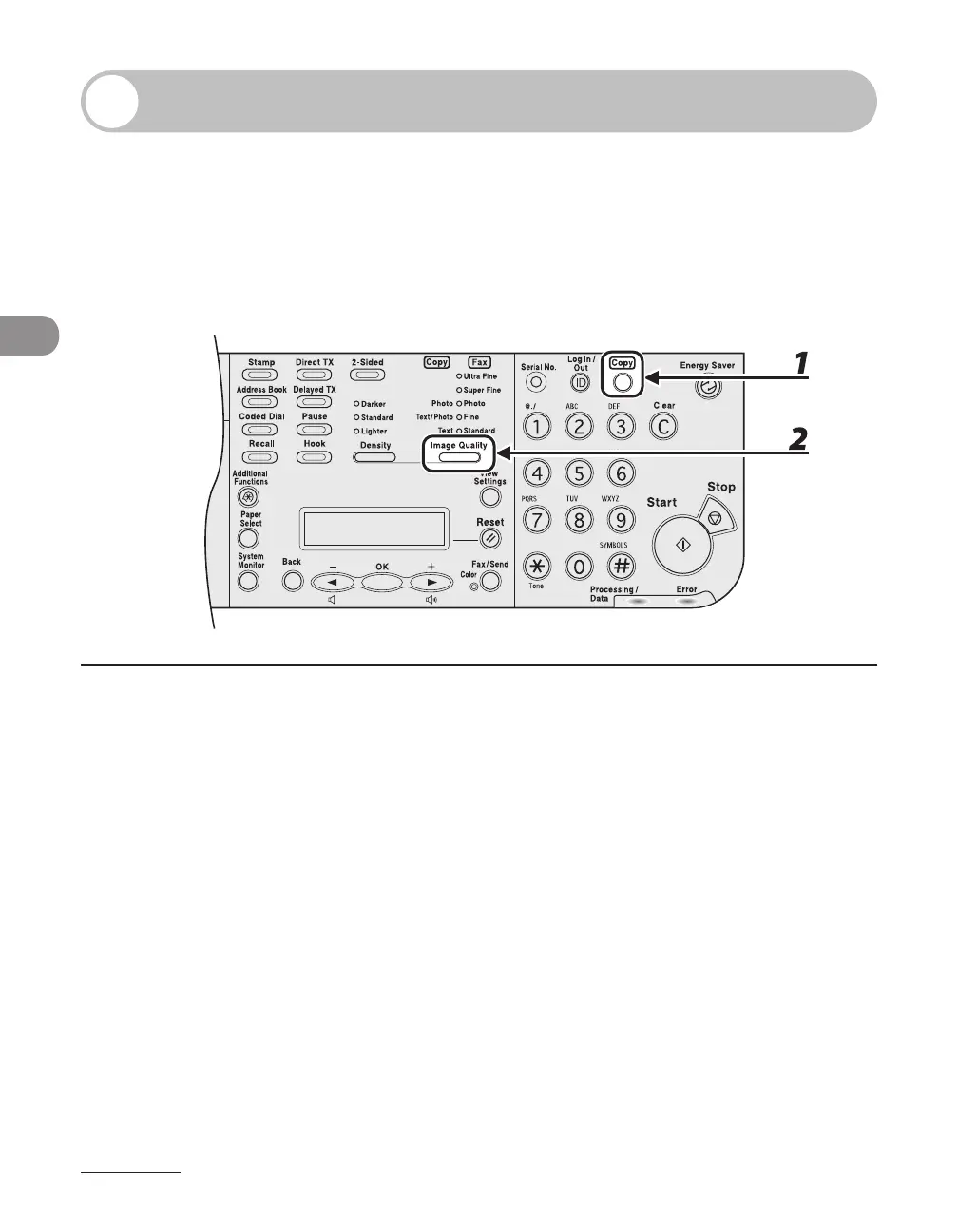
1 Press [Copy].
If using the LASER CLASS 810, you can switch to the Copy mode by pressing [Copy/Fax].
2 Press [Image Quality] repeatedly to select the document type.
<Photo>: For documents that contain fine text or photos.
<TEXT/PHOTO>: For documents that contain text and photos.
<Text>: For text documents.














 To Next Page