Receiving Documents
5-6
DRPD: Optional Settings
Select the ring pattern assigned by your telephone company.
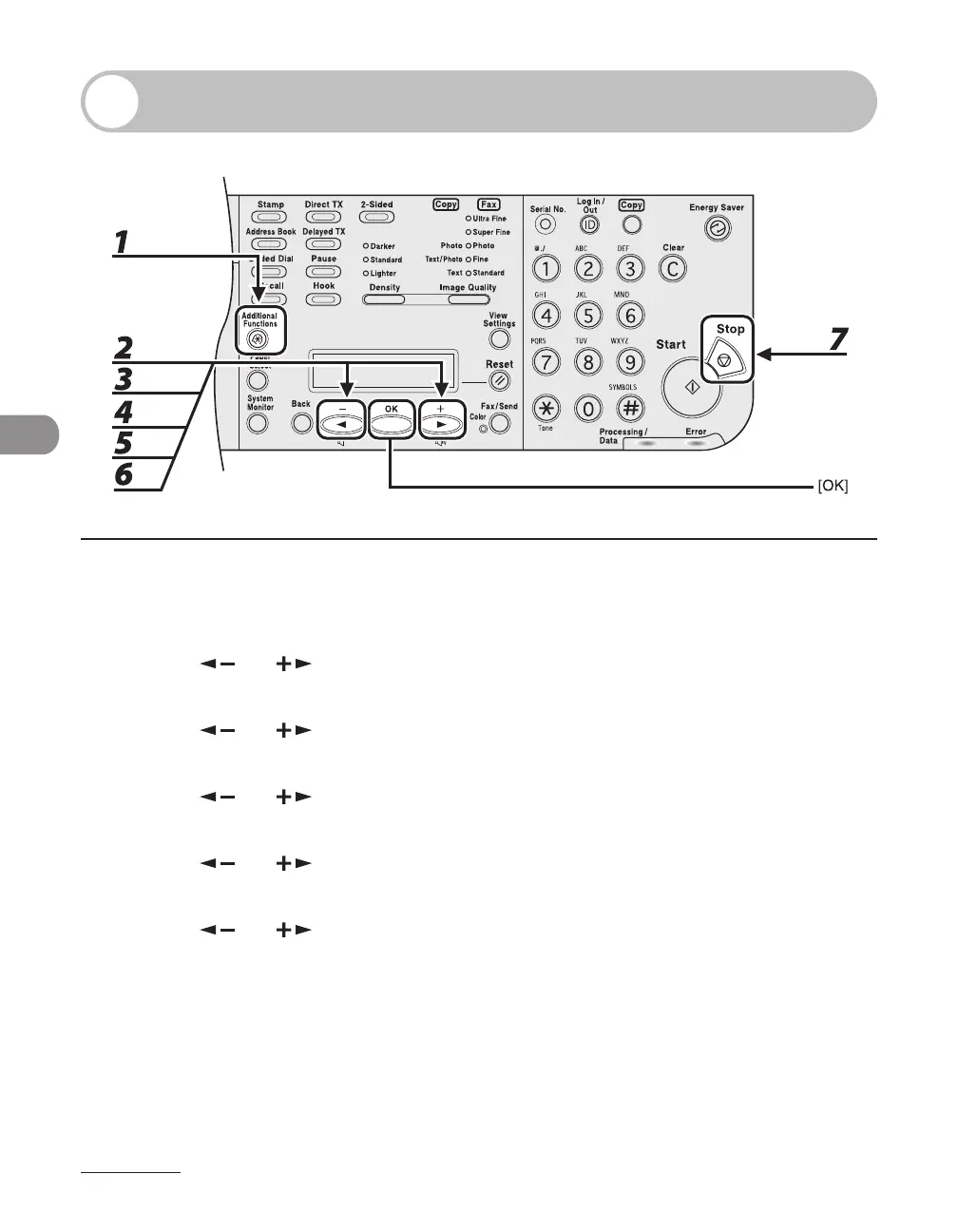
1 Press [Additional Functions].
2 Press [ ] or [ ] to select <TX/RX SETTINGS>, then press [OK].
3 Press [ ] or [ ] to select <FAX SETTINGS>, then press [OK].
4 Press [ ] or [ ] to select <RX SETTINGS>, then press [OK].
5 Press [ ] or [ ] to select <DRPD:SELECT FAX>, then press [OK].
6 Press [ ] or [ ] to select a ring pattern, then press [OK].
<DOUBLE RING>
<SHORT-SHORT-LONG>
<SHORT-LONG-SHORT>
<OTHER RING TYPE>
<NORMAL RING>
7 Press [Stop] to return to the standby mode.














 To Next Page