Receiving Documents
5-2
Basic Receiving Method
Follow this procedure to set the machine for receiving faxes.
For advanced receiving features, see Reference Guide > Send/Receive.
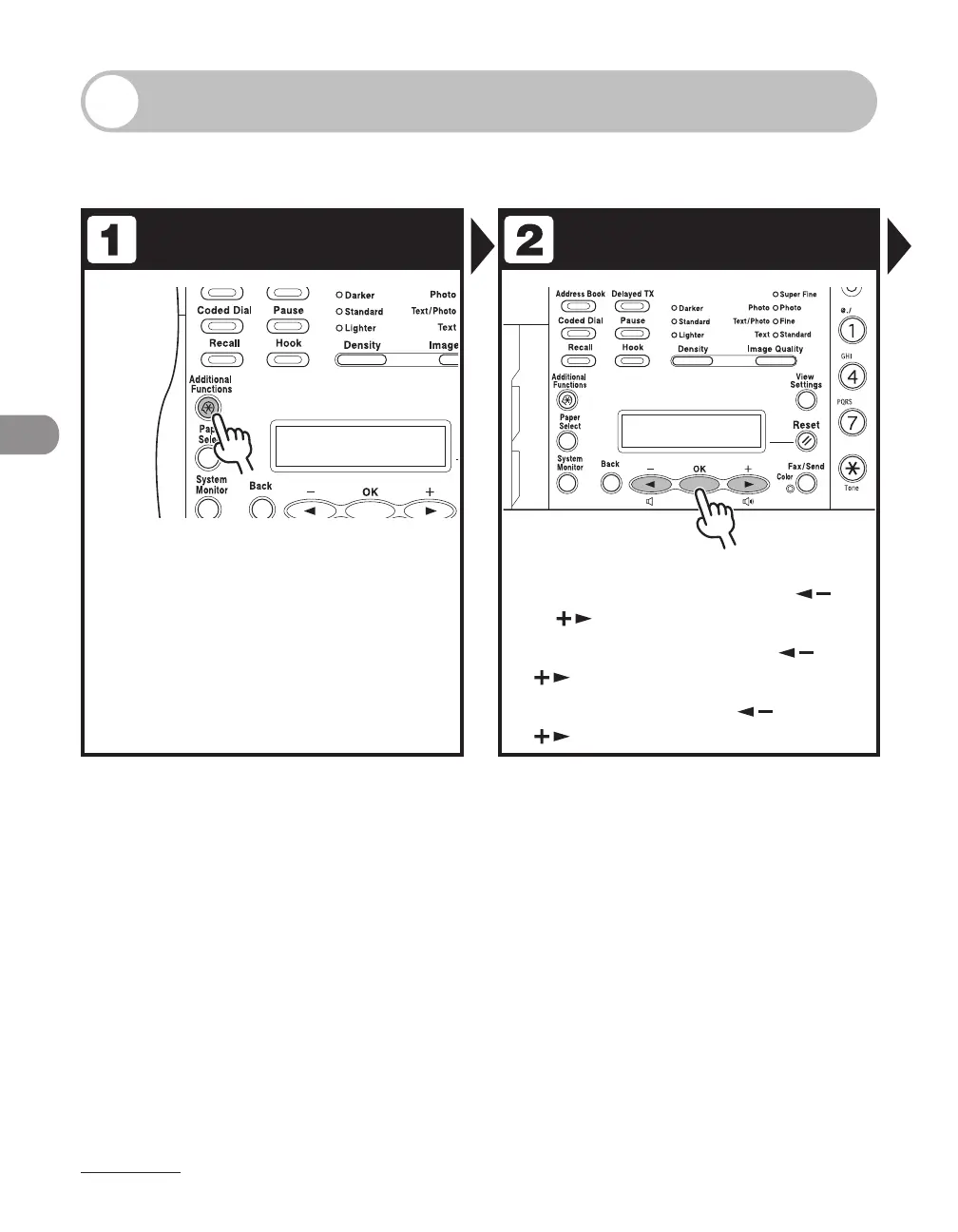
Enter the Setting Menu Enter the Receive Mode
Press [Additional Functions].
Select <TX/RX SETTINGS> with [ ]
or [ ], then press [OK].
Select <FAX SETTINGS> with [ ] or
[ ], then press [OK].
Select <RX MODE> with [ ] or
[ ], then press [OK].














 To Next Page