4-77
Sending Documents
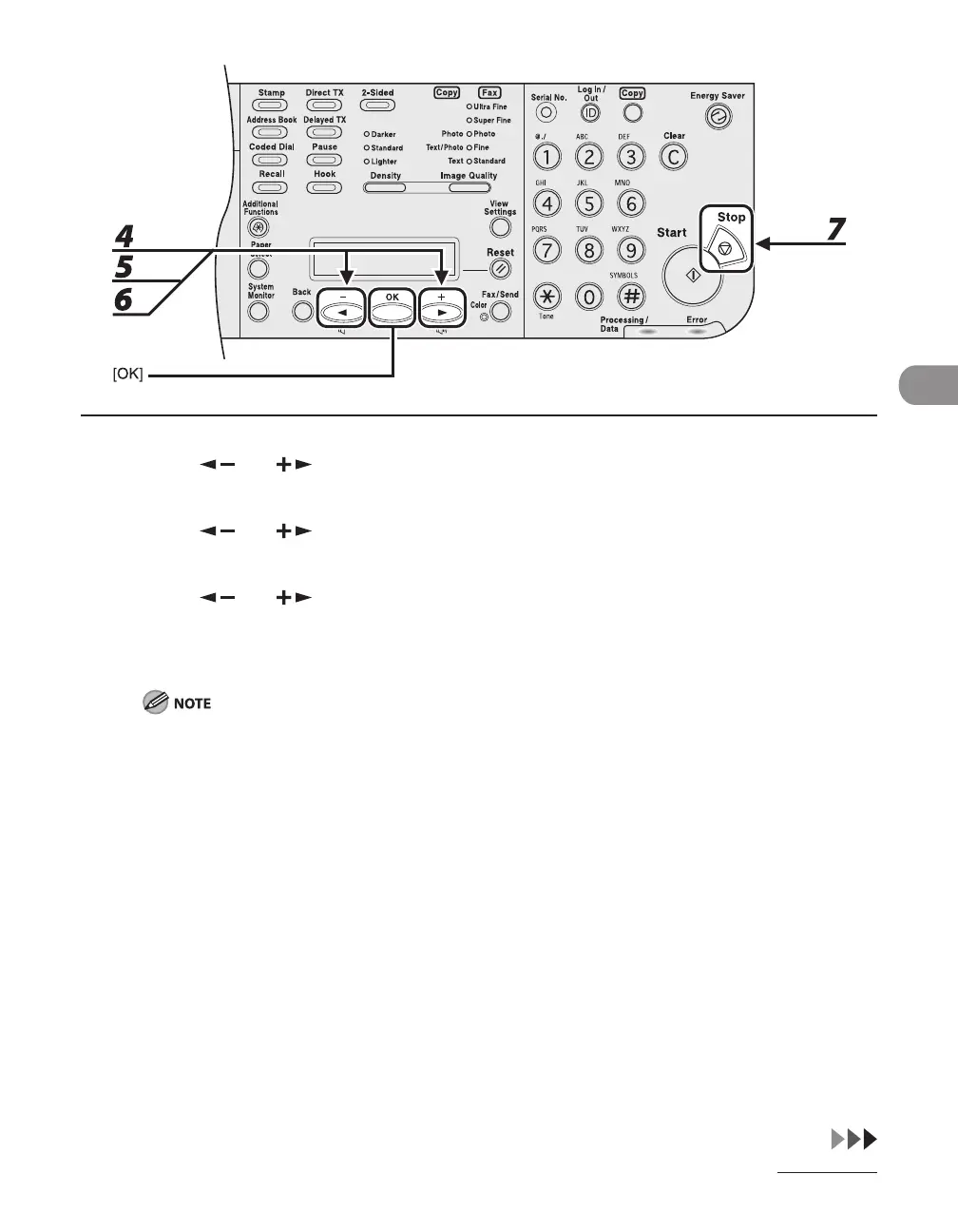
4 Press [ ] or [ ] to select <FAX SETTINGS>, then press [OK].
5 Press [ ] or [ ] to select <TX DOC. ARCHIVING>, then press [OK].
6 Press [ ] or [ ] to select <ON>, then press [OK].
7 Press [Stop] to return to the standby mode.
TX Document Archiving will be performed once for each document transmitted. Regarding the
redialing, it works based on the settings of this machine. (See “Setting Automatic Redialing (Fax),” on
p. 4-78.)
When using sequential broadcasting, after all transmissions (including redialing or error redialing)
finish, if there is at least one destination to which all pages were sent successfully, then TX Document
Archiving will be performed once.
In the Activity Management Report, regarding the Mode field (Transaction Mode), "TRANSFER" will
be printed and regarding the NO. field (Transaction Number), the number of the original sending
destination will be printed.
Regarding the DATE and TIME of the TX Document Archiving on the sender information, the DATE
and TIME that the TX Document Archiving was performed will be printed.
–
–
–
–














 To Next Page