Sending Documents
4-76
Turning the TX Document Archiving ON
Follow this procedure to turn TX Document Archiving ‘ON’.
To activate the TX Document Archiving, other than the following settings, in <FW W/OUT CNDITION> in
<SYSTEM SETTINGS>, it is necessary to set the machine to forward received documents. (See "When Forwarding
Destinations Do Not Match the Forwarding Conditions," on p. 5-15.)
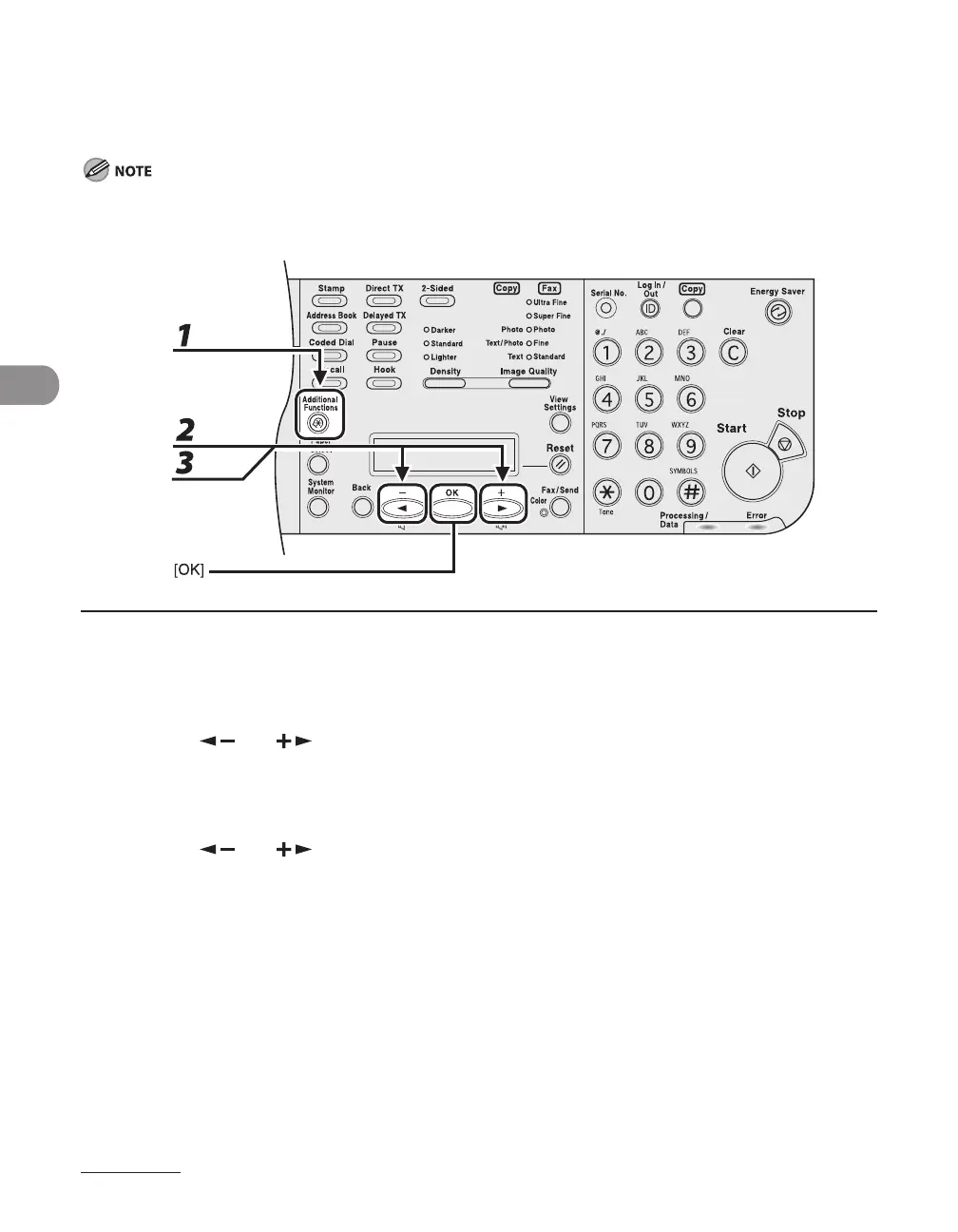
1 Press [Additional Functions].
2 Press [ ] or [ ] to select <SYSTEM SETTINGS>, then press [OK].
If the System Manager ID and System Password have been set, enter the System Manager ID and
SystemPassword using the numeric keys, then press [Log In/Out (ID)].
3 Press [ ] or [ ] to select <COMMUNICATIONS>, then press [OK].














 To Next Page