9-27
System Manager Settings
Restricting PC Faxing
You can specify whether or not to allow sending faxes from computers using the fax driver.
An optional network printer kit is required to use the fax driver with the LASER CLASS 810.
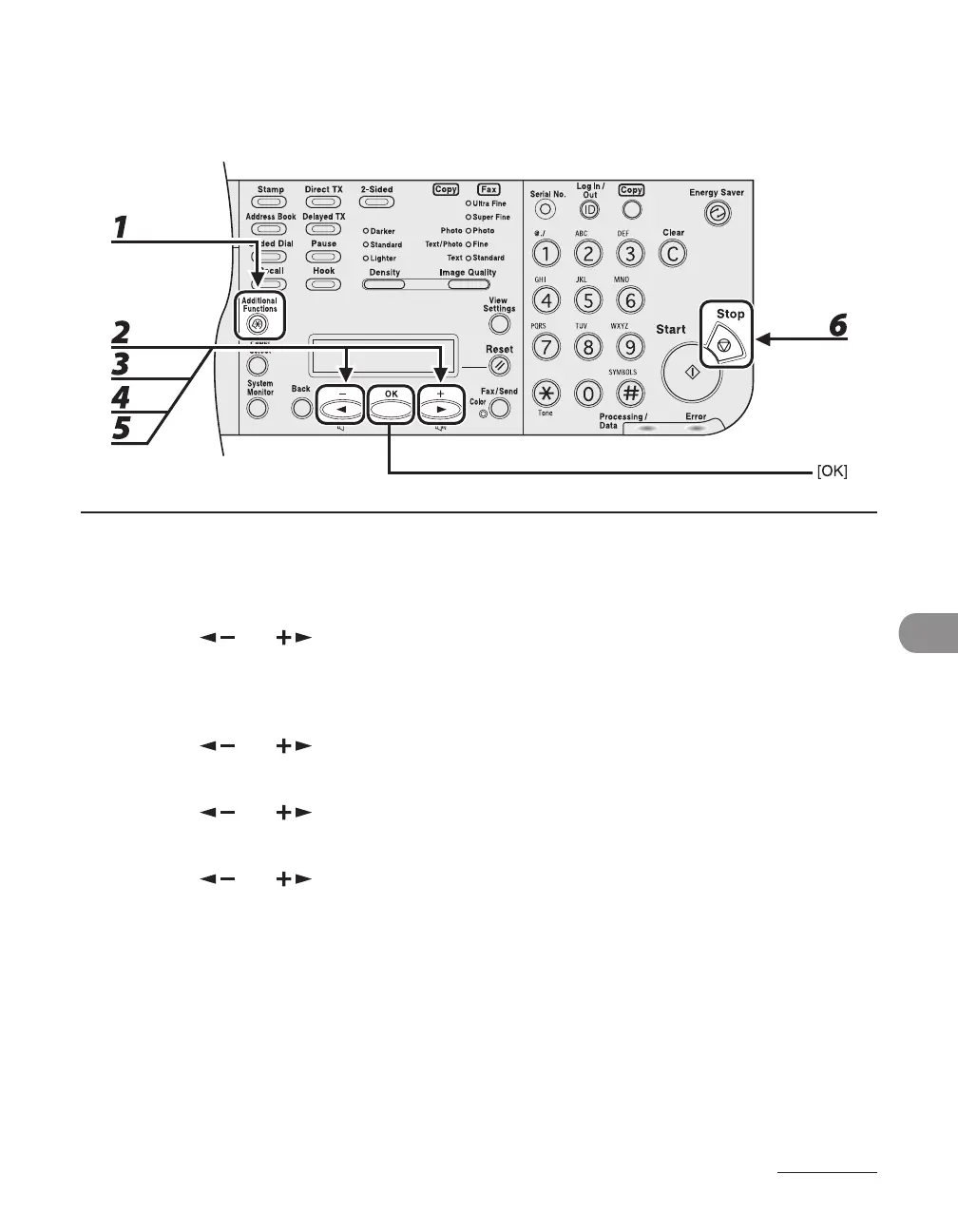
1 Press [Additional Functions].
2 Press [ ] or [ ] to select <SYSTEM SETTINGS>, then press [OK].
If the System Manager ID and System Password have been set, enter the System Manager ID and System
Password using the numeric keys, then press [Log In/Out (ID)].
3 Press [ ] or [ ] to select <RESTRICT TX FUNC>, then press [OK].
4 Press [ ] or [ ] to select <FAX DRIVER TX>, then press [OK].
5 Press [ ] or [ ] to select <ON> or <OFF>, then press [OK].
6 Press [Stop] to return to the standby mode.














 To Next Page