Maintenance
10-18
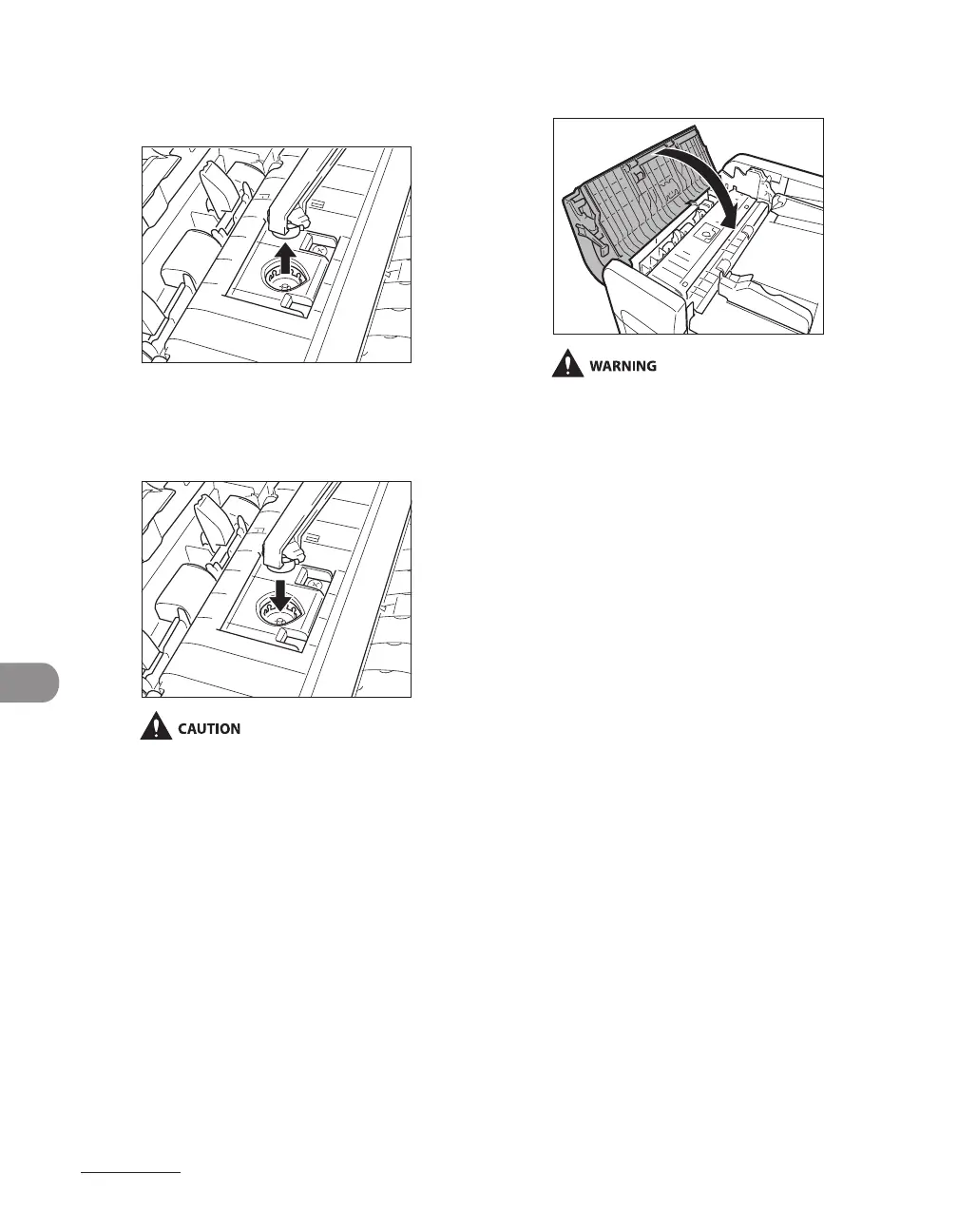
3 Remove the old stamp cartridge,
using tweezers.
4 Push in the new stamp cartridge
until it clicks, using tweezers.
Make sure that the stamp cartridge is not
protruding from the surface.
Insert the stamp cartridge properly, or it
may cause paper jams.
–
–
5 Gently close the feeder cover.
When closing the covers, be careful not to
get your fingers caught, as this may result in
personal injury.














 To Next Page