12-13
Machine Settings
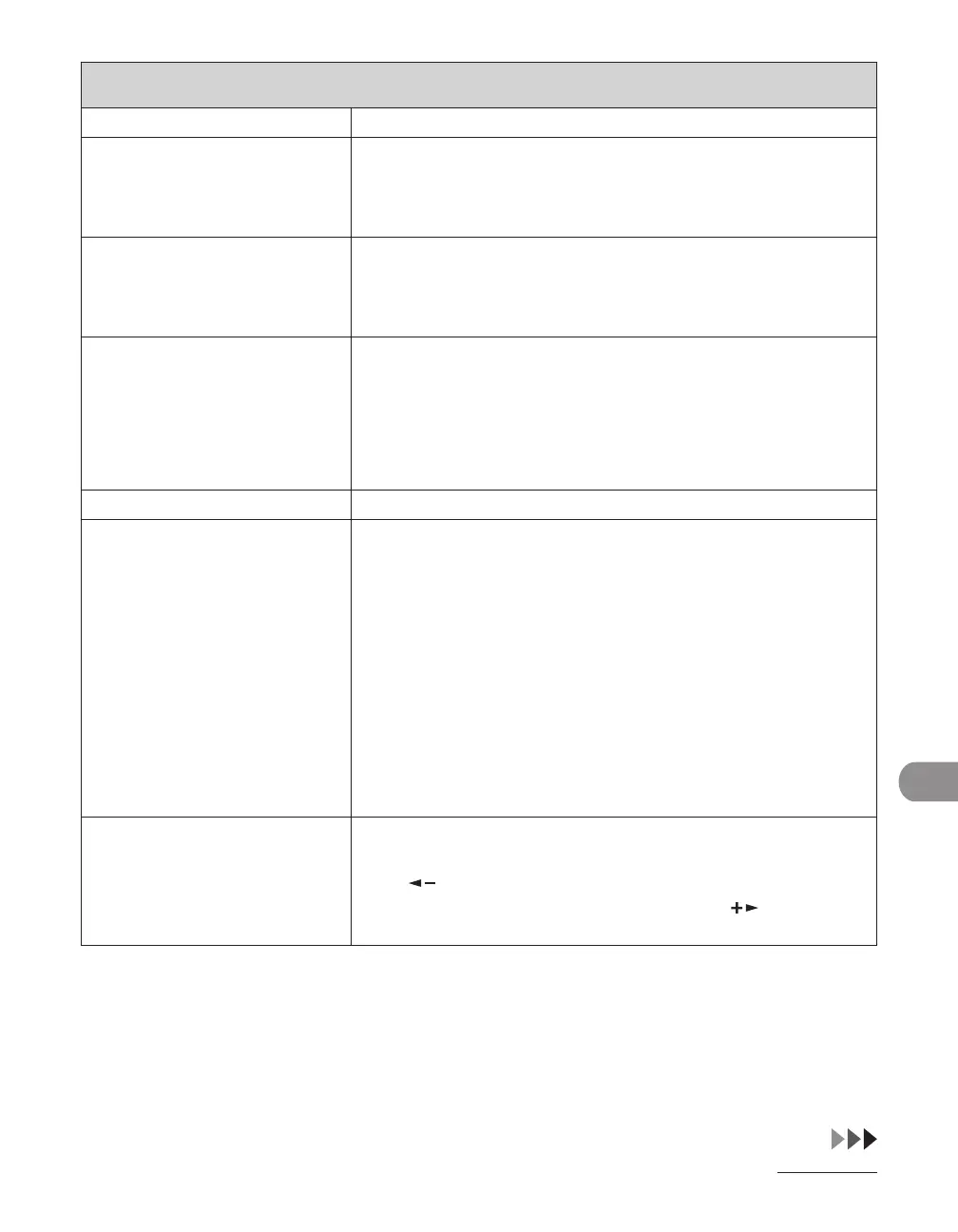
TX/RX SETTINGS
7. TX TERMINAL ID Sets the options for sender information.
1. PRINTING
POSITION
Selects where the sender information is printed in small type at
the top of each page.
OUTSIDE IMAGE
INSIDE IMAGE
–
–
2. TELEPHONE #
MARK
Prefixes your number with the abbreviations FAX or TEL in your
sender information.
FAX
TEL
–
–
8. COLOR TX GAMMA
*
Sets the gamma value for color scanned data. If the set value
corresponds to the gamma value at the recipient’s machine, the
scan exposure of the output data at the recipient’s machine is
automatically adjusted to the level best suited to the quality of
the original.
(GAMMA 1.8, GAMMA 2.2, GAMMA 1.0, GAMMA 1.4)
9. SHARPNESS
*
Sets the contrast of the images you scan. (1-7)
10. ROTATE TX
*
Sets whether to use the TX Rotation function. TX Rotation
function automatically corrects the orientation of the document
by rotating the image when sending. For example, if you set
a document that has a horizontal orientation vertically on
the machine, the machine rotates the image and sends it
horizontally.
You can use the TX Rotation mode for an A4 and a LTR
document only. The TX Rotation mode is not available if you are
using the Direct Sending or Manual Sending.
This settings is only enabled when sending faxes.
ON
OFF
–
–
11. INIT STANDARD SET Sets whether to restore <STANDARD SETTINGS> in <TX
SETTINGS> to the default.
Press [ ] to select <YES>.
If you do not want to restore all settings, press [ ] to select
<NO>.


 To Next Page
 Loading...












