Machine Settings
12-26
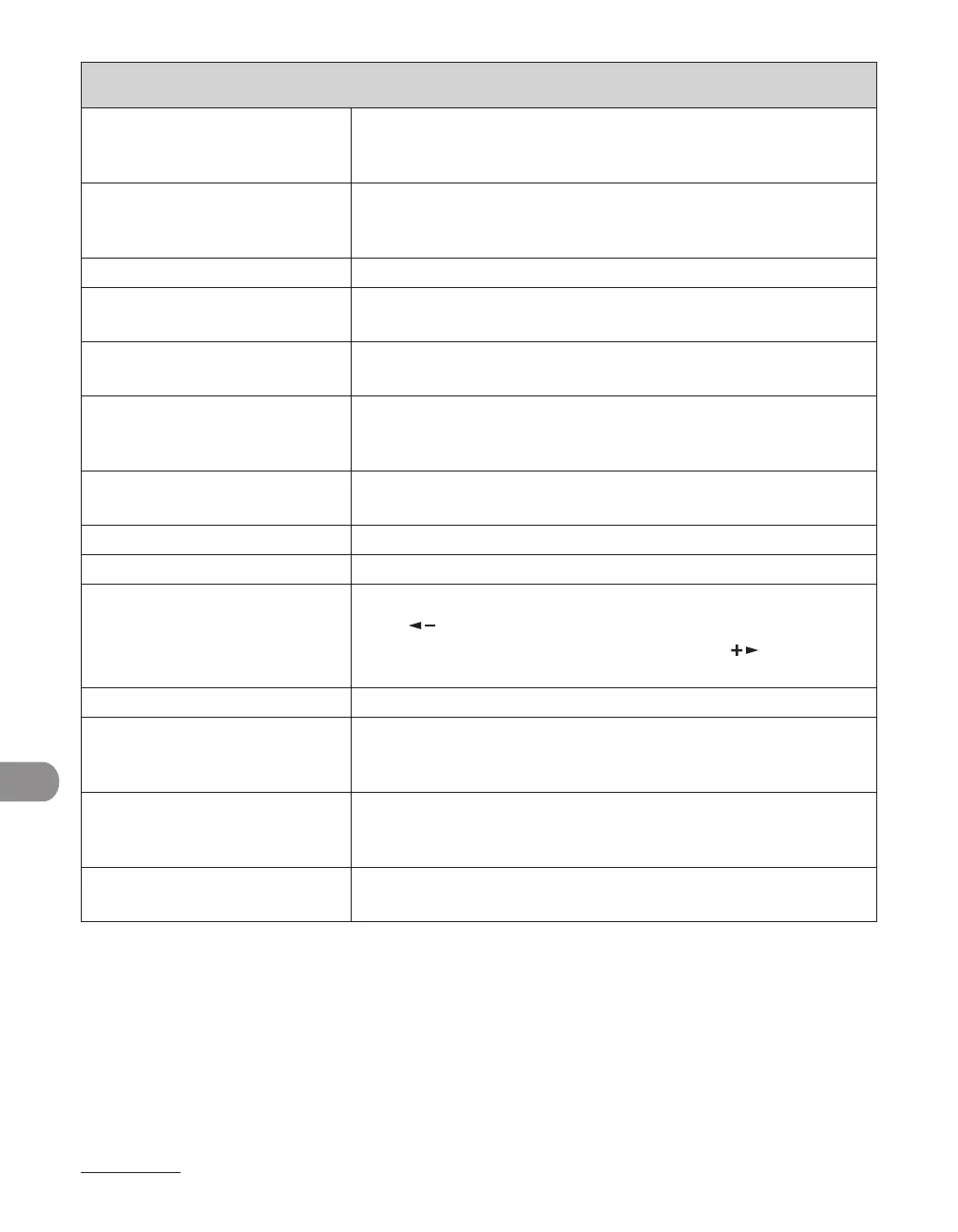
PRINTER SETTINGS
1. BINDING Sets the binding position for two-sided printing.
LONG EDGE
SHORT EDGE
–
–
2. MARGIN Sets the page margin in inches or millimeters.
INCHES (-01.90INCHES–01.90INCHES)
MM (-50.0 MM–50.0 MM)
–
–
7. AUTO ERROR SKIP Sets whether to skip errors and automatically continue printing.
ON When an error occurs, printing automatically continues if the
error can be skipped.
OFF When an error occurs, a message is displayed, and the printer
function stops until the job is canceled.
8. COLLATE Sets whether to collate the printouts automatically.
OFF
COLLATE
–
–
9. ERROR TIME OUT Sets the length of time before the machine returns an error
when no data is received from the computer.
ON Sets the error time out period. (5SEC–300SEC)
OFF The error time out is off.
10. INIT. PRINTER SET Restores all <PRINTER SETTINGS> to the default.
Press [ ] to select <YES>.
If you do not want to restore all settings, press [ ] to select
<NO>.
11. PCL SETTINGS
**
Sets the PCL printer setting.
1. PAPER SAVE Sets whether to save blank pages.
OFF
ON
–
–
2. ORIENTATION Sets the paper orientation.
PORTRAIT
LANDSCAPE
–
–
3. FONT NUMBER Sets the default font typeface for the printer function using the
corresponding font numbers. (0-91)














 To Next Page