1-17
Before Using the Machine
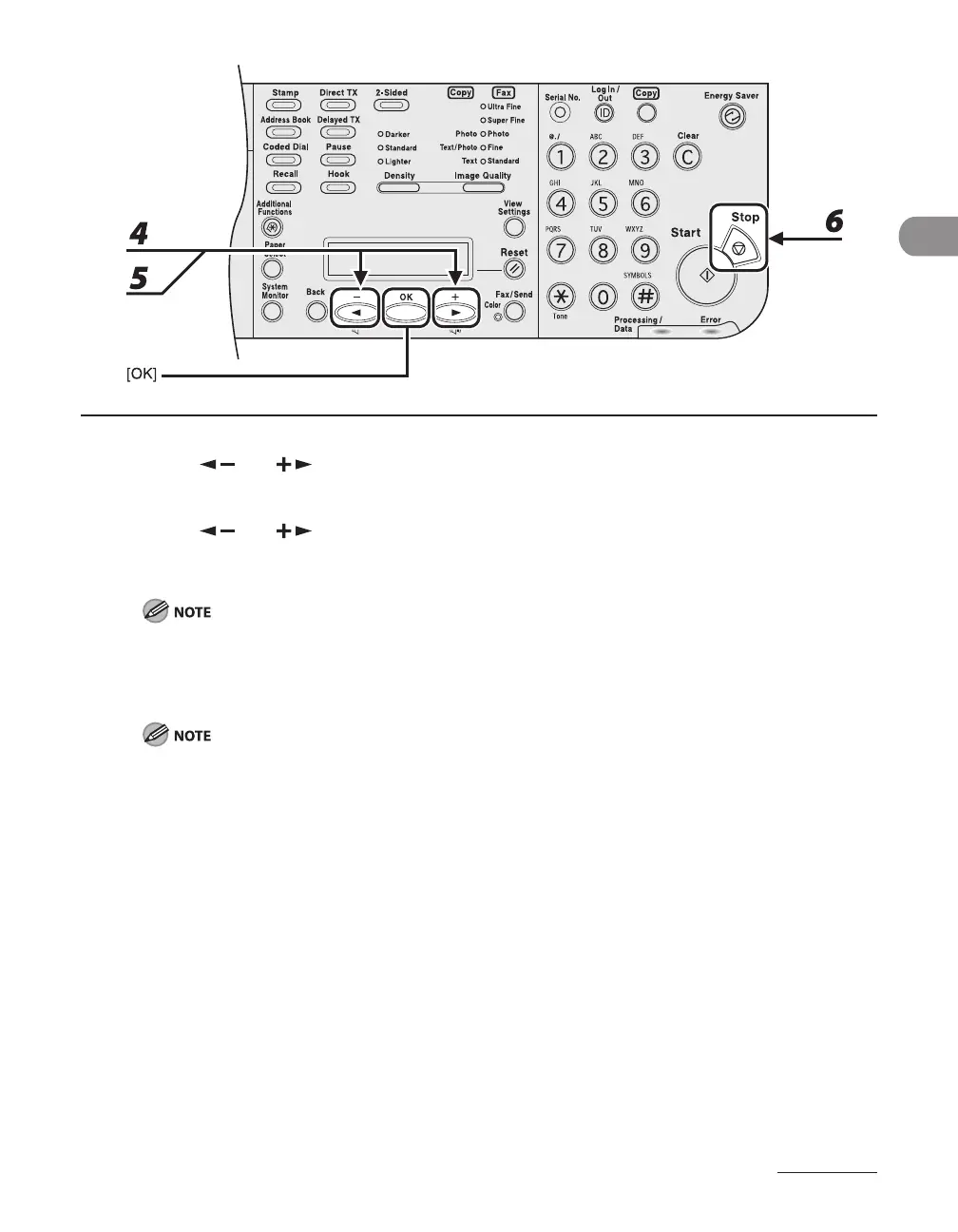
4 Press [ ] or [ ] to select <ON>, then press [OK].
5 Press [ ] or [ ] to select the desired interval, then press [OK].
You can set the interval from 3 to 30 minutes (in one-minute increments).
You can also enter values using numeric keys.
The default setting is 5 minutes.
6 Press [Stop] to return to standby mode.
[Energy Saver] lights green when the machine enters the Sleep mode.
To resume normal mode from the Sleep mode, press [Energy Saver] on the operation panel.
To enter the Sleep mode manually, press [Energy Saver] on the operation panel.
The machine will not enter the Sleep mode when:
the machine is in operation
the Processing/Data indicator lights or flashes
a message appears on the display and the Error indicator flashes
paper is loaded in the multi-purpose tray
a paper jam occurs in the machine
the optional handset of the external telephone is off the hook
The machine will leave the Sleep mode when:
you press [Energy Saver] on the operation panel
a fax is received
the optional handset of the external telephone is off the hook
a print job is sent from a computer, and the print is started
If you turn off the main power of the machine while it is in the Sleep mode, wait at least 10 seconds
before turning the main power of the machine back on.
–
–
–
–
•
•
•
•
•
•
–
•
•
•
•
–














 To Next Page