Copying
3-14
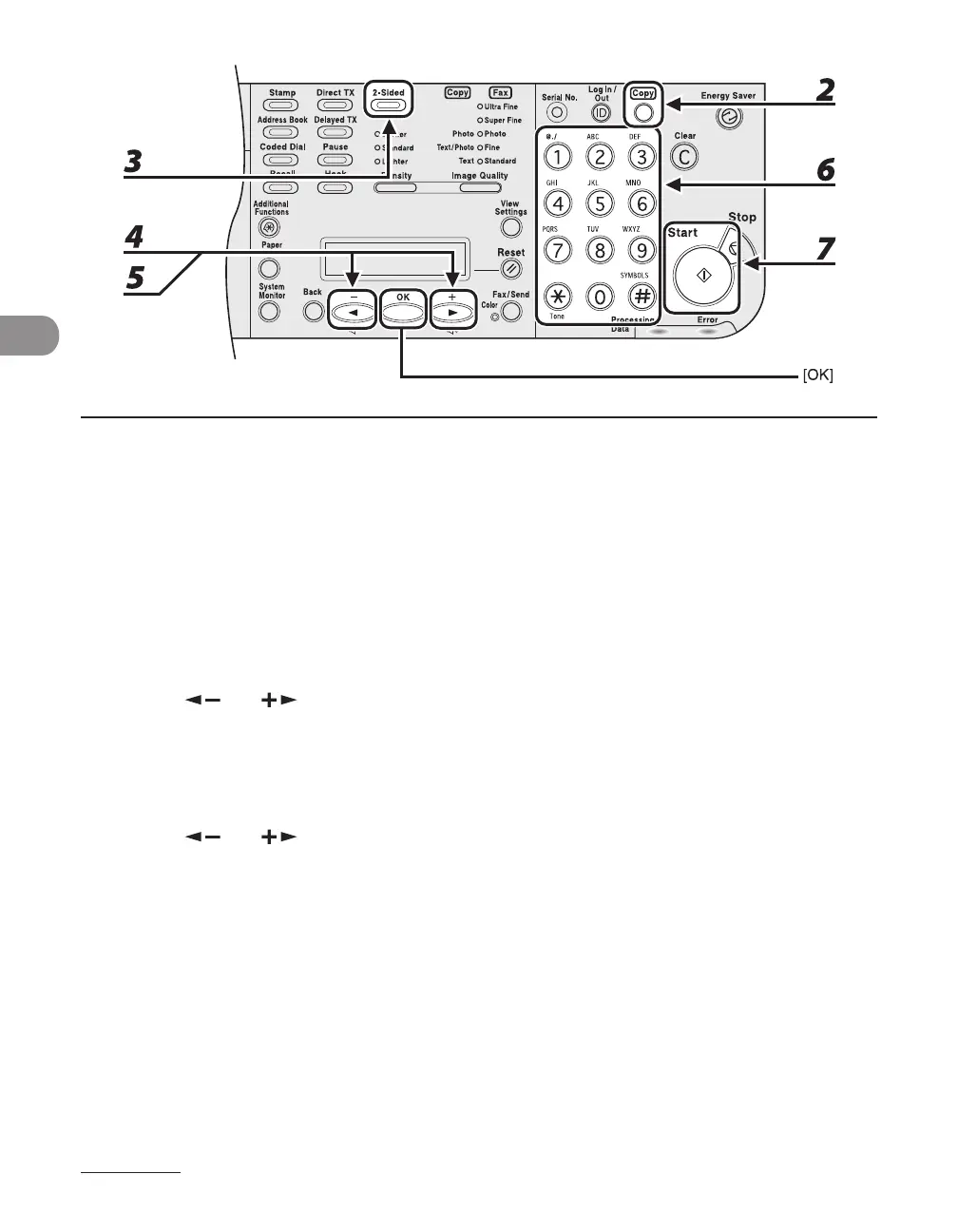
1
Set documents.
2 Press [Copy].
If using the LASER CLASS 810, you can switch to the Copy mode by pressing [Copy/Fax].
3 Press [2-Sided] repeatedly to select <2 > 2-SIDED>, then press [OK].
4 Use [ ] or [ ] to select <BOOK TYPE> or <CALENDAR TYPE> (for the
documents), then press [OK].
<BOOK TYPE>: The front and back sides of the document have the same top-bottom orientation.
<CALENDAR TYPE>: The front and back sides of the document have opposite top-bottom orientations.
5 Use [ ] or [ ] to select <BOOK TYPE> or<CALENDAR TYPE> (for the copies),
then press [OK].
6 Use the numeric keys to enter the desired copy quantity (1 to 99).
7 Press [Start].
To cancel all settings, press [Stop].














 To Next Page