Chapter 3
3-55
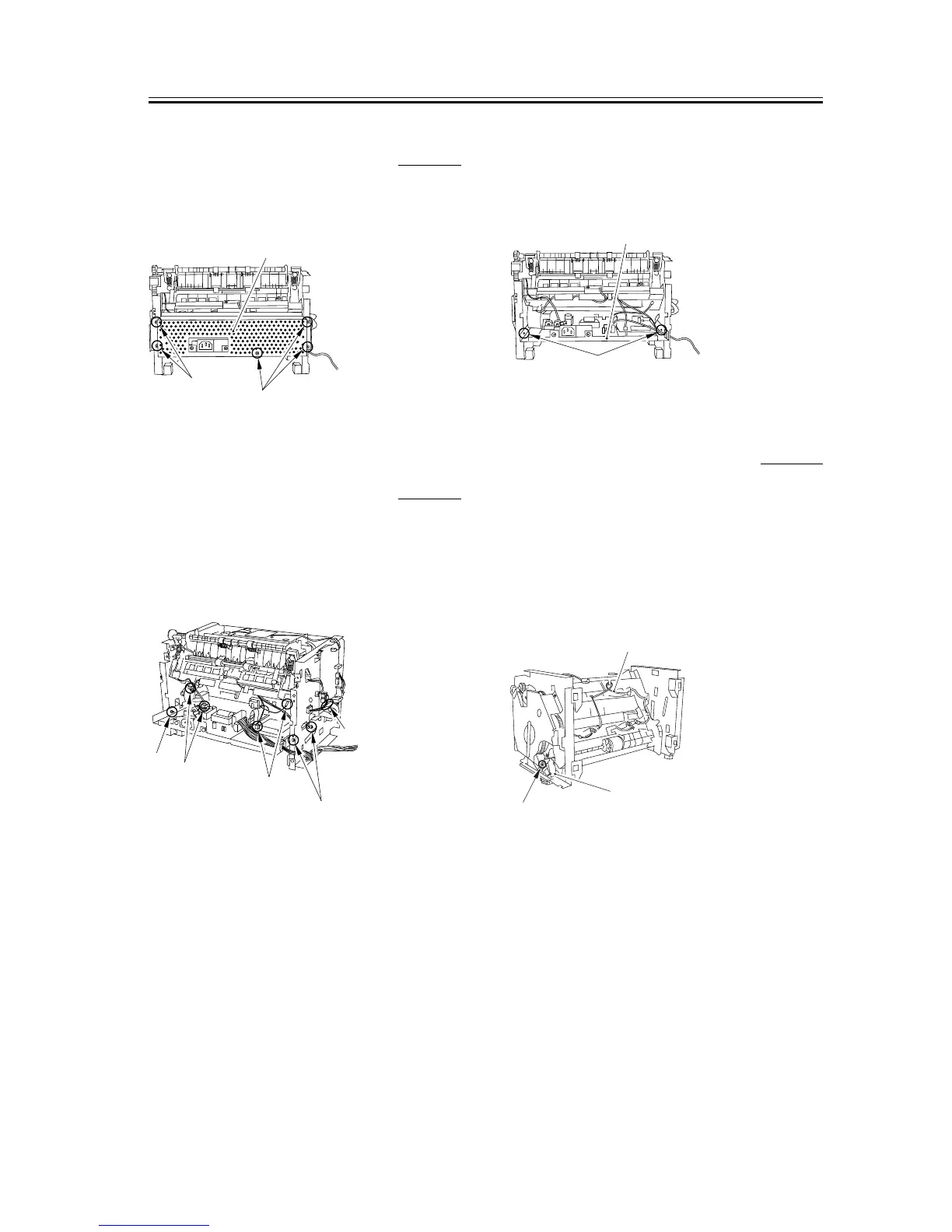
3.5.5.11 Removing the Power
Supply Shield Plate
0007-7869
1) Remove the 5 screws [1] to remove the power
supply shield plate [2].
F-3-219
3.5.5.12 Removing the Power
Supply Assembly
0007-7870
1) Remove the 3 screws [1].
2) Remove the 4 connectors [2] as well as the flat
cable [3] on the ECNT board.
F-3-220
3) As you remove the bosses on both sides [1], lower
the front part of the power supply assembly [2].
Then pull it to remove the power supply assembly.
F-3-221
3.5.5.13 Removing the Manual
Pickup Solenoid
0007-7871
1) Place the main unit down on its front face (so that
the interior of the main unit is easily visible).
2) Remove the cable [1] from the cable guide.
3) Remove the screw [2] to remove the manual pickup
solenoid [3].
F-3-222
[1]
[1]
[2]
[1]
[2]
[2]
[1]
[3]
[1]
[2]
[1]
[2]
[3]










 To Next Page