Chapter 3ޓ
3-42
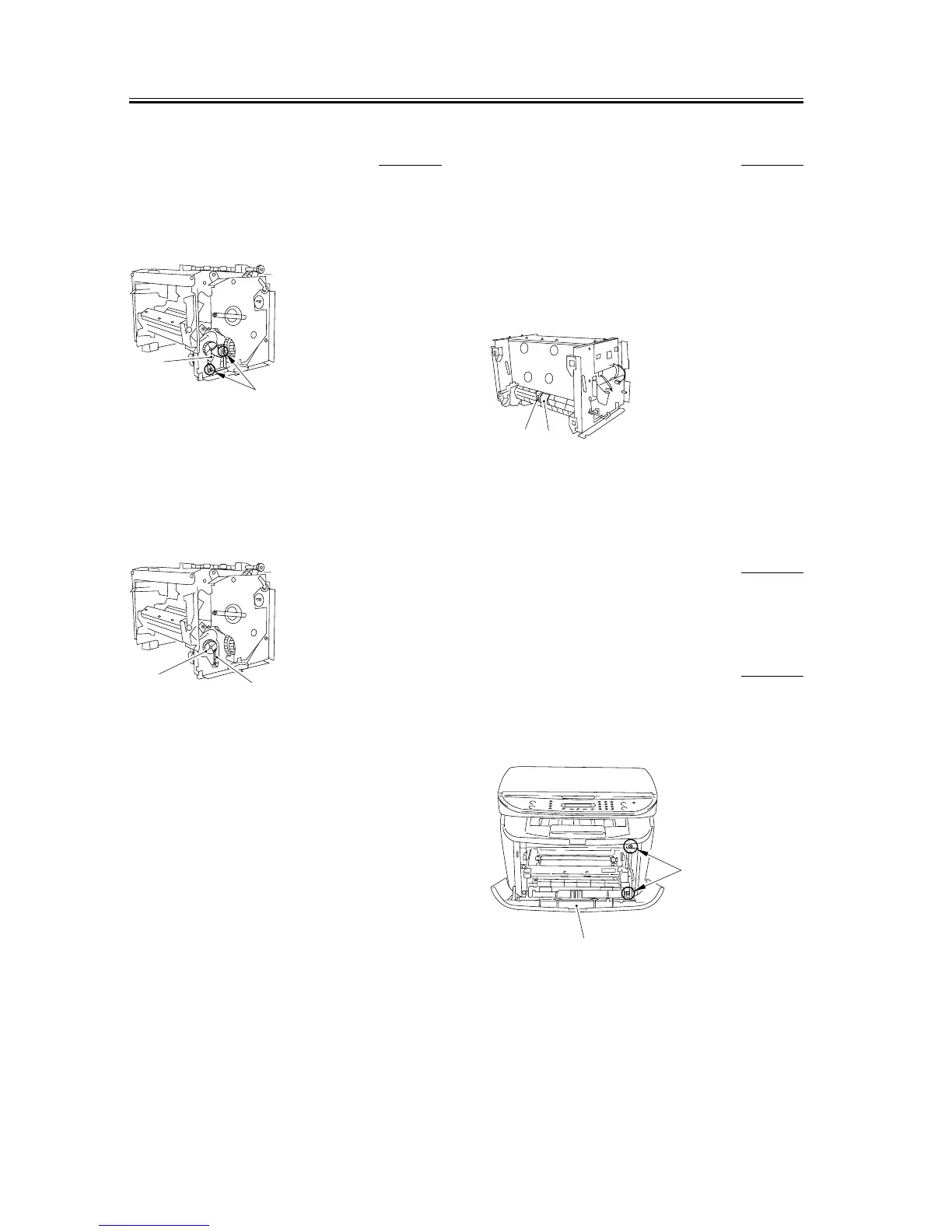
3.5.1.14 Removing the Tooth
Missing Gear
0007-7819
1) Remove the 2 screws [1], and detach the gear
support [2].
F-3-163
2) Remove the spring [1].
3) While freeing the claw, detach the toothmissing
gear [2].
F-3-164
3.5.1.15 Removing the Cassette
Pickup Roller
0007-7820
1) Place the main unit down on its front face (so that
the interior of the main unit is easily visible).
2) Remove the boss of the bushing [1], and turn it to
the front; then, slide it to detach the bushing.
3) Slide the pickup roller [2] to remove it.
F-3-165
3.5.2 Cassette Pickup Solenoid
3.5.2.1 Removing the Cassette 0002-7055
1) Remove the cassette by holding the cassette handle.
3.5.2.2 Removing the right
cover
0007-7823
1) Open the front cover [1], and remove the 2 screws
[2] on the front side.
F-3-166
[2]
[1]
[2]
[1]
[1]
[2]
[1]
[2]










 To Next Page