Chapter 3ޓ
3-14
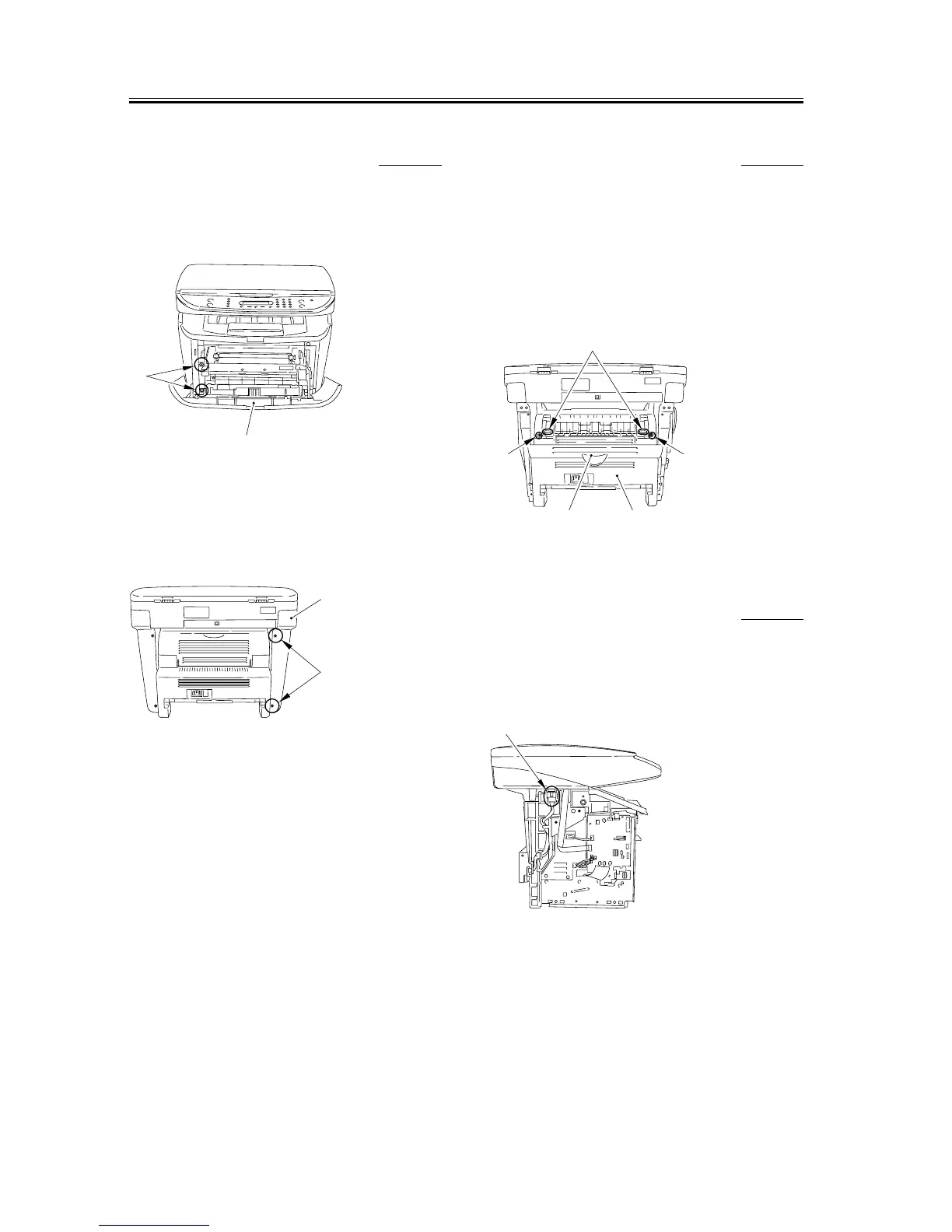
3.1.10.3 Removing the left
cover
0007-7703
1) Open the front cover [1], and remove the 2 screws
[2] on the front side.
F-3-55
2) Remove the 2 screws [1] on the back side, and
remove the left cover [2].
F-3-56
3.1.10.4 Removing the rear
cover
0007-7704
1) Opening the faceup cover [1], and then lower the
fixing pressure release levers [2] on both sides and
release the pressure.
2) Remove 2 screws [3].
3) Remove the rear cover [4] as you pull it toward you.
F-3-57
3.1.10.5 Removing the Power
Supply Shield Plate
0007-7706
1) Remove the connector [1] and remove the cable
from the cable guide.
F-3-58
[1]
[2]
[1]
[2]
[1] [4]
[3] [3]
[2]
[1]










 To Next Page