Chapter 3ޓ
3-22
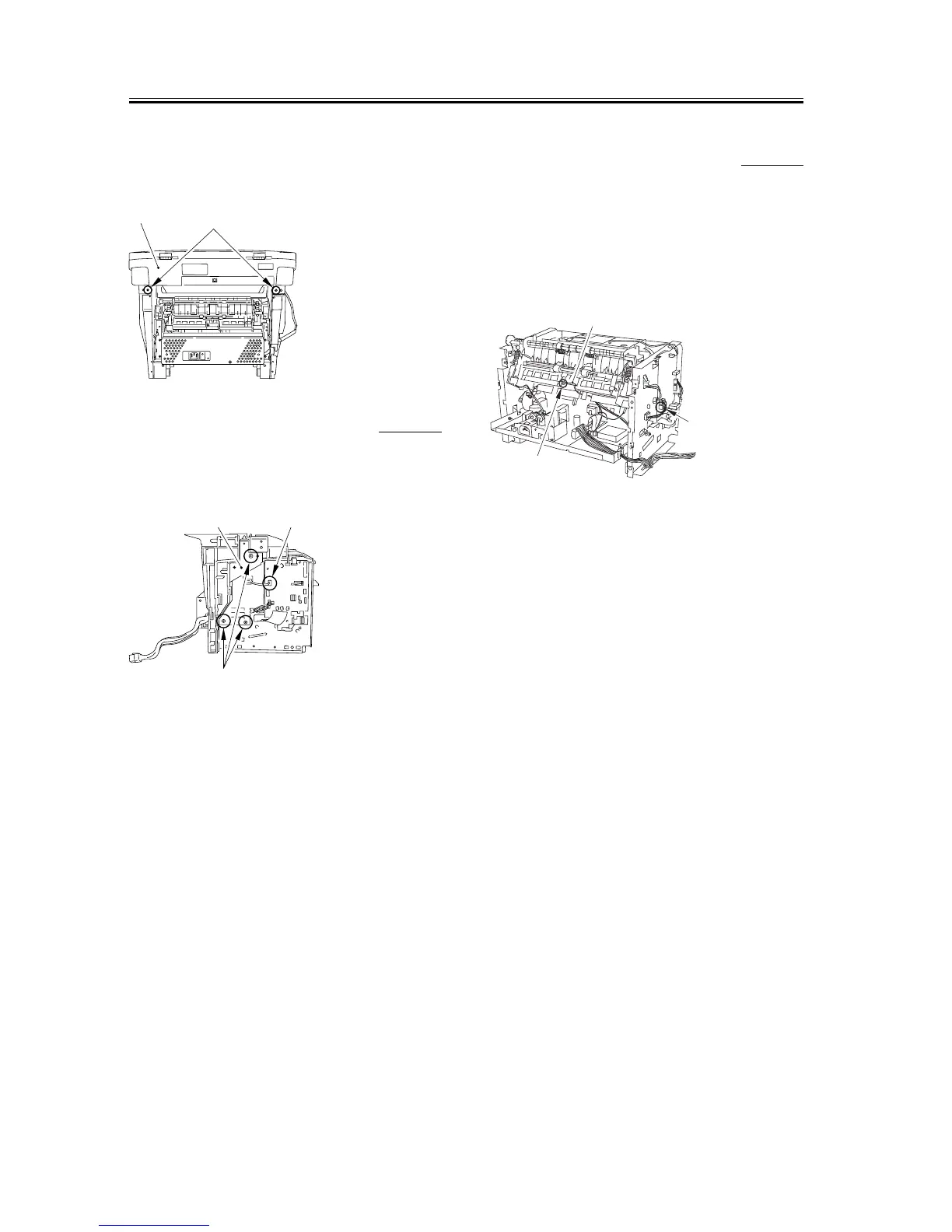
3) Remove the 2 screws on the back [1]. Slide the
scanner unit [2] to the back; then, remove it by
lifting it.
F-3-87
3.1.12.8 Removing the Plate 0007-7562
1) Remove the connector [1] of the ECNT board.
2)
Remove the 3 screws [2] and then removes the plate [3].
F-3-88
3.1.12.9 Removing the Paper
Delivery Sensor
0007-7563
1) Remove the connector [1] on the ECNT board and
take the cable off the cable guide. (The external
cover is omitted from the illustration.)
2) Remove the screw [2] and remove the paper
delivery sensor [3].
F-3-89
[1]
[2]
[3]
[2]
[1]
[2]
[1]
[3]










 To Next Page