Chapter 3
3-13
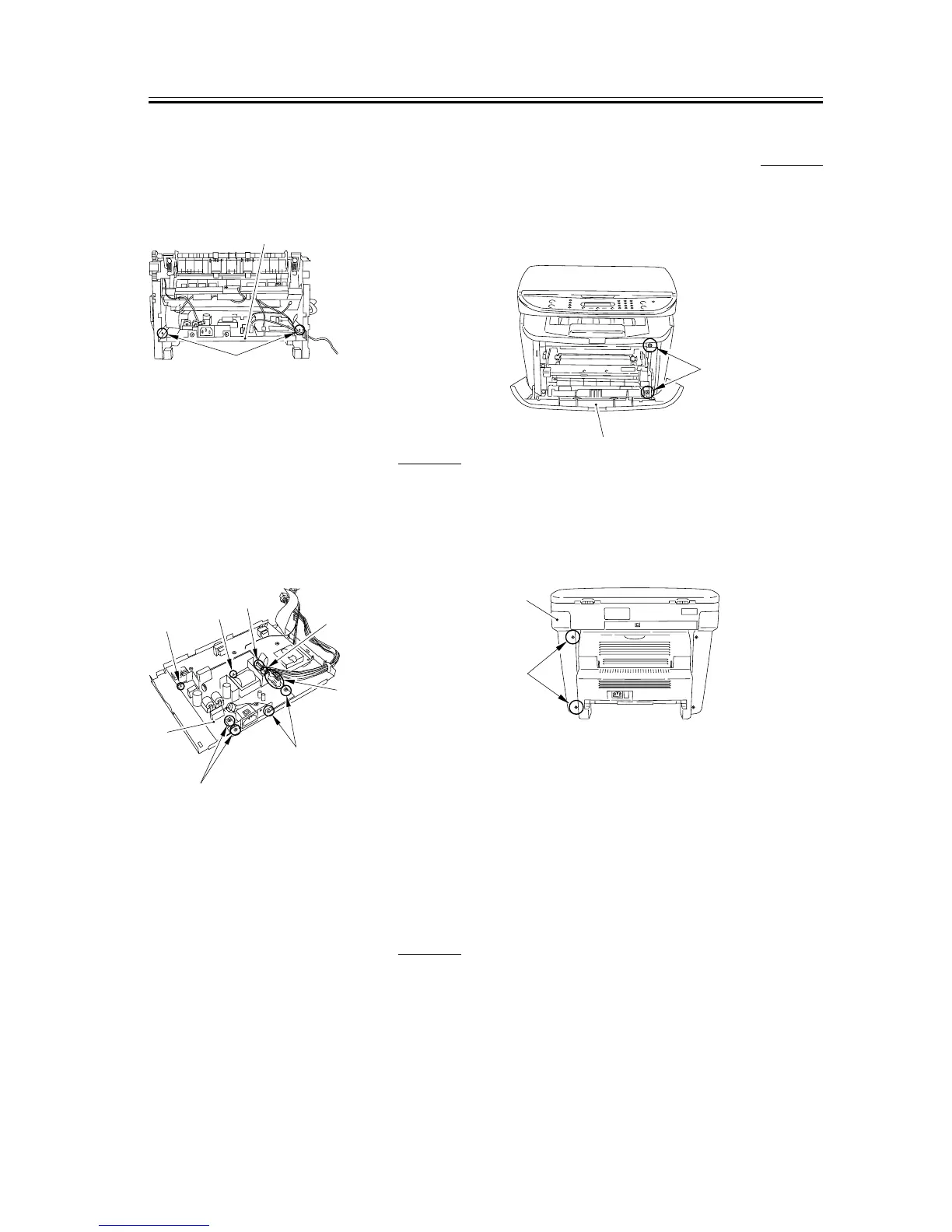
3) As you remove the bosses on both sides [1], lower
the front part of the power supply assembly [2].
Then pull it to remove the power supply assembly.
F-3-51
3.1.9.7 Removing the Power
Supply Board
0007-7698
1) Remove the connector [1] and the flat cable [2].
2) Remove the 4 screws [3]. As you disengage the 3
spacers [4], remove the power supply board [5].
F-3-52
3.1.10 Highvoitage Power Supply
PCB
3.1.10.1 Removing the Cassette 0002-7494
1) Remove the cassette by holding the cassette handle.
3.1.10.2 Removing the right
cover
0007-7702
1) Open the front cover [1], and remove the 2 screws
[2] on the front side.
F-3-53
2) Remove the 2 screws [1] on the back side, and
remove the right cover [2].
F-3-54
[1]
[2]
[3]
[5]
[3]
[2]
[1]
[4]
[4]
[4]
[1]
[2]
[1]
[2]










 To Next Page