Chapter 4ޓRunning H/F 5
4-6
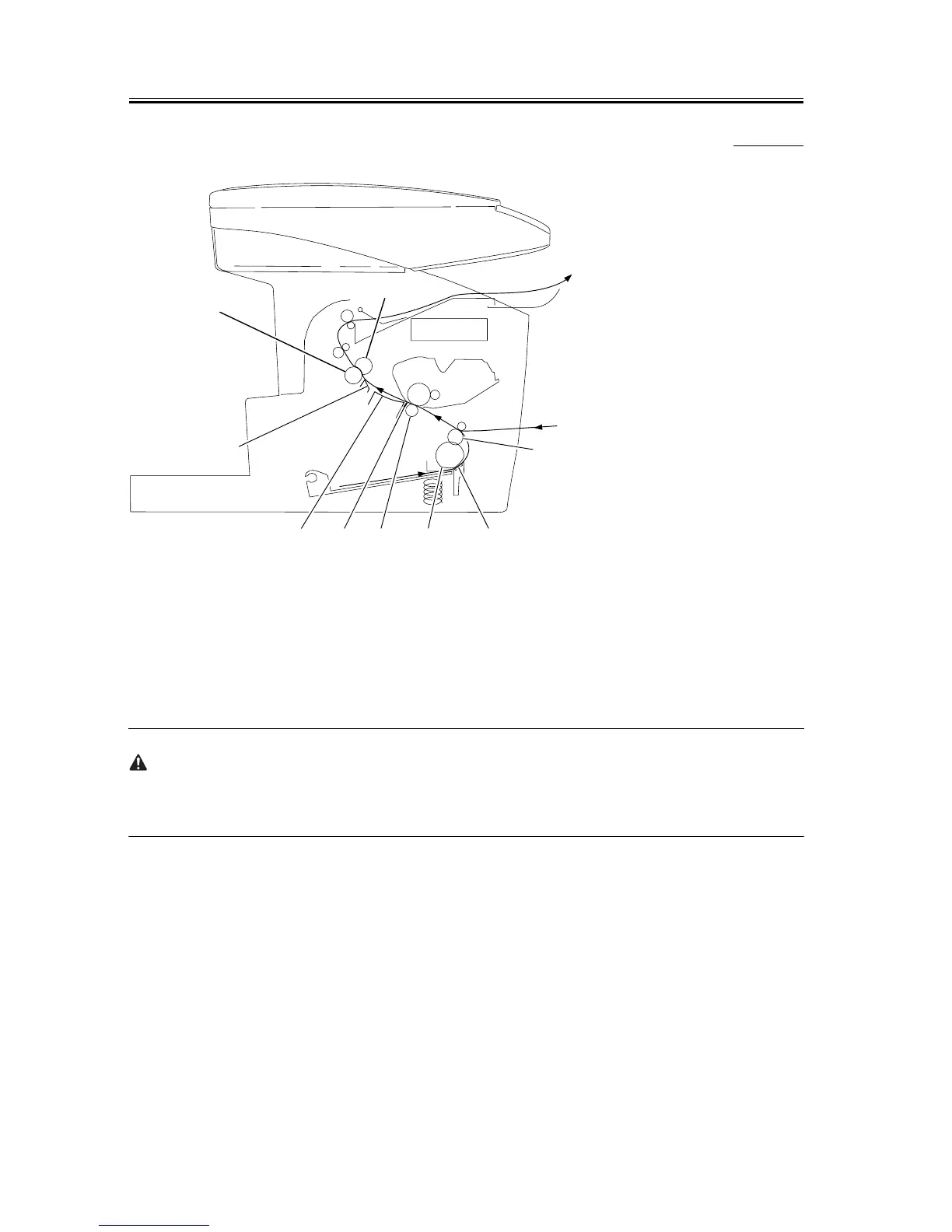
4.4.4 Cleaning Method (printer unit)
0007-9060
F-4-2
[1] Cassette Pickup Roller
Use lintfree paper to remove soling.
[2] Cassette Separation Pad
Use lintfree paper to remove soling.
[3] Feed Roller
Use lintfree paper to remove soling.
[4] Transfer Charging Roller
Use lintfree paper to remove toner and paper lint.
Do not touch the sponge area of the transfer charging roller to avoid soiling the back of paper or white spots in
the images.
Never use solvent.
If the soiling cannot be removed using lintfree paper or the roller is deformed, replace the roller.
[5] Static Eliminator
Remove dust and paper lint using a brush.
[6] Paper Feed Guide
Use lintfree paper to remove soiling.
[7] Fixing Entrance Guide
Use lintfree paper moistened with isopropyl alcohol to remove the soiling.
[8] Fixing Film
Use lintfree paper to remove soiling.
[9] Fixing Pressure Roller
Use lintfree paper to remove soiling.
[6] [5] [4] [1]
[7]
[9]
[8]
[2]
[3]










 To Next Page