Chapter 3
3-47
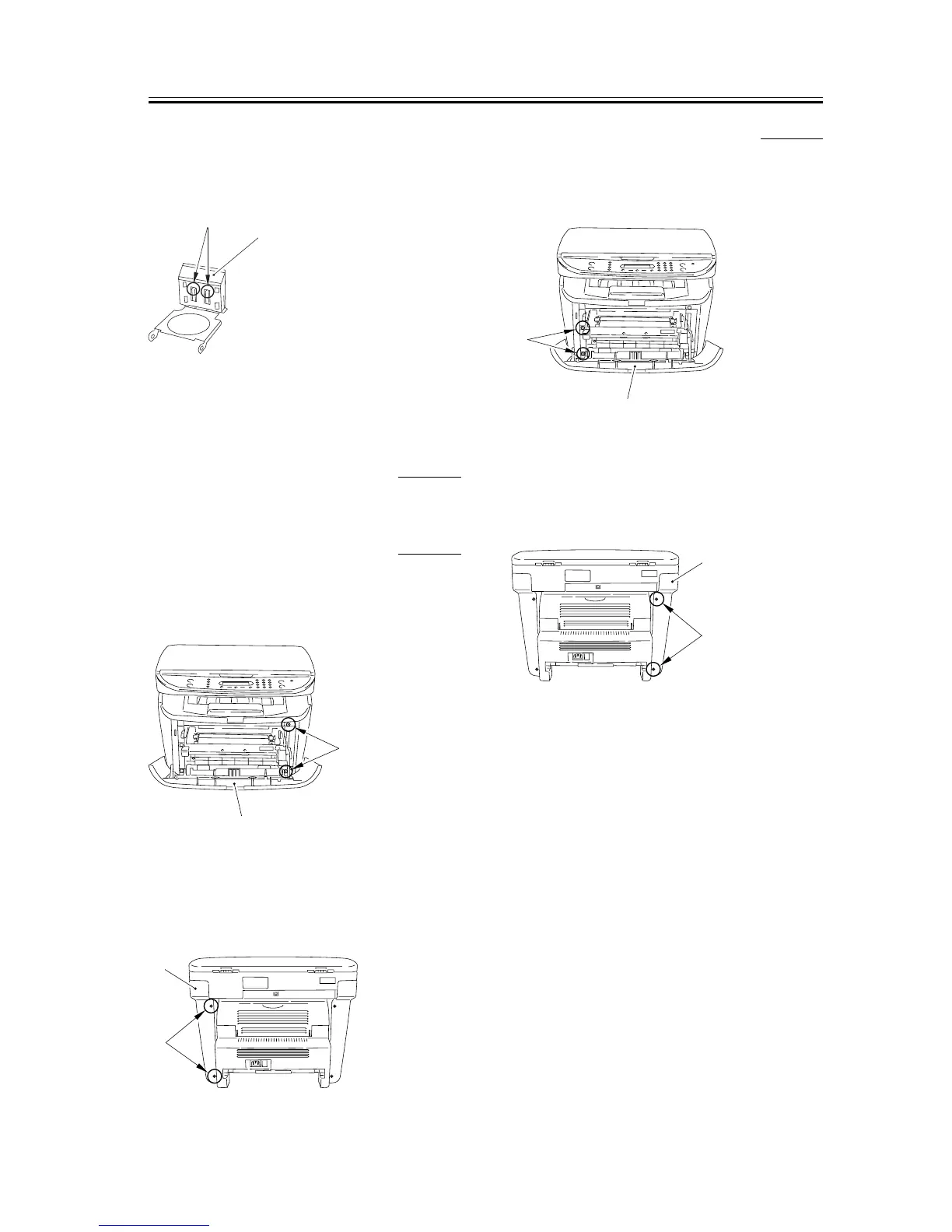
4) Remove the 2 claws [1] and remove the cassette
separation pad [2] by sliding it up.
F-3-184
3.5.4 Paper Feed Roller
3.5.4.1 Removing the Cassette 0002-7105
1) Remove the cassette by holding the cassette handle.
3.5.4.2
Removing the right cover
0007-7835
1) Open the front cover [1], and remove the 2 screws
[2] on the front side.
F-3-185
2) Remove the 2 screws [1] on the back side, and
remove the right cover [2].
F-3-186
3.5.4.3 Removing the left cover 0007-7836
1) Open the front cover [1], and remove the 2 screws
[2] on the front side.
F-3-187
2) Remove the 2 screws [1] on the back side, and
remove the left cover [2].
F-3-188
[1]
[2]
[1]
[2]
[1]
[2]
[1]
[2]
[1]
[2]










 To Next Page