Chapter 3ޓ
3-32
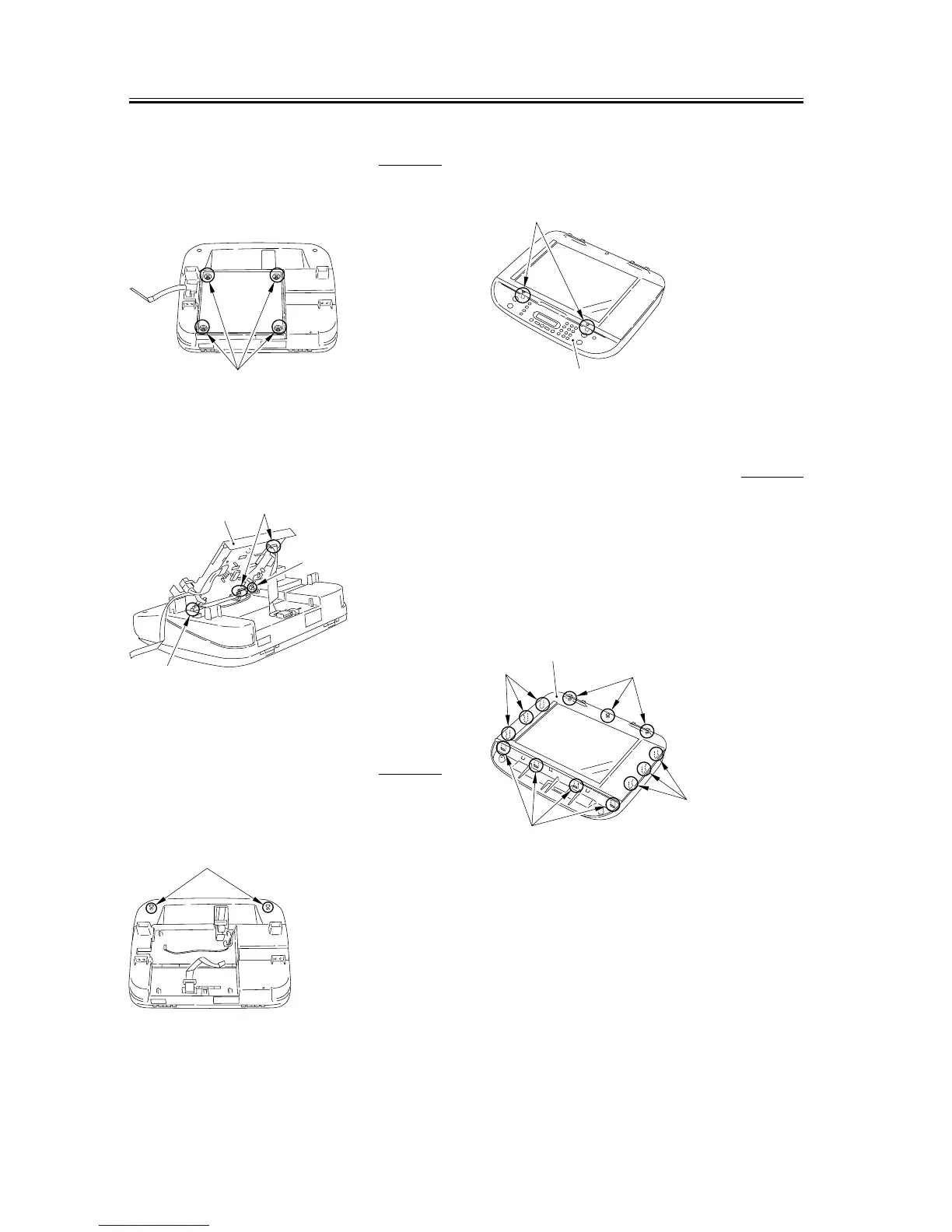
3.2.4.6 Removing the Board
Unit
0007-7507
1) Remove the 4 screws [1] on the back side of the
scanner unit.
F-3-130
2) Open the board unit [1], and remove the connector
[2], the grounding cable [3] and the 3 flat cables [4].
F-3-131
3.2.4.7 Removing the
Operation Panel Unit
0007-7509
1) Reomve the 2 screws [1], and remove the flat cable
from the core.
F-3-132
2) Remove the 2 claws [2] on the operation panel unit
[1], and remove the operation panel unit.
F-3-133
3.2.4.8 Removing the Scanner
Cover Unit
0007-7511
1) Remove the platen glass cover.
2) Remove the 3 screws [1].
3) Remove the 4 front claws [2] and the 6 claws [3] on
the right and left sides, and remove the scanner
cover unit.
F-3-134
[1]
[4]
[1]
[3]
[2]
[1]
[1]
[2]
[4]
[3]
[1]
[2]
[3]










 To Next Page