Chapter 3ޓ
3-58
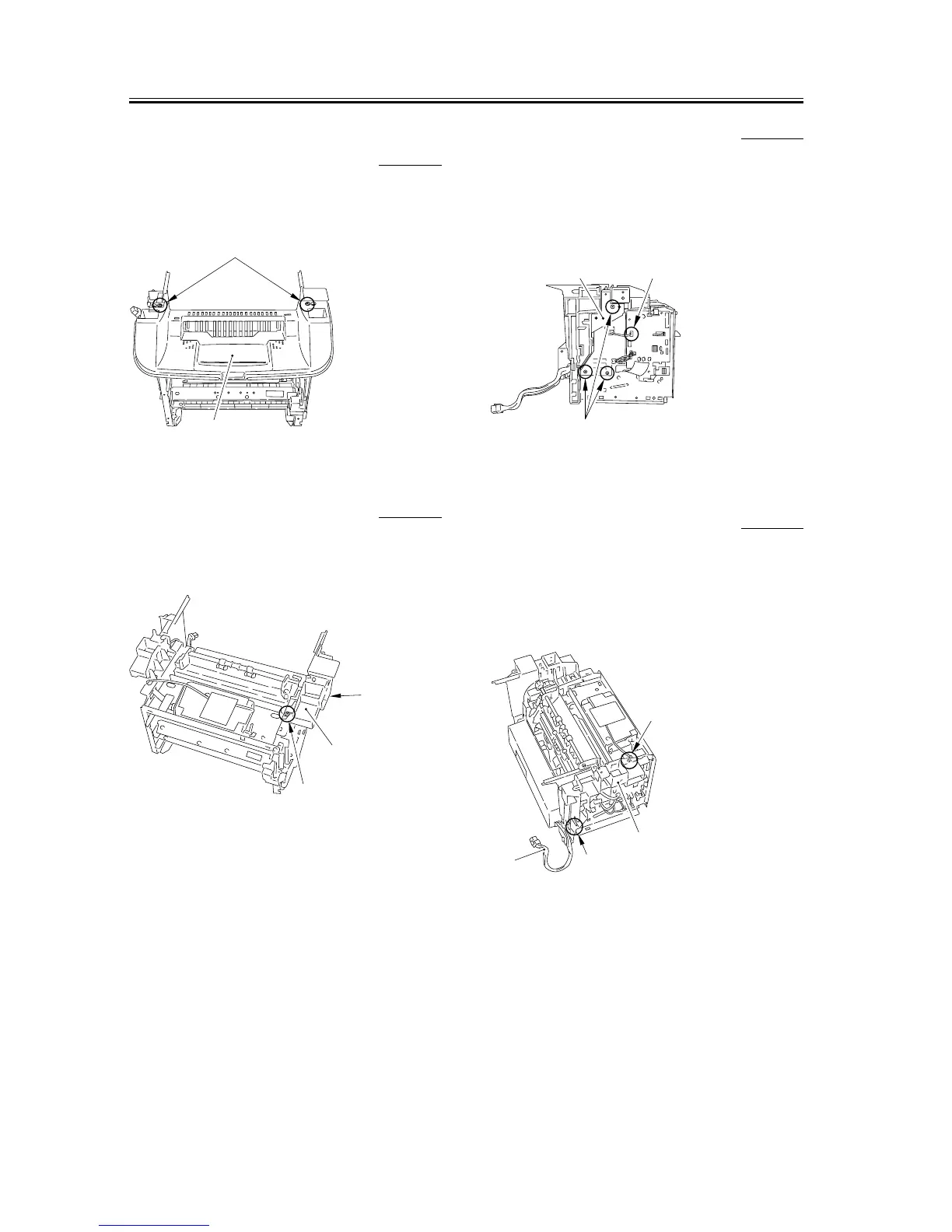
3.5.6.7 Removing the Top
Cover
0007-7785
1) Remove the 2 screws [1], and remove the Top cover
[2].
F-3-231
3.5.6.8 Removing the Right
Frame
0007-7786
1) Remove the 3 screws [1], and remove the right
frame [2].
F-3-232
3.5.6.9 Removing the Plate 0007-7788
1) Remove the connector [1] of the ECNT board.
2) Remove the 3 screws [2] and then removes the plate
[3].
F-3-233
3.5.6.10 Removing the Left
Frame
0007-7789
1) Remove the cable [1] from the cable guide.
2) Remove the 2 screws [2], and remove the left frame
[3].
F-3-234
[2]
[1]
[2]
[1]
[1]
[3]
[2]
[1]
[1]
[3]
[2]
[2]










 To Next Page