Chapter 3
3-45
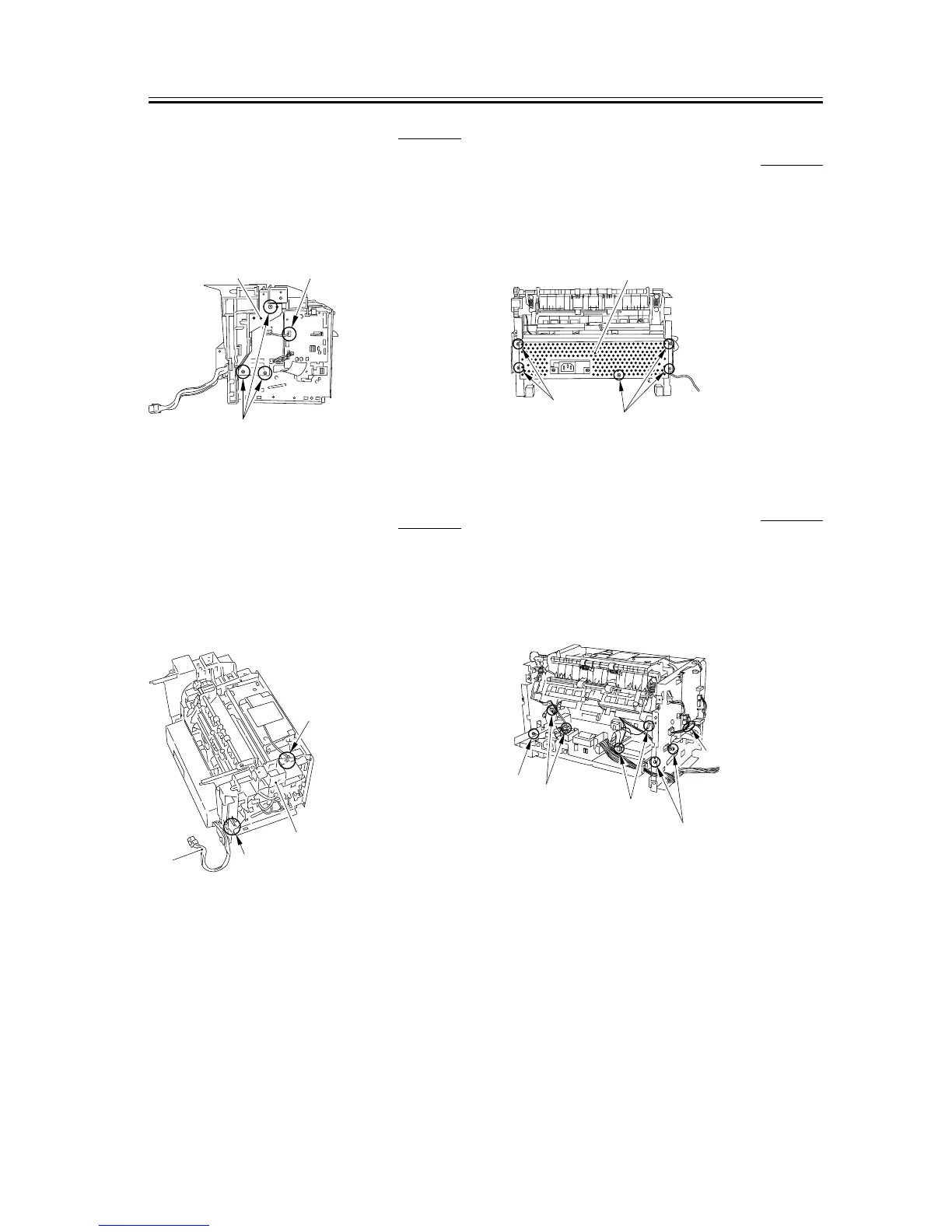
3.5.2.9 Removing the Plate 0007-7830
1) Remove the connector [1] of the ECNT board.
2) Remove the 3 screws [2] and then removes the plate
[3].
F-3-176
3.5.2.10 Removing the Left
Frame
0007-7831
1) Remove the cable [1] from the cable guide.
2) Remove the 2 screws [2], and remove the left frame
[3].
F-3-177
3.5.2.11 Removing the Power
Supply Shield Plate
0007-9963
1) Remove the 5 screws [1] to remove the power
supply shield plate [2].
F-3-178
3.5.2.12 Removing the Power
Supply Assembly
0007-7832
1) Remove the 3 screws [1].
2) Remove the 4 connectors [2] as well as the flat
cable [3] on the ECNT board.
F-3-179
[3]
[2]
[1]
[1]
[3]
[2]
[2]
[1]
[1]
[2]
[1]
[2]
[2]
[1]
[3]










 To Next Page