Chapter 3
3-5
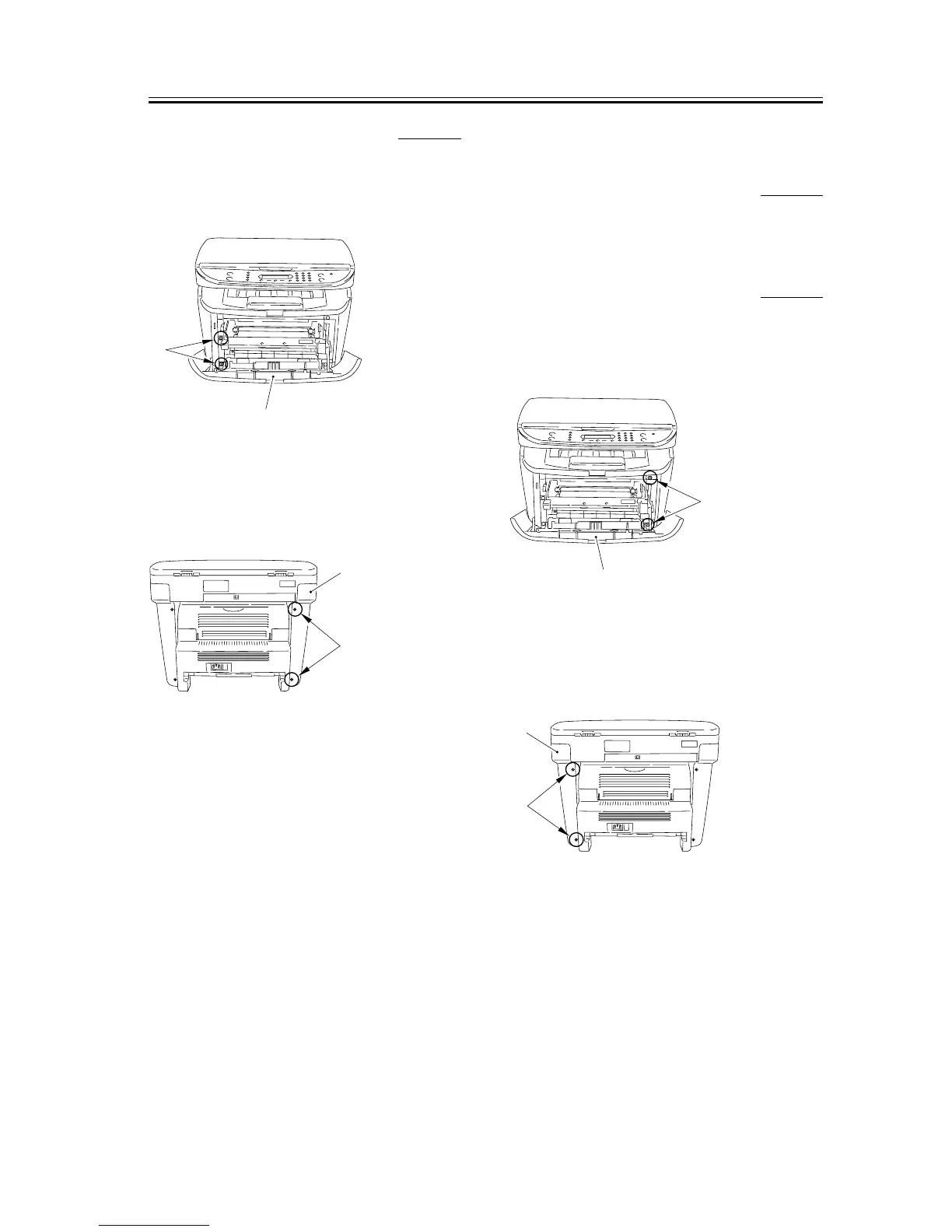
3.1.5.2 Removing the left cover 0007-7419
1) Open the front cover [1], and remove the 2 screws
[2] on the front side.
F-3-17
2) Remove the 2 screws [1] on the back side, and
remove the left cover [2].
F-3-18
3.1.6 Operation Panel Unit
3.1.6.1 Removing the Cassette 0007-9904
3.1.6.2 Removing the right
cover
0007-7486
1) Open the front cover [1], and remove the 2 screws
[2] on the front side.
F-3-19
2) Remove the 2 screws [1] on the back side, and
remove the right cover [2].
F-3-20
[1]
[2]
[1]
[2]
[1]
[2]
[1]
[2]










 To Next Page