Chapter 3ޓ
3-38
3.5 PICKUP AND
FEEDING SYSTEM
3.5.1 Cassette Pickup Roller
3.5.1.1 Removing the Cassette 0002-7053
1) Remove the cassette by holding the cassette handle.
3.5.1.2 Removing the right
cover
0007-7800
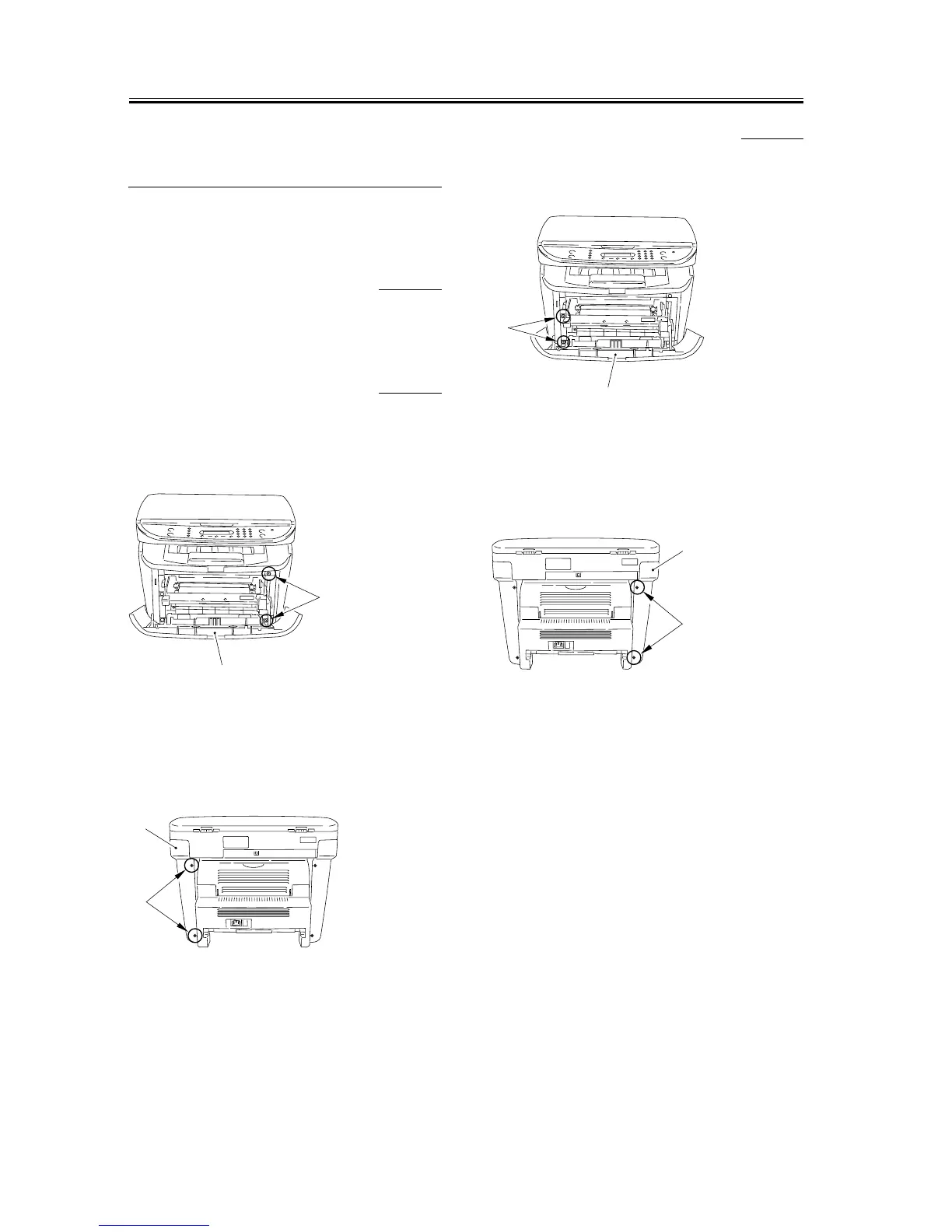
1) Open the front cover [1], and remove the 2 screws
[2] on the front side.
F-3-146
2) Remove the 2 screws [1] on the back side, and
remove the right cover [2].
F-3-147
3.5.1.3 Removing the left cover 0007-7801
1) Open the front cover [1], and remove the 2 screws
[2] on the front side.
F-3-148
2) Remove the 2 screws [1] on the back side, and
remove the left cover [2].
F-3-149
[1]
[2]
[1]
[2]
[1]
[2]
[1]
[2]










 To Next Page