Chapter 3
3-41
3.5.1.11 Removing the Power
Supply Shield Plate
0007-7813
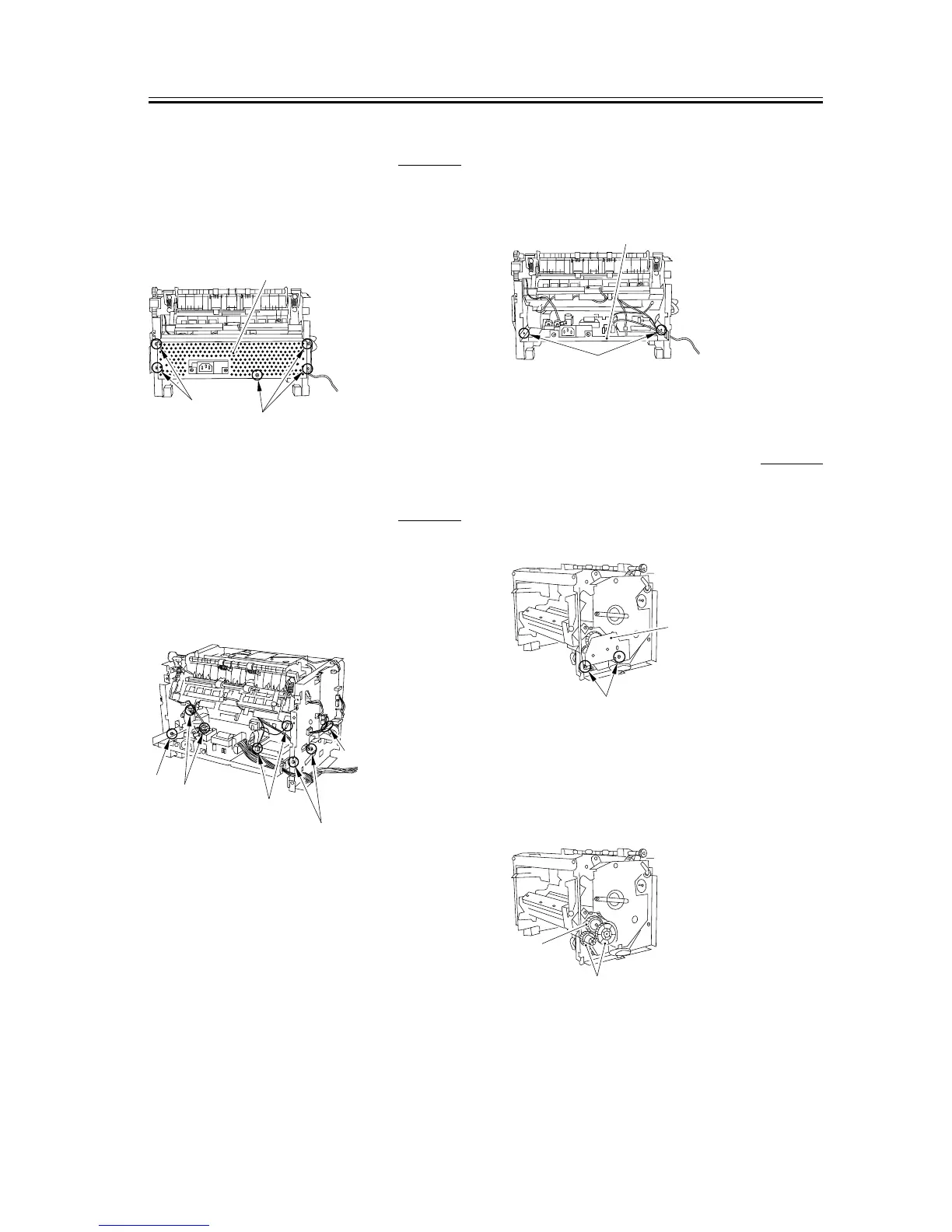
1) Remove the 5 screws [1] to remove the power
supply shield plate [2].
F-3-158
3.5.1.12 Removing the Power
Supply Assembly
0007-7816
1) Remove the 3 screws [1].
2) Remove the 4 connectors [2] as well as the flat
cable [3] on the ECNT board.
F-3-159
3) As you remove the bosses on both sides [1], lower
the front part of the power supply assembly [2].
Then pull it to remove the power supply assembly.
F-3-160
3.5.1.13 Removing the Gear
Unit
0007-7818
1) Remove the 2 screws [1], and detach the drive plate
(small) [2].
F-3-161
2) Remove the 2 gears [1].
3) While freeing the claw, detach the gear unit [2].
F-3-162
[1]
[1]
[2]
[1]
[2]
[2]
[1]
[3]
[1]
[2]
[2]
[1]
[2]
[1]










 To Next Page