Chapter 3
3-51
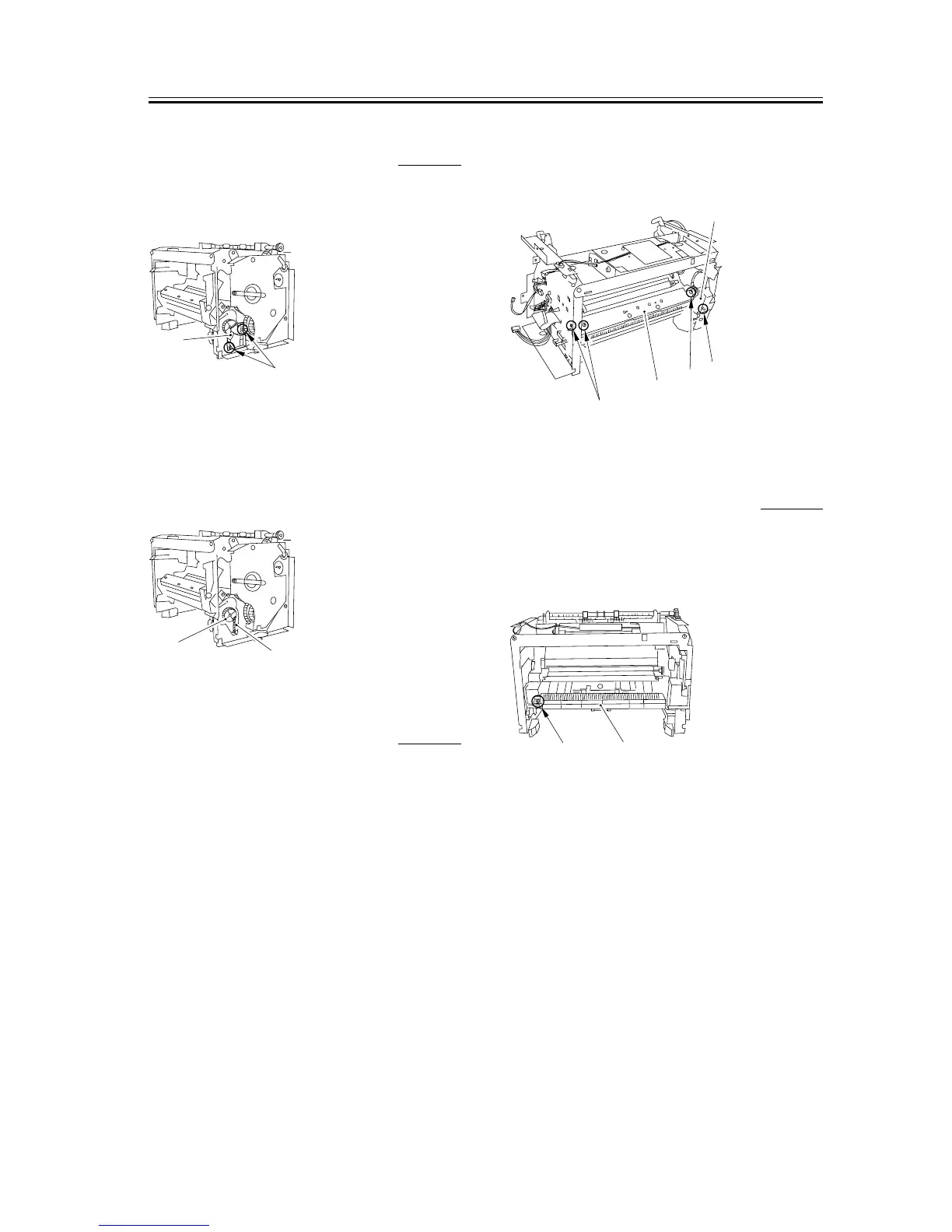
3.5.4.14 Removing the Tooth
Missing Gear
0007-7854
1) Remove the 2 screws [1], and detach the gear
support [2].
F-3-202
2) Remove the spring [1].
3) While freeing the claw, detach the toothmissing
gear [2].
F-3-203
3.5.4.15 Removing the Manual
Stay
0007-7855
1) Release the lower claw [2] of the solenoid cover
[1], and remove the solenoid cover.
2) Remove the 3 screws [3]. While watching the
sensor flag carefully, remove the manual stay [4].
F-3-204
3.5.4.16 Removing the Paper
Feed Guide
0007-7856
1) Remove the screw [1], and detach the paper feed
guide [2].
F-3-205
[2]
[1]
[2]
[1]
[3]
[2]
[3]
[4]
[1]
[1]
[2]










 To Next Page