Chapter 3ޓ
3-30
3.2.3.10 Removing the CCD
Unit
0007-7524
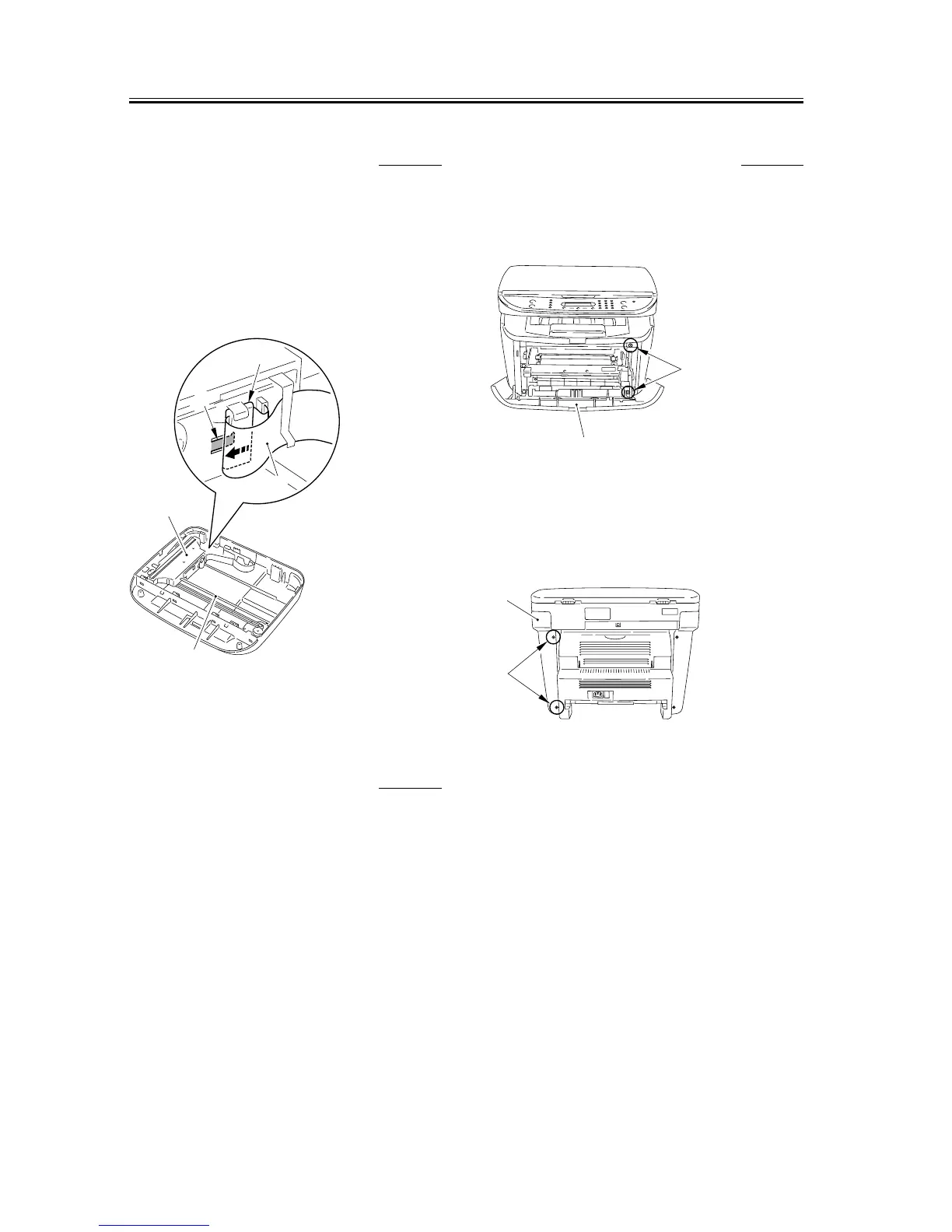
1) Slide the core [2] while releasing the stopper [1].
2) Remove the flat cable [3].
3) Lift the right side of the shaft [4] to release the stop.
Then slide it to release the stop on the left side also.
4) Remove the CCD unit [5] by pulling it out of the
shaft.
F-3-122
3.2.4 Flatbed Motor Unit
3.2.4.1 Removing the Cassette 0002-7748
1) Remove the cassette by holding the cassette handle.
3.2.4.2 Removing the right
cover
0007-7502
1) Open the front cover [1], and remove the 2 screws
[2] on the front side.
F-3-123
2) Remove the 2 screws [1] on the back side, and
remove the right cover [2].
F-3-124
[1]
[5]
[4]
[2]
[3]
[1]
[2]
[1]
[2]










 To Next Page