6-MAINTENANCE
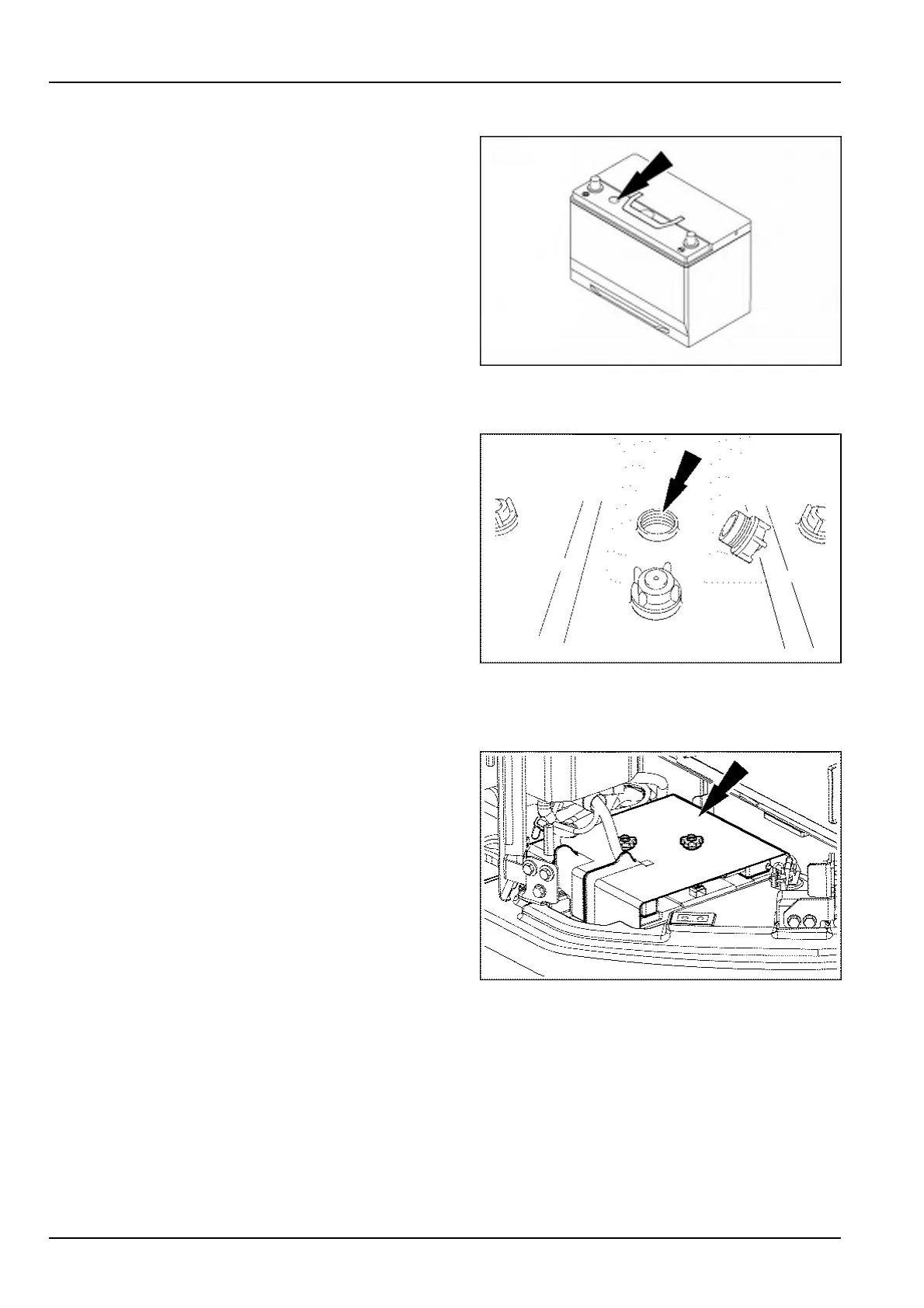
Inspectionofmaintenance-freebatterychargestate
Thechargeindicatoronthebatteryshowsthestateof
chargeofthebattery:
•
Ifthecolorisgreenthechargeiscorrect.
•
Ifthecolorisblackthechargeisinsufcient.
Rechargethebatteryuntiltheindicatorturnsgreen.
•
Transparent(colorless):replacethebatteryassoon
aspossible.
SMIL15CEX9567AA2
Checkingtheelectrolytelevelofamaintenance-freebattery
Removethecellcapsandcheckthelevelineachbat-
teriescell.
•
Thelevelshouldbebetween10mm(0.4in)and
15mm(0.6in)abovetheplates.
•
Adddistilledwaterifnecessary,theninstallthecell
caps.
NOTE:Whenaddingdistilledwaterattemperaturesbelow
0°C(32°F),thebatteriesmustbechargedortheengine
runfortwohoursapproximatelyinordertoensurethatthe
distilledwaterandtheelectrolyteareproperlymixed.
NOTE:Makesurethebatteryterminalsarecleanand
coatedwithgreaseandthatthecablesareproperlytight-
ened.
SMIL14CEX2831AA3
Replacementofthebattery
Toreplacethebatteriesproceedasfollows:
1.SetthebatterydisconnectswitchtotheOFFpo-
sition.Removetheterminalprotectioncaps,and
cut-offthenegative-terminalcable.Next,cut-off
thepositive-terminalcable.Removetheanti-sul-
furationpelletsandthebatteryclips.
2.Attachanewbattery,andreturntheclipstotheir
originalpositions.
3.Cleanthecablesandthebatteryterminals,and
applygrease.
4.Attachnewanti-sulfurationpellets,andconnectthe
positiveandthenegativecabletothepositiveand
thenegativeterminalofthebatteryrespectively.
Attachtheterminalprotectioncaps.Setthebattery
disconnectswitchtotheONposition.
5.Attachtheskidplate.
SMIL17CEX3529AA4
6-32













 To Next Page