9-ACCESSORIES
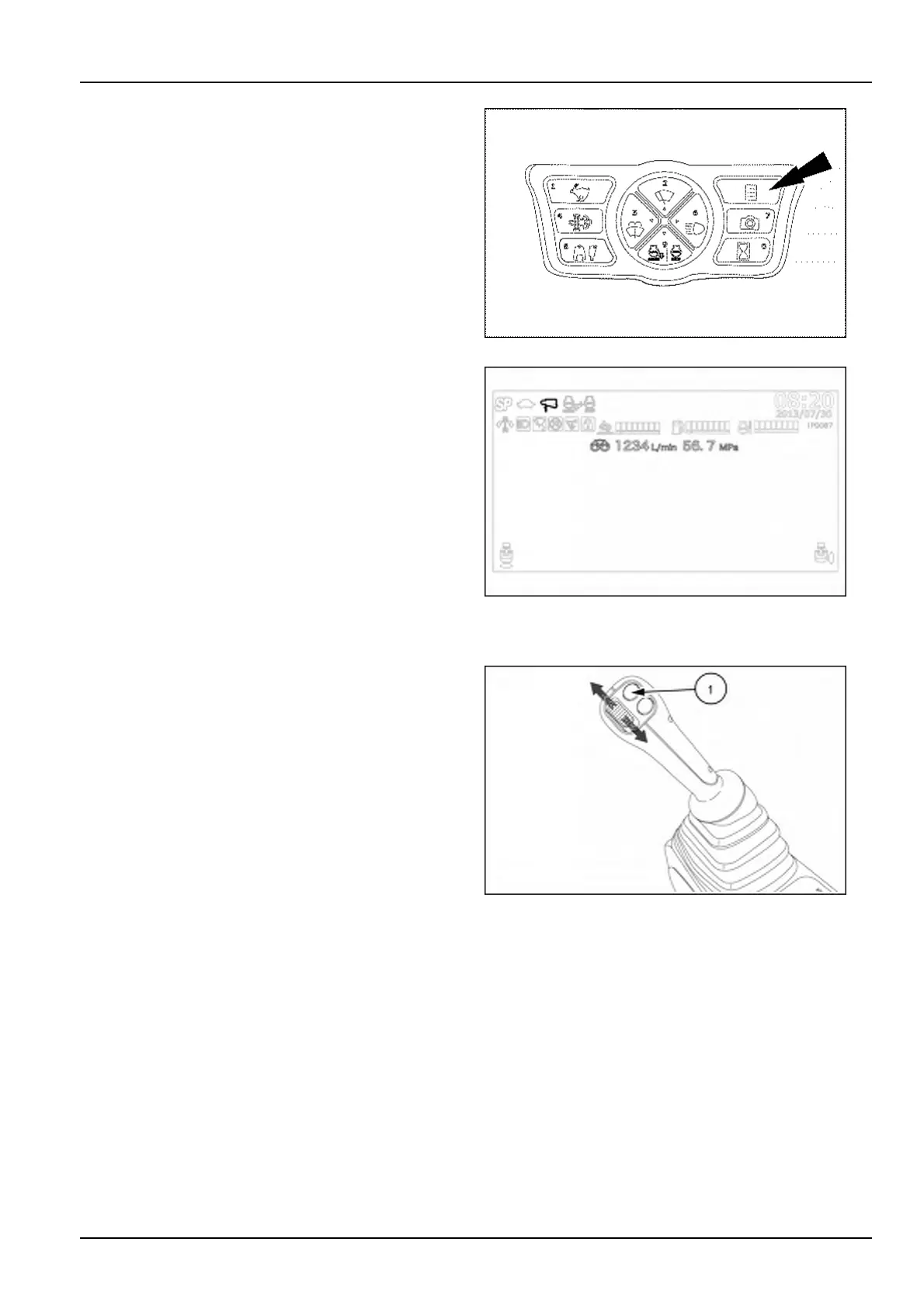
Pressthedisplaymodeselectorbuttontoconrmthese-
lectedcombination.
NOTICE:ifoperationwiththehydraulicattachmentis
attemptedwithoutgoingthroughoutthesetupprocess
andwithoutconrminganyselection,awarningbuzzer
soundsandthewarningmessageAUXILIARYSETUP
REQUIREDisdisplayed.
SMIL15CEX1234AA7
Resumetheoperatingmodeofthedisplay.Aniconon
thetopofthedisplayindicatesthetypeofattachment
(breakerorcrusher)andthestoringnumber(1to5)of
theowrate/pressurecombinationcurrentlyinuse.The
pumpsetting(singleortwin)andthevaluesofmaximum
owrateandworkingpressurecurrentlyinusearedis-
playedbelowtheDEF/ADBLUE®andfuelgauges.
SMIL15CEXZ406AB8
OperatingControls
UsetheON-OFFbutton(1)locatedontheright-handcon-
trollevertooperateasingle-actinghydraulicattachment
withacontinuousow.
Usetheproportionalswitchlocatedontheright-handcon-
trollevertooperateadouble-actinghydraulicattachment
withavariablepower.
NOTICE:Ifnotusinganyhydraulicattachment,donot
operatecontrolsforauxiliaryhydrauliccircuits.
SMIL15CEXY965AB9
9-9













 To Next Page