6-MAINTENANCE
Bulbreplacement
Lightingintheoperatorcompartment:
1.Removethecover.
2.Removethelightbulb,theninstallanewlightbulb
ofthesamewattage(10W).
3.Installthecover.
8YHY9K-001A1
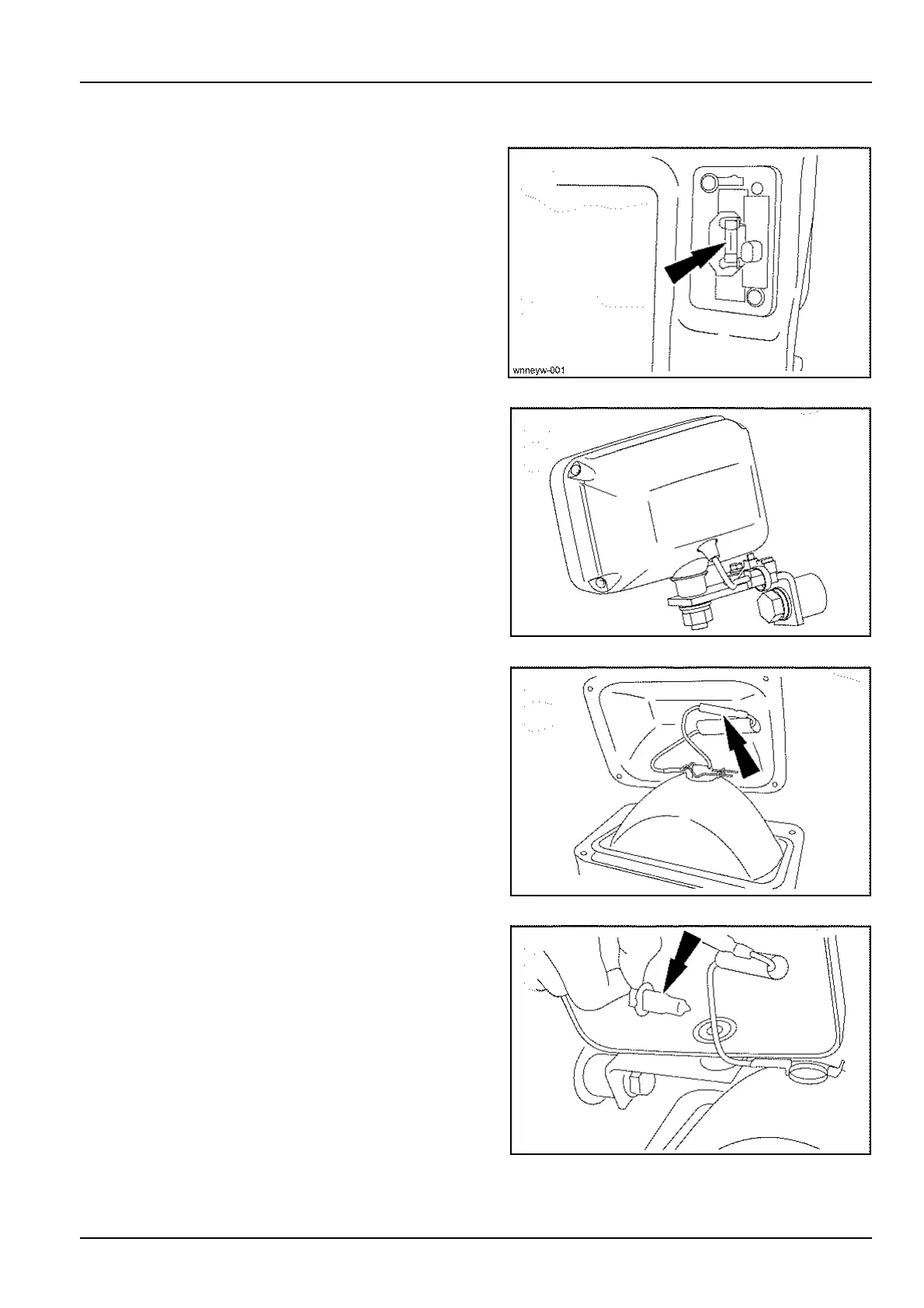
Attachmentworkinglights:
1.Removethe4retainingscrews.
SMIL13CEX2830AB2
2.Tilttheworkinglightanddisconnecttheplug.
SMIL13CEX2831AB3
3.Pulltheclipoutwards,removethebulbandinstalla
bulbofthesamewattage(70W).
4.Installtheclipandreconnecttheplug.
5.Puttheworkinglightbackintopositionandinstall
themountingscrews.
NOTICE:neverputyourngersonatungsteniodidebulb.
SMIL13CEX2832AB4
6-75













 To Next Page