3-CONTROLSANDINSTRUMENTS
Display
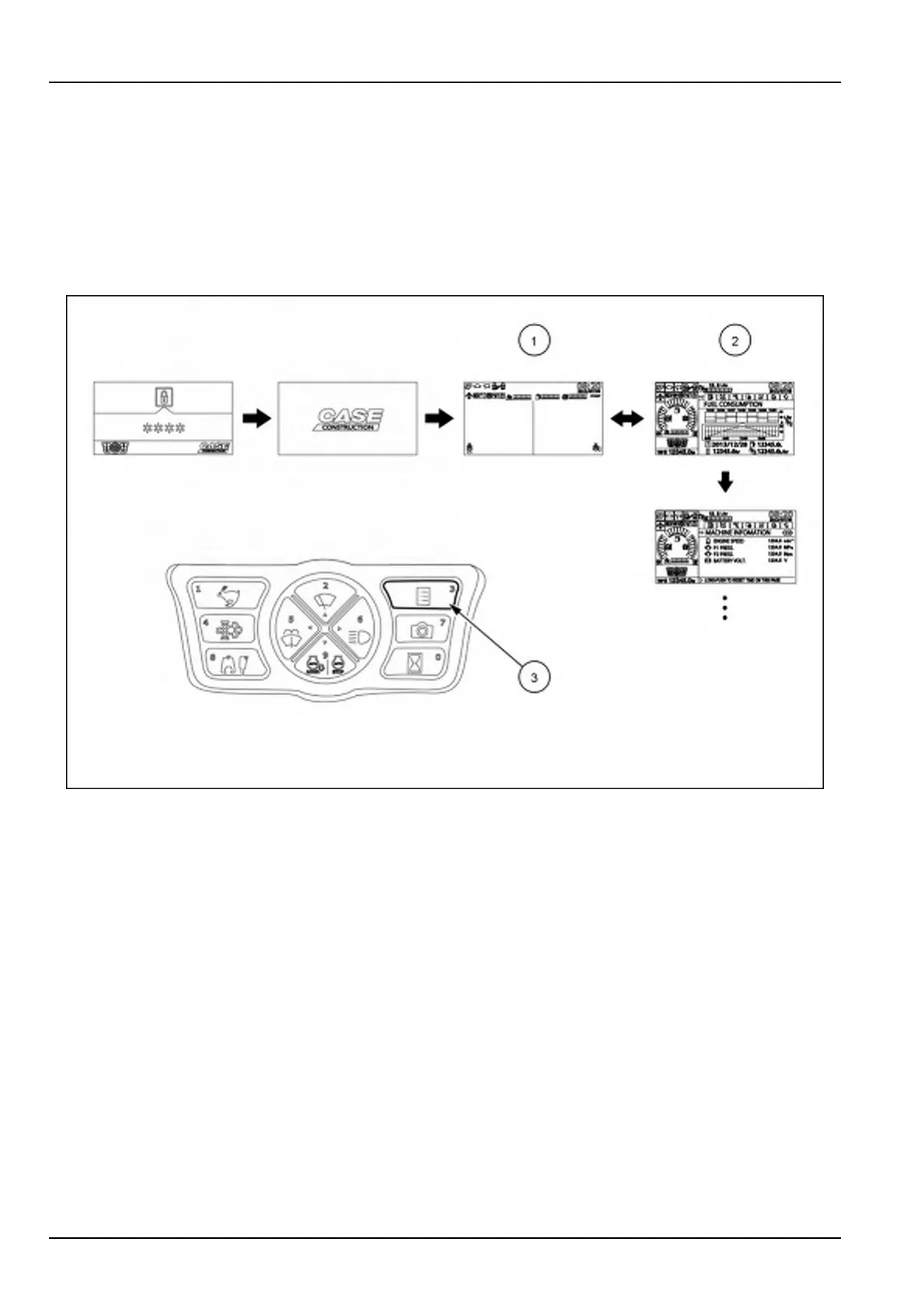
Thedisplayhastwovisualizationmodes:
•
Theoperatingmode(1)showstheimagesoftheexternalcameras,alongwiththeicons,warningandmessages
relatedtothefunctioningofthemachine.
•
Theuserinformationmode(2)showstheinformationtabsrelatedtothemachineoperationhistory,andprovides
accesstothecongurationtabsforthesetupofthemainfunctionalitiesofthemachine.
Pressthedisplaymodeselectorbutton(3)toswitchthemode.Themodetoggleseverytimethebuttonispressed.
SMIL16CEX0713FA3
NOTICE:Duringmachineoperation,makesuretoselecttheoperatingmodeofthedisplayinordertoensureproper
visibilityaroundthemachine.Ifthedisplayisswitchedtotheuserinformationmodeduringmachineoperation,the
warningmessageSELECTCAMERASCREENDURINGOPERATIONwillappearonthetopofthedisplay.
3-28













 To Next Page