Precautions before Use and Installation
3-7
3.6 Connecting the Device Under Test (DUT) for
Leakage Current Test
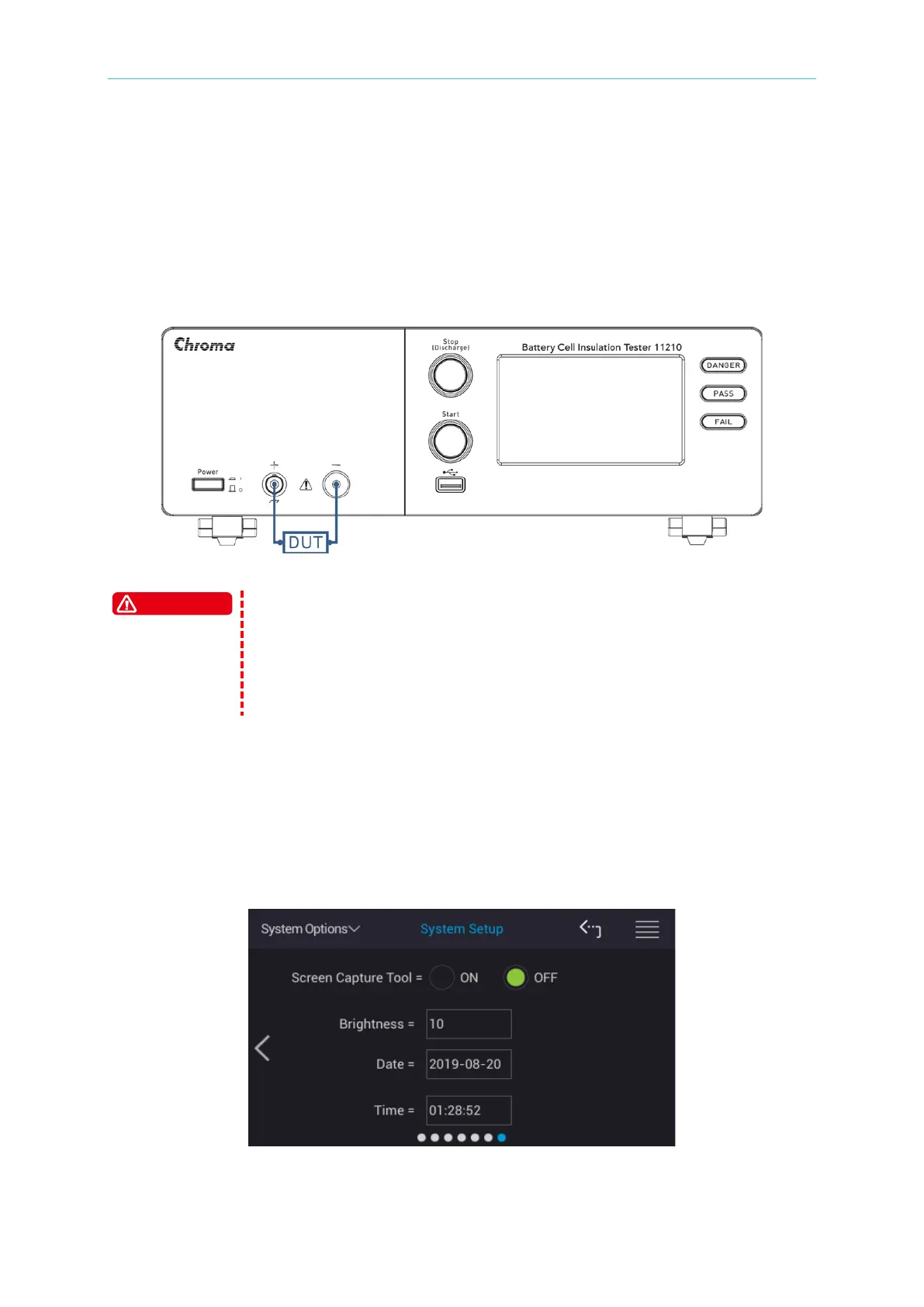
Connect the UNKNOWN (LEAKAGE CURRENT) test terminal on the front panel to the DUT
for leakage current test. Be sure that the DUT polarity is connected correctly, where the DUT’s
negative terminal is connected to the HV (-) red concave end of 11210 and the positive
terminal is connected to the HV (+) BNC end of 11210 as shown in Figure 3-5.
Figure 3-5 DUT Connection for Leakage Current Test
Be aware of the high voltage hazard as the maximum output from the
UNKNOWN (LEAKAGE CURRENT) is DC 1000V. Do not touch the
UNKNOWN (LEAKAGE CURRENT) terminal, the test cable and the DUT
during test to avoid electric shock. Do not remove the DUT before it is
fully discharged as it may contain the voltage that could cause any
3.7 Contrast Adjustment of Display
To adjust the contrast of touch monitor via the menu at upper left side of main screen, select
System Options and System Setup after returning main menu. Next switch the setup screen
to the 6
th
page and select Brightness setting. Be careful that the adjusting should be
depended on personal acceptable brightness.



 To Next Page