Battery Cell Insulation Tester 11210 User’s Manual
5-2
5.1 Function & Setup Menu
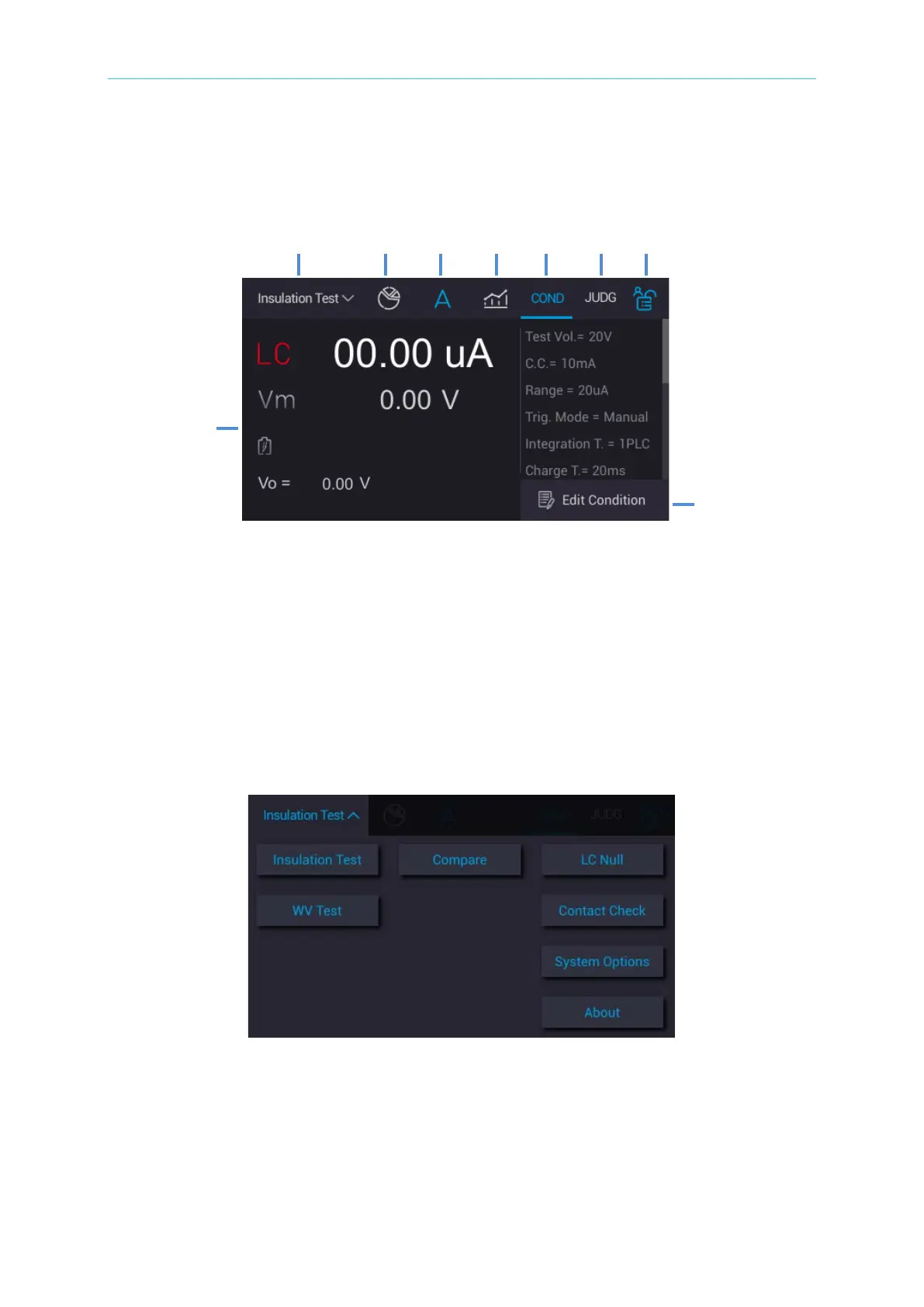
There are 8 items provided for users’ setup/review after powered-on to enter main menu.
1. Function selection menu
2. Measurement statistical information
3. Measurement result
4. Partial discharge measurement analysis chart
5. Test condition setup review area
6. Judgment condition setup review area
7. Monitor lock key
8. Test condition setup edit area
9. Measurement result review area
Touch the selection menu on the upper left of main screen and return to the main menu as the
figure shown below.
1. Insulation Test
2. Compare
3. LC Null
4. WV Test
5. Contact Check
6. System Options
7. About



 To Next Page