A112100 PD Tester Function Card (Option)
(3) Select “Insulation Test” to enter Insulation Test measurement screen after system
configuration is set and returns to main menu.
(
4) Press green “START” button on the panel to start measuring after DUT and test cabl
e
ar
e connected exactly. Test result shows at the lower display area after th
e
m
easurement is ended. There are two display methods: one is single execution result
to show the test value and another is statistical information result to show statistical
result.
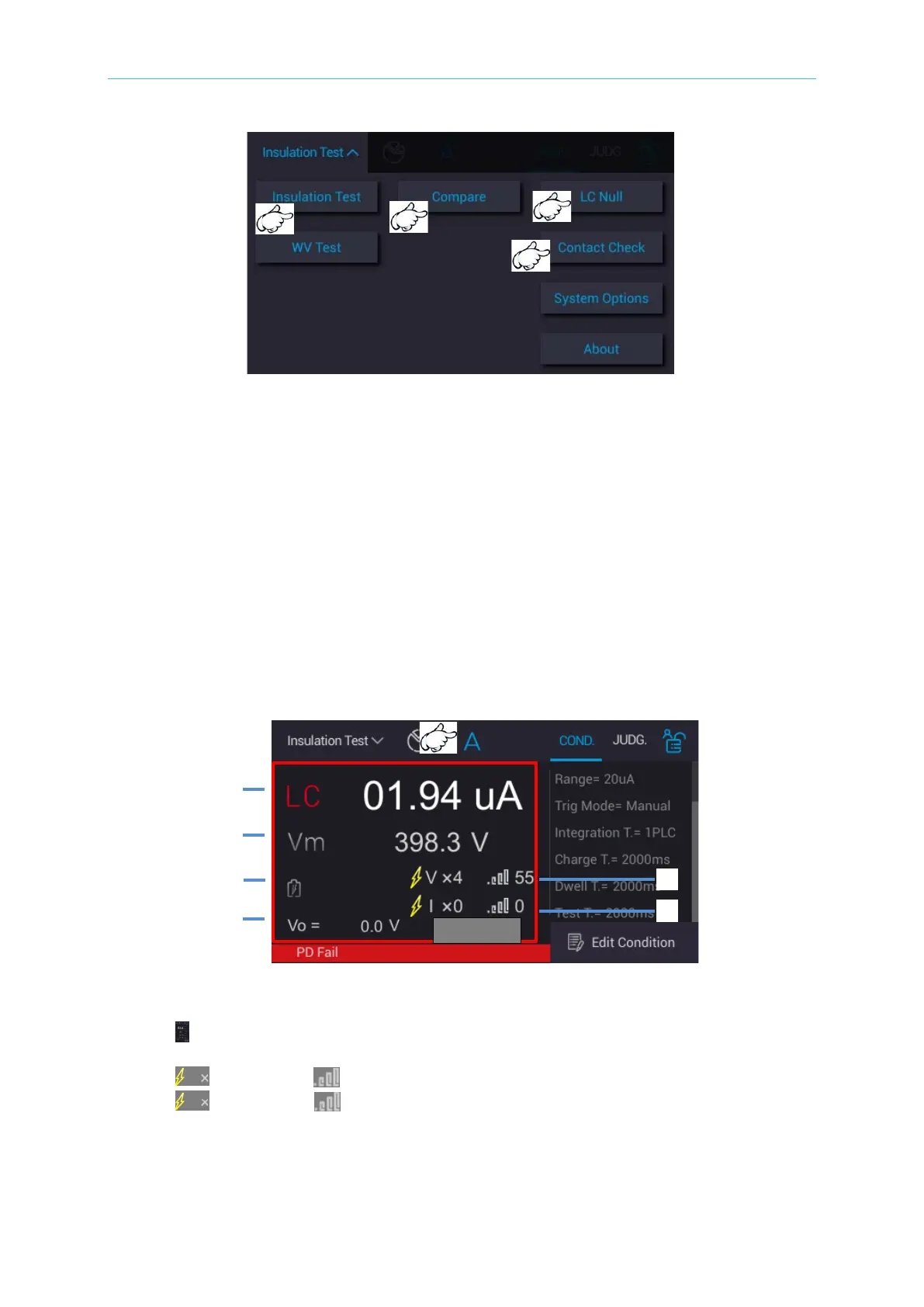
6.6.2 Single Execution Result
Select “A (Single Measurement)” on measurement main screen and press green START
button on the panel for measuring. The display area at the lower side show measurement
procedure and test result at this time.
1. LC
/IR: Leakage current/insulation resistance measurement val
ue
2. Vm: Measurement voltage value for Test Time phase
3. : It displays the current measurement for Charge/Dwell/Measure phase.
4. Vo: It displays real time voltage.
5. : VPD times, : VPD level
6. : CPD times, : CPD level



 To Next Page