Battery Cell Insulation Tester 11210 User’s Manual
7-6
(3) When the system environment settings are done, return to main menu and select
[Insulation Test] to enter into its test screen.
(4) When the DUT is properly connected to the test cable, press the green “START”
button on the panel to start measurement. When done, the test result will show in the
display area below. There are 3 ways to display the result, single execution result,
statistical result and waveform analysis result.
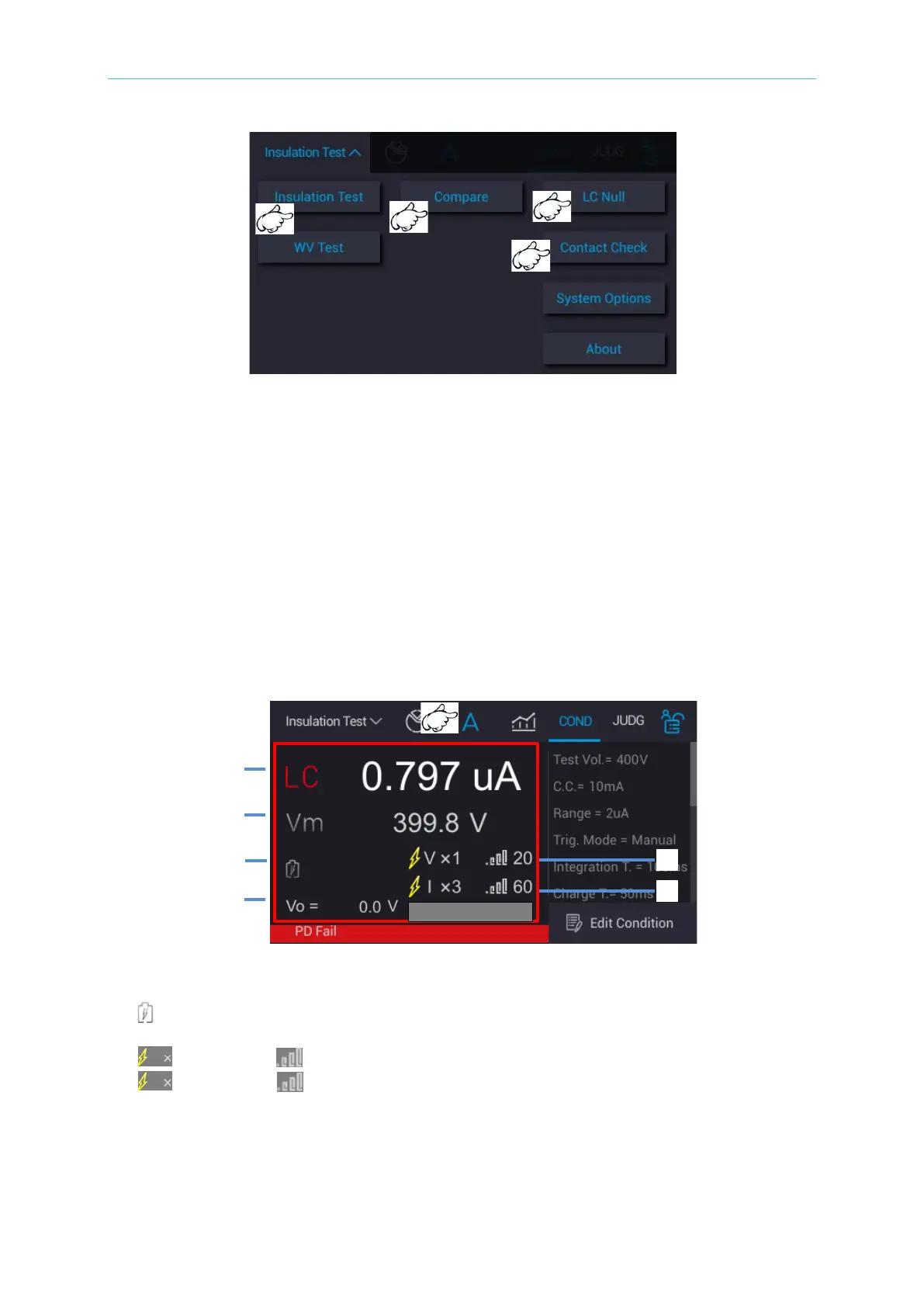
7.6.2 Single Execution Result
Select “A (single measurement)” in the main menu and press the green “START” button on
the panel to perform measurement. The display area below shows the measurement process
phase and test results at present.
1. LC/IR: Leakage current/insulation resistance measurement value
2. Vm: Measured voltage value for Test Time phase
3. : Displays the measurement phase to be Charge/Dwell/Measure/BDV Display at present
4. Vo: It displays real-time voltage
5. : VPD times, : VPD level
6. : CPD times, : CPD level



 To Next Page