Setting for Operation
5-17
When the instrument is connected via RS232 and PC, it is recommended
both use the same system power voltage. This is for avoiding burn down
the instrument or component inside PC terminal interface.
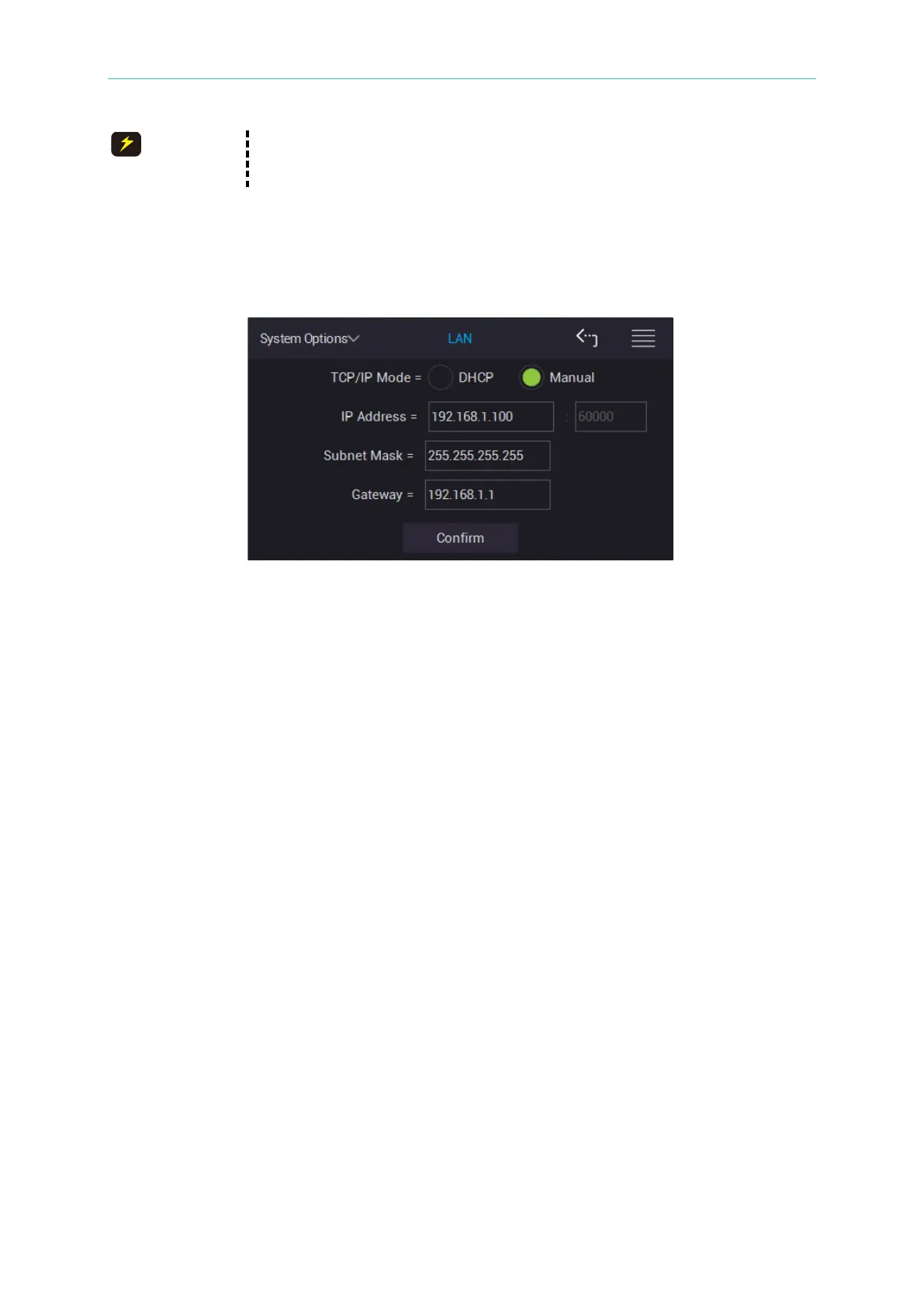
5.2.4.2 LAN Setting
Select LAN, the parameters of displayed screen as below shows.
Transmission Control Protocol (TCP) and Internet Protocol (IP) setting methods
The tester includes two modes of Automatic (DHCP) and Manual. If Automatic mode is
selected, a DHCP (Dynamic Host Configuration Protocol) server needs to be set up on
network. The tester will get IP Address, Subnet Mask and Gateway settings from DHCP
server automatically. After getting the settings, please press Confirm for confirmation.
If Manual mode is selected, set IP Address, Subnet Mask and Gateway by users. After the
setting is completed, please press Confirm for confirmation. The factory default is Manual
when shipped.
IP Address:
It is the communication protocol address of internet. PORT is fixed for using 60000.
Subnet Mask:
It is for subnet mask.
Gateway:
Communication gateway
5.2.5 Self Test Result
Power-on self test result



 To Next Page