Battery Cell Insulation Tester 11210 User’s Manual
4-2
(7) Danger LED
The tester is under testing status when the LED is lit or blinking, the test terminal contains
voltage and current output.
Don’t touch the test terminal or DUT while test status LED lights or
blinking.
(8) Pass LED
It indicates DUT judged as Pass when the LED is lit.
(9) Fail LED
It indicates the test result under the status judged as Fail when the LED is lit.
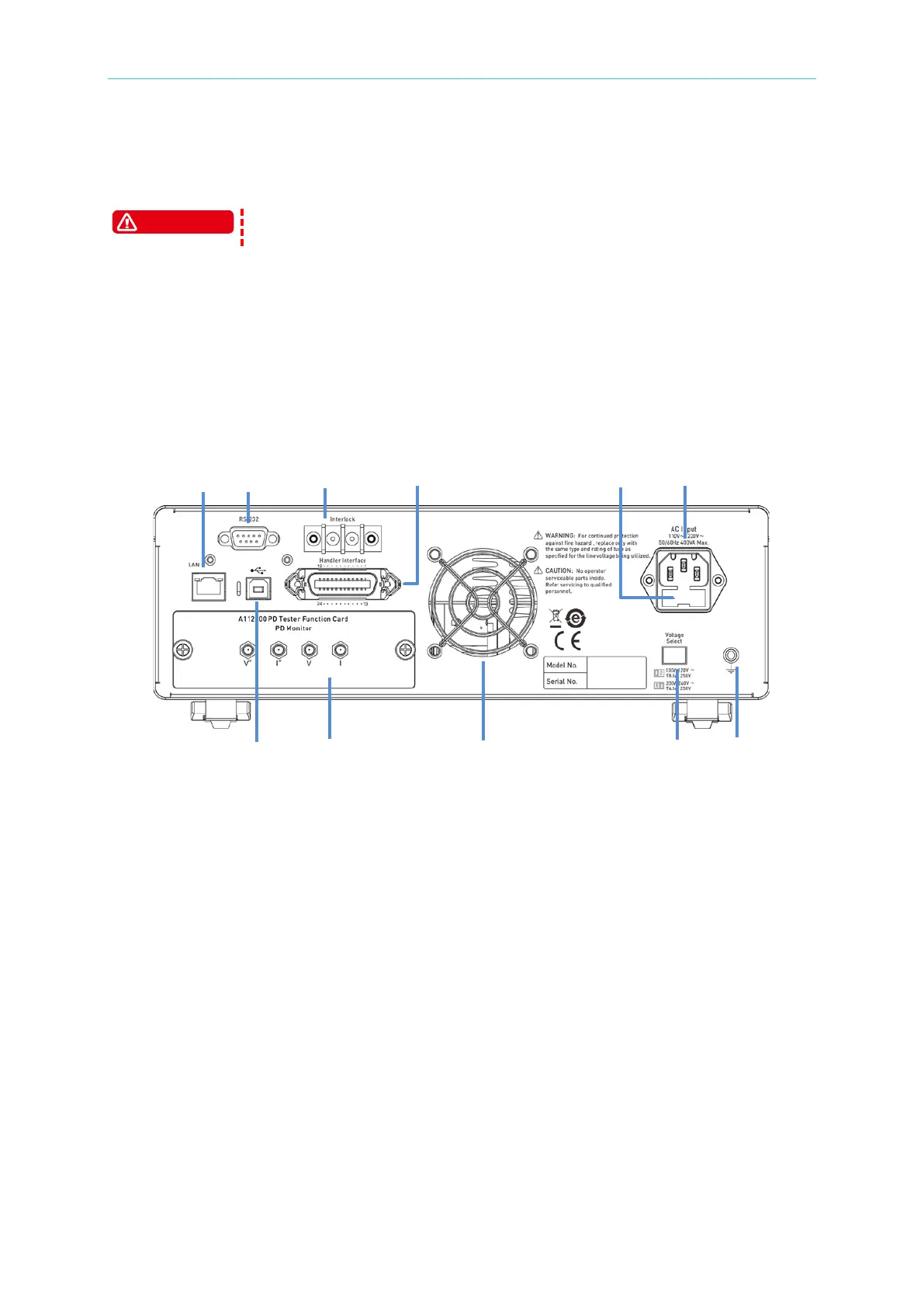
4.2 Rear Panel
(1) AC Line Socket
(2) Fuse
An 8A or 4A slow blow fuse is used to prevent the over current from occurring when the
instrument power is in 100 ~ 120V or 200 ~ 240V.
(3) Power Voltage Switch
Be sure to power off the instrument before switching the voltage. Use a small flat
screwdriver to switch the power voltage to the proper position.
(4) Ground Terminal
This terminal connects the cover of this instrument directly, and then connects to the
ground to avoid exterior obstruction that makes instrument connection uncompleted and
influences the safety.
(5) Fan
It is equipped with the function of temperature detection adjusting the fan speed. The fan
speed will be accelerated when the temperature risen, whereas the fan speed will be
decelerated when the temperature dropped.



 To Next Page