Precautions before Use and Installation
3-9
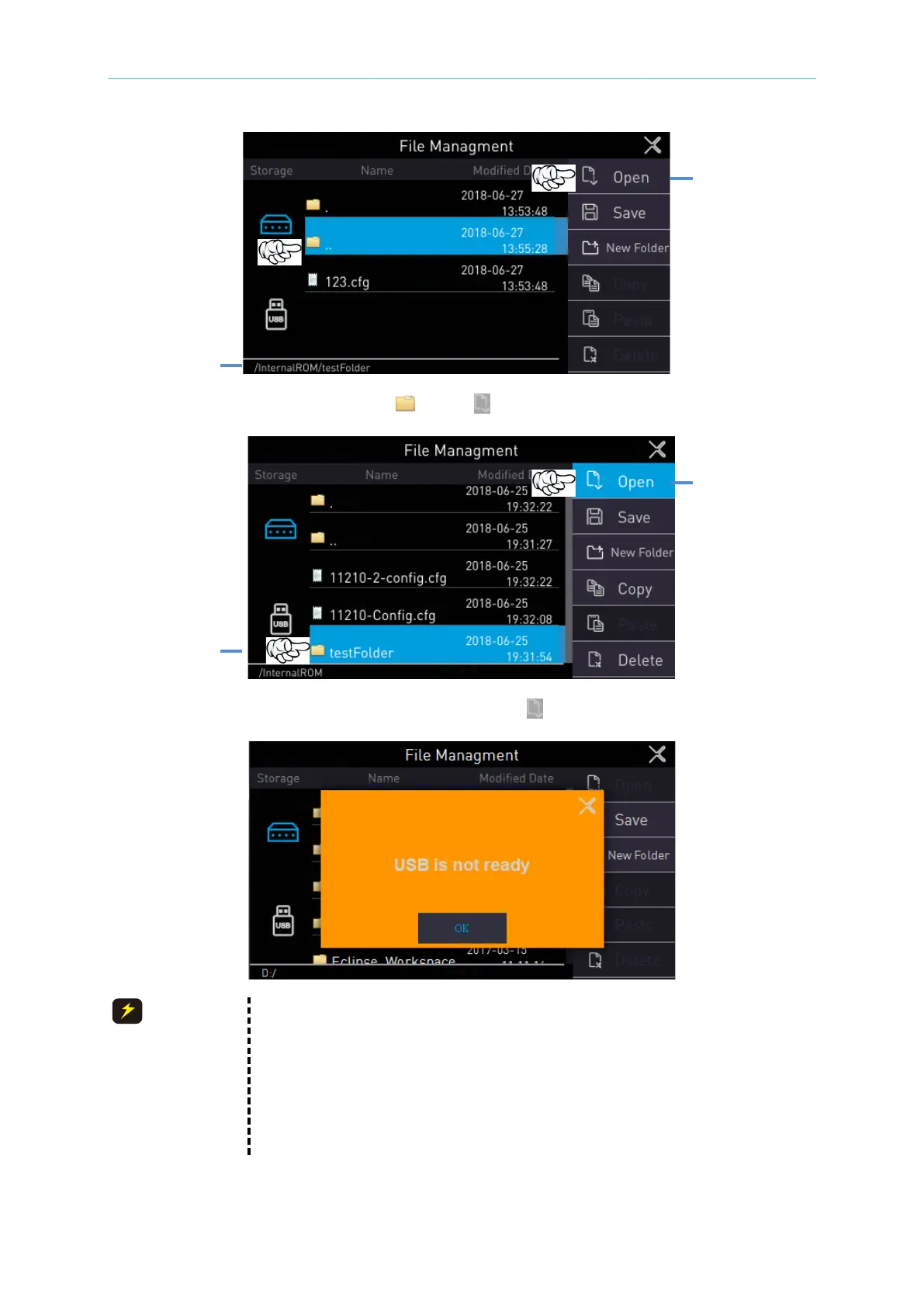
Back to the upper level folder: Touch “ ..” and “ Open” to back to the upper level folder.
Enter the folder: Select the folder to be entered, touch “ Open” to enter the selected folder.
1. When the external memory (USB) is selected and the warning
message is shown on the screen, make sure whether a USB disk
has inserted into the USB interface on front panel.
2. If the inserted USB disk has confirmed but the warning message still
has occurred, replace it with another USB disk for confirmation. If the
warning message is still occurred, please contact the agent or our
customer service to send the tester for repair.



 To Next Page