Battery Cell Insulation Tester 11210 User’s Manual
7-8
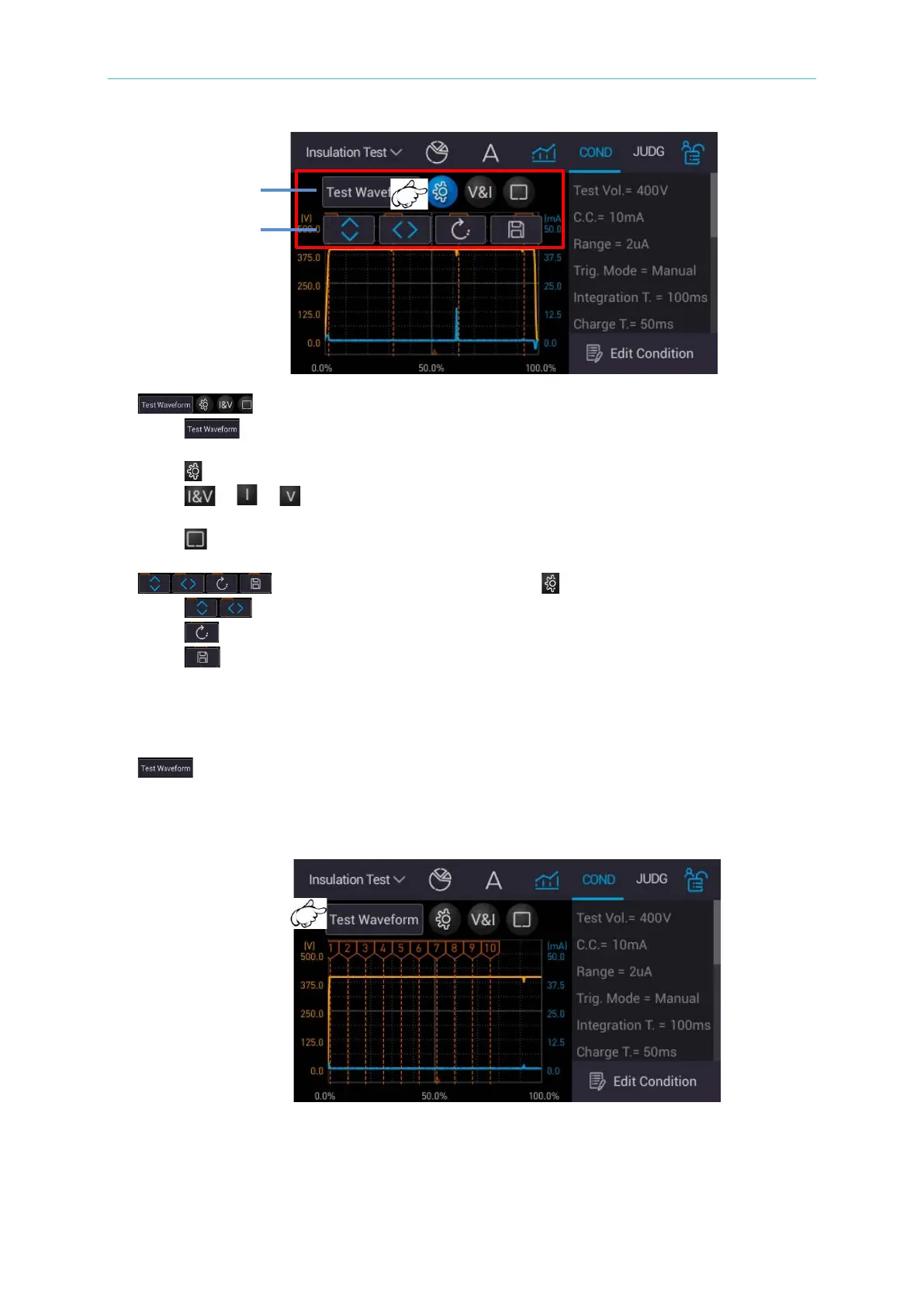
1. : Graph operation key
i. : Test waveform menu (including PD abnormal waveform), providing
complete graph + PD abnormal waveform (maximum 10).
ii. : Waveform display mode menu.
iii. / / : “Simultaneously display test voltage/output current waveform”,
“Display output current waveform”, and “Display test voltage waveform” menu.
iv. : Enlarge the test graph to full screen.
2. : The menu appeared after selected .
i. : Graph zoom in and out direction, up/down (Y-axis) or left/right (X-axis)
ii. : Return to the graph original scale.
iii. : Save the entire screen.
7.6.4.1 Analysis Chart (Standard Screen)
1. : Test waveform menu.
Touch it to prompt a measurement waveform selection menu. Select a waveform as
required (Test Waveform, PD #1 ~ PD #10).



 To Next Page