Citrix SD-WAN Platforms
Status Description
Blinking blue (300 m/s) Remote UID is on. Use this function to identify
the server from a remote location.
• NIC1 and NIC2—Indicate network activity on the LAN1 and WAN1 ports.
• HDD—Indicates the status of the hard disk drive.
• Power—When blinking, indicates that the power supply unit is receiving power and operating
normally.
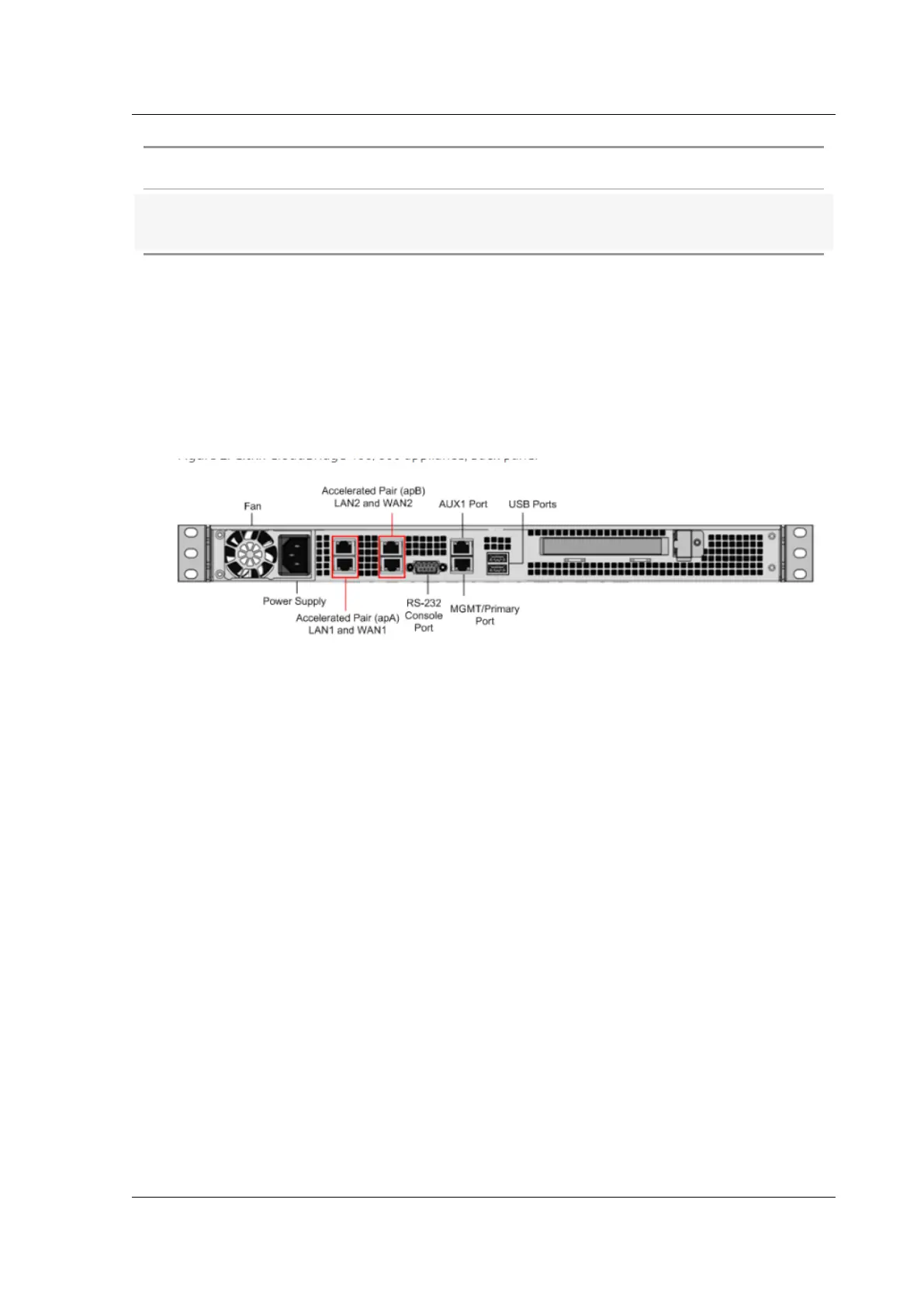
The following figure shows the back panel of an SD-WAN 800 appliance.
Figure 2. Citrix SD-WAN 800 appliance, back panel
The following components are visible on the back panel of an SD-WAN 800 appliance:
• Cooling fan
• Single power supply, rated at 200 watts, 110–240 volts
• Accelerated pairs of Ethernet ports (apA and apB) which function as accelerated bridges. Indi-
vidual port assignments: LAN1 is apA.1, WAN1 is apA.2, LAN2 is apB.1, LAN2 is apB.2.
• RS-232 serial console port
• One Aux Ethernet port and one management port
• Two USB ports
• One Solid State Drive (SSD)
– SD-WAN 800 - 240 GB SSD
For initial configuration of a SD-WAN appliance, perform the following tasks::
• Configure the appliance for use on your site.
• Install the Citrix license.
• Enable acceleration.
• Enable traic shaping (inline mode only).
You can configure the appliance by connecting the appliance to your computer through either the
Ethernet port or the serial console. The following procedure enables you to configure the appliance
by connecting it to your computer through the Ethernet port.
© 1999-2021 Citrix Systems, Inc. All rights reserved. 10



 To Next Page
 Loading...