Citrix SD-WAN Platforms
Citrix SD-WAN 400 SE
June 25, 2020
The SD-WAN 400 SE platform has a dual-core processor and 8 GB of memory. This platform has a
bandwidth of up to 50 Mbps.
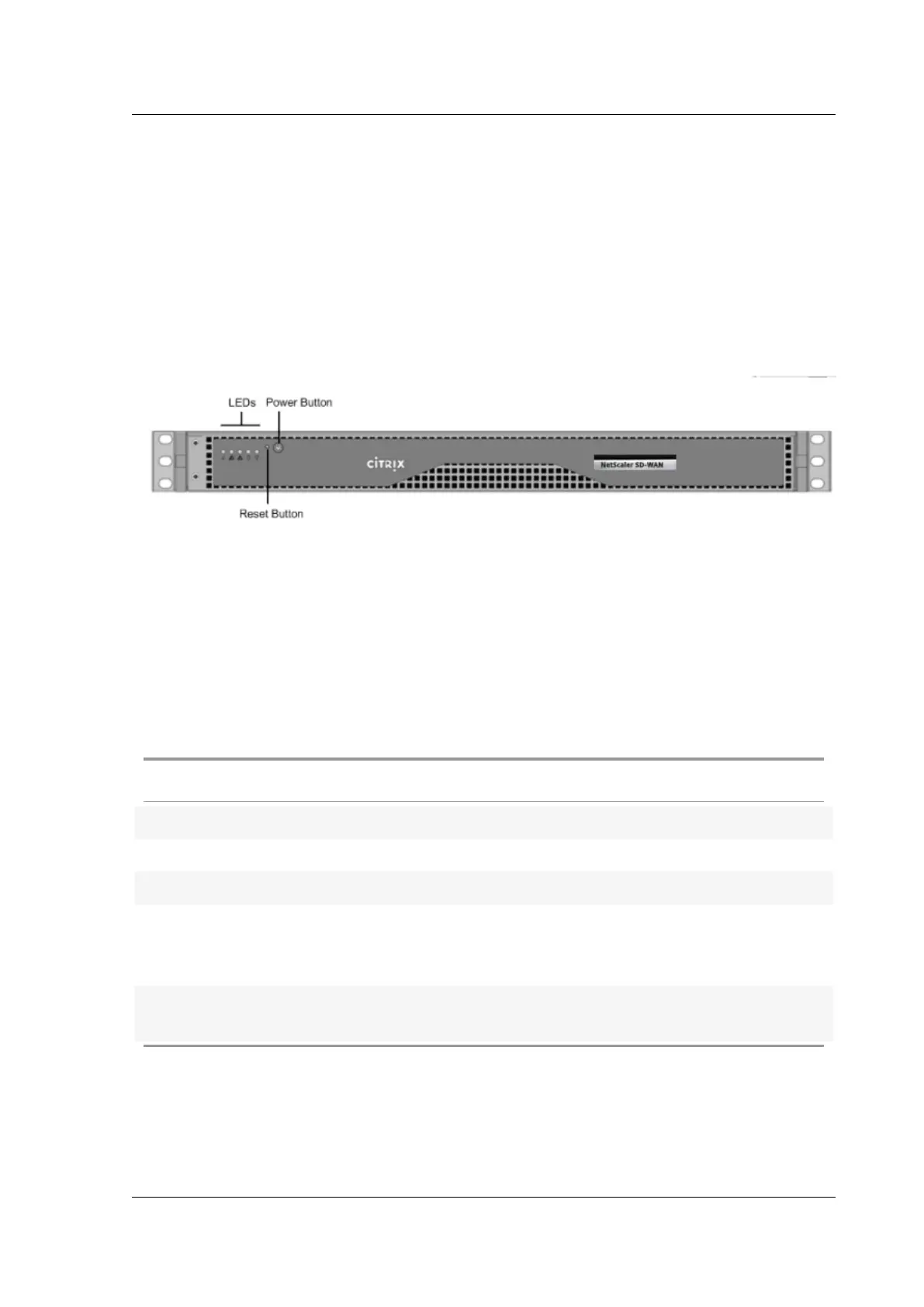
The following figure shows the front panel of an SD-WAN 400 SE appliance.
Figure 1.SD-WAN 400 SE, front panel
• The front panel of the SD-WAN 400 SE appliance has a power button and five LEDs.
• The power button switches main power (the power to the power supply) on or o.
• The reset button restarts the appliance.
The LEDs provide critical information about dierent parts of the appliance.
• Power Fail—Indicates that a power supply unit has failed.
• Information LED—Indicates the following:
Status Description
Continuously on and red The appliance is overheated.
Slow blink - 1 blink per second Fan failure.
Fast blink - 4 blinks per second Power failure.
Solid blue Local UID has been activated. Use this function
to locate the server in a rack mount
environment.
Fast blink - 3–4 blinks per second Remote UID is on. Use this function to identify
the server from a remote location.
• NIC1 and NIC2—Indicate network activity on the LAN1 and WAN1 ports.
• HDD—Indicates the status of the hard disk drive.
© 1999-2021 Citrix Systems, Inc. All rights reserved. 86



 To Next Page
 Loading...